Adobe Illustrator is mainly used to create vector graphics such as logos, icons, illustrations, typography, and scalable artwork.

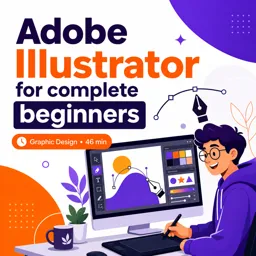
Duration of the online course: 46 minutes
3

(1)
Create clean vector logos and illustrations from scratch with this free Illustrator course. Learn the essentials fast and start designing with confidence.
Build a solid graphic design foundation by learning Adobe Illustrator from the ground up, even if you have never opened the app before. This beginner-friendly course is designed to help you go from curious to capable by focusing on what matters most: understanding how Illustrator works and how to use it to create sharp, scalable vector graphics.
Illustrator is the industry standard for designing artwork that stays crisp at any size, which is why it is widely used for logos, icons, illustrations, branding elements, and digital assets for social media and websites. Instead of getting stuck copying random steps, you will learn the core concepts behind vectors, shapes, paths, fills, and strokes so you can make design decisions with confidence and troubleshoot issues when they come up.
Throughout the learning experience, you will practice navigating the interface, using essential tools effectively, and developing clean workflows that save time. You will also strengthen your understanding of what Illustrator is best used for, what sets it apart from other design software, and which features help you create professional results efficiently. Along the way, quick knowledge checks reinforce key ideas so the fundamentals actually stick.
By the end, you should feel comfortable starting new projects, creating and editing vector artwork, and working with the building blocks of graphic design in Illustrator. Whether you want to start a creative hobby, prepare for more advanced design learning, or improve your skill set for freelance opportunities and entry-level roles, this free course offers a practical first step into the world of vector design.

46 minutes of online video course

Digital certificate of course completion (Free)

Exercises to train your knowledge

100% free, from content to certificate
What is Adobe Illustrator mainly used for?
Adobe Illustrator is mainly used to create vector graphics such as logos, icons, illustrations, typography, and scalable artwork.
Why are vector graphics useful in Adobe Illustrator?
Vector graphics can be resized from a small icon to a large banner without losing sharpness or image quality.
What features does Adobe Illustrator offer for graphic design?
Illustrator includes drawing tools, Pen and Shape tools, layers, color controls, typography tools, and vector editing features.
Ready to get started?Download the app and get started today.
Install the app now
to access the course
Over 5,000 free courses
Programming, English, Digital Marketing and much more! Learn whatever you want, for free.

Study plan with AI
Our app's Artificial Intelligence can create a study schedule for the course you choose.

From zero to professional success
Improve your resume with our free Certificate and then use our Artificial Intelligence to find your dream job.
You can also use the QR Code or the links below.



Free CoursePro Logo Design
4.9
(9)

10h16m

45 exercises
Free CourseBeginners guide to Graphic Design
4.8
(289)
6h26m
22 exercises
Free CourseGame artist using Krita
4.8
(9)
8h54m
31 exercises
Free CourseGraphic design for Beginners
4.8
(13)
11h12m
Free CourseCanva Video Editor
4.7

(15)
21m
5 exercises
Free CourseAdobe illustrator
4.7
(54)
5h32m
20 exercises
Free CourseCorelDRAW for Beginners: Complete Graphic Design and Vector Tools Training
4.7
(3)
8h03m
46 exercises
Free CourseAnimation
4.6
(8)
31m
5 exercises
Free CourseCanva tool for beginners
4.6
(36)
32m
11 exercises
Free CourseGraphic design Basics
4.6
(20)
48m
8 exercises
Carry knowledge in your pocket.
Download the Cursa app.
There are hundreds of free courses available, with a free certificate of completion that is saved in your mobile image gallery.
Download the app to access the Course Completion Certificate for Free.


+ 10 million
students

Free and Valid
Certificate

60 thousand free
exercises

4.8/5 rating in
app stores

Free courses in
video and ebooks