

DaVinci Resolve is used for video editing, color grading, visual effects, motion graphics, and audio post-production.

2

1


Mastering Audio Post-Production in DaVinci Resolve: A Creative Guide
Master audio post-production with Fairlight in DaVinci Resolve to deliver polished, immersive, and emotionally impactful soundtracks.

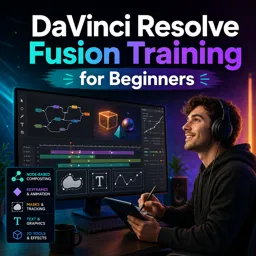
Advanced Fusion Compositing Techniques in DaVinci Resolve
Master Fusion in DaVinci Resolve to build pro-level VFX, motion graphics, and composites using a powerful node-based workflow.

How to Color Grade Like a Pro in DaVinci Resolve
Color grade like a pro in DaVinci Resolve by mastering the Color page, balancing exposure, using contrast and saturation, applying LUTs, and utilizing nodes for detailed control.

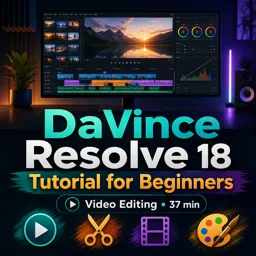
Getting Started with DaVinci Resolve: A Beginner’s Guide to Video Editing
Start editing with DaVinci Resolve by organizing media, making basic cuts, adding transitions, doing color correction, adding titles, and exporting in the Deliver page.
Learn professional video editing with this selection of free online DaVinci Resolve courses. Designed for beginners, students, content creators, and aspiring editors, these educational courses teach essential tools and practical workflows for producing high-quality videos. If you are searching for DaVince Resolve training, DaVinci Resolve tutorials, or a complete video editing course, this page helps you find accessible learning opportunities at no cost.
These free courses provide structured lessons that make the learning process clear and progressive. You can study fundamental editing concepts, explore the DaVinci Resolve interface, organize media, build timelines, improve audio, create visual effects, and develop color correction skills. Every course can be accessed for free, includes exercises for practical training, and offers free certification after completion.
Learning through exercises helps you turn theoretical knowledge into real editing ability. The activities encourage you to apply each technique, solve common production challenges, and build confidence with the software. You can study at your own pace, review lessons whenever necessary, and use completed projects to begin developing a creative portfolio. The free certification can also demonstrate your commitment to continuing education and professional development.
To access the courses, lessons, exercises, and free certification, it is necessary to install the Cursa application. Android users can install it through Google Play using Download for Android. Apple users can obtain the application from the App Store using Download for iOS / iPhone.
Whether you want to edit personal videos, produce digital content, expand your multimedia education, or prepare for opportunities in audiovisual production, these free DaVinci Resolve courses with exercises and free certification offer a practical starting point. Install the application, choose a course, and begin learning professional video editing today.
What is DaVinci Resolve used for?
DaVinci Resolve is used for video editing, color grading, visual effects, motion graphics, and audio post-production.
Is DaVinci Resolve suitable for beginners?
Yes. Beginner courses teach the interface, basic editing, transitions, color correction, audio tools, and exporting.
What will I learn in a DaVinci Resolve 18 tutorial for beginners?
You will learn how to import media, edit clips on a timeline, add titles and transitions, adjust color, and export finished videos.
What is DaVinci Resolve Fusion?
Fusion is DaVinci Resolve’s node-based visual effects and motion graphics workspace for compositing, tracking, keying, and animation.
Do I need editing experience to learn DaVinci Resolve Fusion?
No. Fusion training for beginners can introduce the essential tools and node workflow from the ground up.
Can I edit, color grade, and export a video in DaVinci Resolve?
Yes. DaVinci Resolve lets you edit footage, apply professional color corrections and grades, mix audio, and deliver videos in common formats.
What does a DaVinci Resolve beginner blueprint course cover?
A beginner blueprint course typically covers the complete workflow: editing video, improving color, organizing a project, and delivering the final export.

Complete any course and issue your certificate via the app — at no cost.

Download the app! to have access to more than 4,000 Online Courses + Certificate, all free!
Download the app! 100% free courses.


Carry knowledge in your pocket.
Download the Cursa app.
There are hundreds of free courses available, with a free certificate of completion that is saved in your mobile image gallery.
Download the app to access the Course Completion Certificate for Free.


+ 10 million
students

Free and Valid
Certificate

60 thousand free
exercises

4.8/5 rating in
app stores

Free courses in
video and ebooks