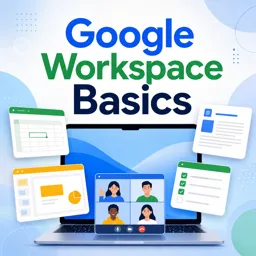
Google Workspace is a cloud-based suite of productivity and collaboration tools designed to help teams work efficiently and effectively. Formerly known as G Suite, it combines essential applications like Gmail, Google Drive, Docs, Sheets, Slides, and more, enabling seamless communication and collaboration—whether your team is in the same office or spread across the globe.
What is Google Workspace?
Google Workspace is a comprehensive platform that brings together all the tools an organization needs to create, communicate, and collaborate. Its cloud-based design ensures that documents and data are always accessible, secure, and synchronized across devices, helping teams focus on productivity without worrying about version control or file compatibility.
Key Features of Google Workspace
- Gmail: Secure, ad-free email with smart features such as spam protection, custom domain addresses, and integrated chat.
- Google Docs, Sheets, and Slides: Web-based editors that allow real-time collaboration on documents, spreadsheets, and presentations.
- Google Drive: Cloud storage for organizing, storing, and sharing files securely with customizable access permissions.
- Google Meet and Chat: Video conferencing and messaging tools that support remote and hybrid teamwork.
- Calendar and Tasks: Shared calendars, event planning, and task management integrated across Workspace apps to keep teams organized.
- Security and Admin Controls: Advanced security features, privacy settings, and centralized administration for managing users and devices.
Benefits for Modern Offices
Google Workspace enhances team collaboration and efficiency by:
- Enabling real-time collaboration from any location.
- Ensuring documents are constantly saved and easily accessible.
- Reducing data loss and version conflicts.
- Offering powerful search and integration capabilities to save time and stay organized.
Integration with Other Office Tools
Google Workspace is compatible with many other office solutions, including Microsoft Office. You can:
- Edit and share Word, Excel, and PowerPoint files directly in Google Docs, Sheets, and Slides.
- Collaborate with colleagues without worrying about file compatibility.
- Streamline workflows by combining existing tools with Workspace apps.
Getting Started
Adopting Google Workspace is straightforward:
- Intuitive interfaces make navigation easy for teams of any size.
- Customization options allow you to fit the platform to your organization’s workflow and security needs.
- Training resources like tutorials, courses, and community forums help maximize the value of your subscription.
With Google Workspace, your team can work smarter, stay connected, and achieve more—no matter where they are.