Introduction
Microsoft 365 is more than just a suite of productivity tools—it’s a complete cloud-based platform designed to enhance collaboration, organization, and workflow. Whether you are an individual, a business user, or part of an educational institution, Microsoft 365 provides essential applications like Word, Excel, PowerPoint, Outlook, and more, all accessible from anywhere, on any device.
What’s Included in Microsoft 365?
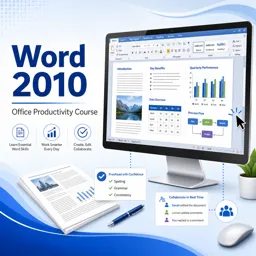
- Word: Create and edit documents with powerful formatting, collaboration, and reviewing tools.
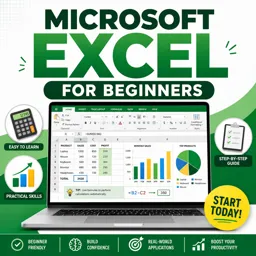
- Excel: Manage data, build charts, and perform calculations with advanced spreadsheet features.
- PowerPoint: Design impactful presentations with animations and multimedia integration.
- Outlook: Organize emails, schedules, and contacts in one centralized hub.
- OneDrive: Securely store and share files in the cloud.
- Teams: Collaborate via chat, video meetings, and integrated apps.
- Additional Tools: Access Planner, OneNote, SharePoint, and more for comprehensive office management.
Benefits of Using Microsoft 365
- Cloud Accessibility: Work from anywhere on any device with an internet connection.
- Real-Time Collaboration: Edit documents simultaneously with colleagues, improving efficiency.
- Automatic Updates: Applications are always up-to-date with the latest features and security patches.
- Robust Security: Microsoft 365 employs industry-leading data protection and compliance features.
- Integration: Seamlessly connect with other Microsoft and third-party applications.
Getting Started Tips
- Sign Up: Choose a subscription plan tailored to your needs (individual, business, or education).
- Install Apps: Download desktop versions or use web-based apps directly in your browser.
- Explore OneDrive: Organize and share your files for easy collaboration.
- Leverage Microsoft Teams: Set up channels for team communications and project management.
- Utilize Templates: Start documents, spreadsheets, and presentations efficiently using built-in templates.
Who is Microsoft 365 For?
Microsoft 365 is versatile—ideal for students, professionals, small businesses, and large enterprises. Its scalable features allow users to customize their experience based on specific requirements, making it one of the most popular productivity platforms worldwide.
Conclusion
Microsoft 365 empowers individuals and organizations to work smarter and more efficiently. By integrating familiar Office tools with powerful collaboration and cloud capabilities, it’s a valuable asset for anyone looking to improve productivity, communication, and organization in today’s digital landscape.