Modern workplaces demand efficient tools for communication, file sharing, and collaborative work. Google Workspace stands out as a cloud-based office suite that streamlines teamwork, allowing teams to collaborate seamlessly from anywhere. This article explores practical ways to leverage Google Workspace for real-time collaboration and enhanced productivity.
What Is Google Workspace?
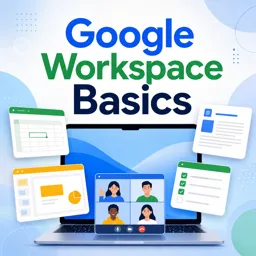
Formerly known as G Suite, Google Workspace integrates Gmail, Drive, Docs, Sheets, Slides, Meet, Calendar, and other productivity tools. Each application is interconnected, creating an ecosystem where communication, collaboration, and file management happen effortlessly.
Real-Time Collaboration: How It Works
- Simultaneous Editing: Multiple users can edit Google Docs, Sheets, or Slides at the same time. Changes appear instantly, with color-coded cursors tracking contributions.
- Instant Commenting and Suggestions: Team members can leave comments, tag colleagues, and provide suggestions without altering the main content.
- Revision History: All edits are automatically saved, allowing you to review or restore previous versions to manage changes and prevent data loss.
Best Practices for Team Collaboration
- Centralize Files in Google Drive: Store shared files and folders in Drive to ensure team access and avoid version confusion.
- Leverage Shared Drives: Use Shared Drives for ongoing projects to keep resources organized and manage permissions at the group level.
- Use Google Meet for Instant Video Calls: Schedule and join meetings directly from Calendar or Gmail to discuss details and make quick decisions.
- Utilize Google Chat for Conversations: Communicate via Chat for quick questions or group discussions instead of relying on lengthy email threads.
Integrations and Automation
Google Workspace integrates with task management tools, CRMs, and other apps. Utilize Google Apps Script or connect third-party apps through the Google Workspace Marketplace to automate repetitive tasks, such as document approvals or status updates.
Security and Access Controls
Admins can manage data security and permissions at both organizational and document levels. Features like two-factor authentication, data loss prevention, and access control lists help ensure that sensitive information remains protected.
Conclusion
Google Workspace empowers teams to collaborate efficiently using real-time tools designed for flexibility and security. By leveraging its collaborative features, teams can streamline workflows, improve communication, and achieve better project outcomes.