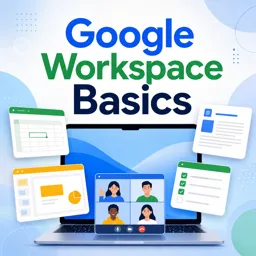
Google Slides makes teamwork effortless, allowing multiple users to edit, comment, and refine presentations in real time. Whether you are working with colleagues in the same office or across the globe, this platform offers all the tools needed for smooth collaboration and professional results.
WHY USE GOOGLE SLIDES FOR COLLABORATION?
- Real-Time Editing: Multiple users can work on the same slide deck simultaneously, eliminating version confusion.
- Easy Sharing: Invite collaborators to view, comment, or edit with controlled permissions.
- Integrated Communication: Built-in chat and comments keep feedback in one place.
- Revision History: Restore previous versions or track changes whenever needed.
GETTING STARTED WITH SHARED GOOGLE SLIDES
- Create or Open Your Presentation: Access Google Slides from Google Drive and start a new project or open an existing one.
- Share Your Slides: Click Share, add email addresses of collaborators, and set permissions (view, comment, or edit).
- Collaborate in Real Time: Watch live updates, see team members’ cursors, and review changes as they happen.
LEVERAGING COMMENTS AND SUGGESTIONS
- Highlight text or objects and select Comment to leave feedback.
- Use Suggesting mode to propose changes without altering the original content until approved.
TIPS FOR PRODUCTIVE GOOGLE SLIDES COLLABORATION
- Assign slides or tasks to team members using notes or comments.
- Keep communication clear with threaded conversations in comments.
- Regularly check Version History to monitor changes and revert if necessary.
INTEGRATIONS AND ADVANCED FEATURES
Google Slides integrates with other Google Workspace tools, allowing you to embed charts, diagrams, and spreadsheets directly. Add-ons further expand capabilities, from advanced charting to audience engagement tools.
CONCLUSION
Google Slides enhances team productivity with real-time editing, seamless communication, and secure version control. It’s the ideal platform for collaborative presentation building, no matter where your team is located.