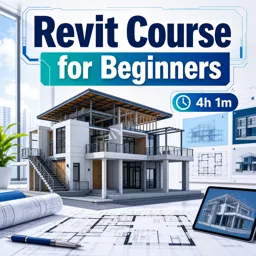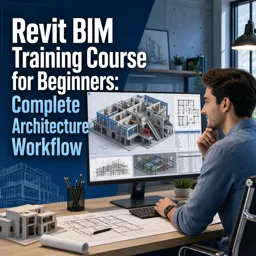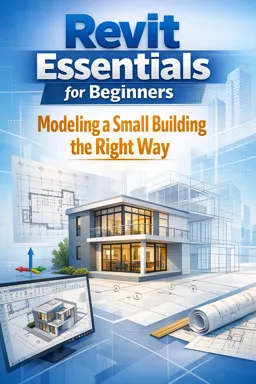

Free ebook on Revit essentials for beginners: model a small building, coordinate BIM elements, and create clear drawing sheets.
Free ebook content
-

Revit Essentials: BIM Mindset and Project Setup for a Small Building
+ Exercise: A beginner places a door as a Generic Model and later finds it won’t tag or appear correctly in door schedules. Which action best aligns with a BIM workflow to prevent this issue?
-
Levels, Grids, and Reference Planning: Building a Reliable Skeleton
+ Exercise: You want grid lines to display with the same extents in both the Ground Floor and Roof plans without manually adjusting each view. What is the best approach?
-
Core Revit Navigation and View Control for Modeling Accuracy
+ Exercise: While modeling, you notice you are repeatedly nudging a door in 3D to make its head align with a nearby window. What is the most accurate workflow to fix this?
-
Understanding Families: Types, Instances, and Parameters in a Beginner Workflow
+ Exercise: In a beginner Revit workflow, you need the same window type placed in multiple rooms but with different sill heights. What is the best way to handle this so documentation stays consistent?


-
Modeling Exterior and Interior Walls: Best Practices for Clean Joins and Correct Constraints
+ Exercise: When a wall’s top needs to follow a roof or floor and stay easy to update later, what is the best practice?
-
Floors and Structural Slabs: Boundaries, Slopes, and Edge Conditions
+ Exercise: When sketching a floor with Pick Walls, what is the main purpose of setting the Offset value intentionally?
-
Roofs the Right Way: Footprints, Slopes, and Connections to Walls
+ Exercise: When modeling a simple gable or hip roof for a small building, what workflow best keeps the roof editable and produces clean wall closure in sections?
-
Doors and Windows: Accurate Placement, Hosting, and Tag-Ready Data
+ Exercise: Which approach best supports coordinated, tag-ready door and window placement in a Revit model?
-
Model Coordination Tools: Align, Constraints, Groups, and Copy/Monitor Basics
+ Exercise: When working with repeated elements in a small-building Revit model, which approach is recommended to keep the model easier to edit later if the repetition might change?
-
Managing Views: View Templates, Annotation Consistency, and Visibility Control
+ Exercise: In Revit, what is the best way to create a clean sheet floor plan and a separate fire plan that highlights fire-rated walls while keeping graphics consistent?
-
Annotation Essentials: Dimensions, Tags, Text, and Keynotes for Readable Drawings
+ Exercise: When adding aligned dimensions in Revit, which approach best helps keep dimensions reliable when the model changes?
-
Sheets and Print-Ready Deliverables: Title Blocks, Viewports, and Set Organization
+ Exercise: When exporting a drawing set to PDF from Revit, which approach best helps ensure the title block, viewport titles, and sheet order export correctly and at the intended scale?
-
Quality Control and Modeling Sequence: A Repeatable Workflow for Small Buildings in Revit
+ Exercise: In a repeatable Revit workflow for a small building, what is the main reason to insert QC checks at defined milestones rather than only at the end?
About the free ebook
Revit Essentials for Beginners: Modeling a Small Building the Right Way
This free ebook introduces a practical, BIM-focused method for creating a coordinated small-building model in Revit. Rather than treating the software as a 3D drawing tool, you will learn to build an accurate model whose views, annotations, and sheets stay connected.
Build from a reliable project foundation
Start with project setup, levels, grids, reference planning, navigation, and view control. These fundamentals help establish a dependable framework before architectural elements are added.
Model architectural elements with purpose
Learn how families, types, instances, and parameters affect a beginner workflow. The ebook explains sound practices for walls, floors, slabs, roofs, doors, and windows, including constraints, joins, hosting, slopes, and edge conditions.
- Create walls with clean joins and correct level constraints.
- Define floor and roof boundaries that connect properly to the building.
- Place hosted doors and windows with organized, tag-ready information.
- Use alignment, constraints, groups, and Copy/Monitor basics to support coordination.
Turn the model into clear documentation
Develop consistent views with visibility controls and view templates. Apply dimensions, tags, text, and keynotes so drawings communicate clearly. You will also explore title blocks, viewports, sheet organization, and print-ready deliverables.
A repeatable workflow for small projects
Finish with quality-control practices and a logical modeling sequence that can be reused on future small-building projects. This ebook helps new Revit users make deliberate modeling decisions, reduce rework, and produce cleaner architectural documentation.
How do levels and grids improve a small building model in Revit?
They create a stable reference framework for placing, constraining, and coordinating building elements.
What is the difference between a Revit family type and an instance?
A type controls shared properties for similar elements, while an instance has properties specific to one placed element.
How can Revit view templates improve drawing consistency?
They apply standardized visibility, graphics, scale, and annotation settings across multiple views.
This ebook includes:

13 content chapters

Digital certificate of course completion (Free)

Exercises to train your knowledge

100% free, from content to certificate
Ready to get started?

 recommended
In the app you will also find...

Over 5,000 free courses
Programming, English, Digital Marketing and much more! Learn whatever you want, for free.

Study plan with AI
Our app's Artificial Intelligence can create a study schedule for the course you choose.

From zero to professional success
Improve your resume with our free Certificate and then use our Artificial Intelligence to find your dream job.
You can also use the QR Code or the links below.