Introduction
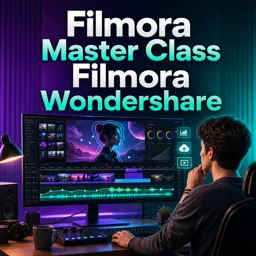
Filmora Wondershare is a favorite among video editors thanks to its simple interface and creative tools. But its real power lies in how it supports compelling storytelling. Whether you’re making personal vlogs, brand narratives, or creative projects, Filmora helps you turn raw footage into emotional, engaging stories.
Using Templates and Presets for Narrative Flow
Filmora offers a variety of built-in templates that make it easy to structure your story:
- Intros and Outros: Set the tone and give your video a strong beginning and end.
- Title Packs and Lower Thirds: Introduce characters, settings, or context smoothly.
- Thematic Transitions: Move from one scene to another with mood-enhancing transitions.
These tools create a cohesive and easy-to-follow flow that keeps viewers engaged.
Layering Visuals for Emotional Impact
Adding layers to your visuals creates depth in storytelling:
- Picture-in-Picture (PIP): Show multiple perspectives or flashbacks at once.
- Image Overlays: Add symbolic or thematic visuals to enhance the narrative.
- Split Screens: Compare scenes or show different timelines in parallel.
These techniques allow you to guide emotions and draw attention to key moments.
Utilizing Audio for Atmosphere
Sound is a powerful storytelling element. Filmora includes:
- Royalty-Free Music: Find tracks that match the tone of your story—dramatic, joyful, tense, or romantic.
- Sound Effects: Add natural ambience, transitions, or emotional cues.
- Voiceovers: Narrate directly to the audience to personalize your message.
By syncing sound with visuals, you create an immersive viewing experience.
Highlighting Key Moments with Motion and Effects
Filmora lets you emphasize important parts of your story using:
- Motion Tracking: Follow objects or characters to focus attention.
- Keyframing: Animate graphics, text, or images to reveal story shifts or mood changes.
- Color Grading: Use tones and filters to match the emotional palette of your video.
- Slow Motion or Zooms: Highlight dramatic or meaningful actions.
These effects make your narrative more dynamic and emotionally resonant.
Crafting Engaging Endings and Calls to Action
Leave a lasting impression with customized endings:
- End Screens: Encourage viewers to subscribe, watch more content, or take action.
- Thank You Notes or Credits: Personalize your conclusion with a human touch.
- Interactive Elements: Add polls, links, or feedback options to extend engagement.
A well-crafted ending reinforces your message and keeps your audience coming back.
Conclusion
Storytelling isn’t just about editing—it’s about connection. Filmora gives you all the tools to turn your creative vision into a meaningful experience. Whether you’re a beginner or a seasoned creator, explore the features, trust your voice, and let your stories come to life.