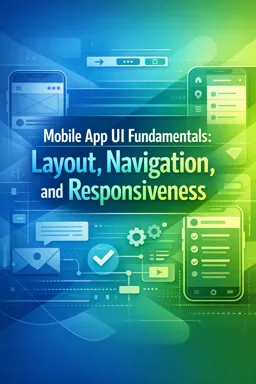

Download this free ebook on mobile app UI fundamentals, covering layouts, responsive design, navigation patterns, forms, and usability.
Free ebook content
-

Mobile UI Building Blocks and Design Goals
+ Exercise: Which approach best supports resilience when designing a mobile screen with form components?
-
Layout Structure with Grids, Spacing, and Alignment
+ Exercise: When a mobile screen feels messy because labels seem to float and elements look unrelated, which combination best helps restore a consistent layout structure across screens and devices?
-
Reusable Components and Visual Consistency
+ Exercise: When defining boundaries for a reusable UI component, which responsibility should belong to the component rather than the screen?


-
Responsive Design Principles for Multiple Screen Sizes
+ Exercise: Which approach best reflects responsive mobile UI design across multiple screen sizes?
-
Adapting to Orientation, Safe Areas, and Notches
+ Exercise: Which approach best keeps interactive content usable across notches, gesture areas, and rotation while still allowing edge-to-edge visuals?
-
Typography and Scalable Text for Readability
+ Exercise: Which approach best supports scalable text without breaking mobile UI layouts?
-
Touch Targets, Gestures, and Interaction Feedback
+ Exercise: A small close icon is hard to tap accurately, but the visual design cannot change. What is the best approach to improve usability while keeping the icon visually small?
-
Navigation Architecture and Information Hierarchy
+ Exercise: Which choice best describes the relationship between navigation architecture and information hierarchy in a mobile app?
-
Tab Navigation Patterns and When to Use Them
+ Exercise: In which scenario are bottom tabs the most appropriate primary navigation choice?
-
Stack Navigation Patterns for Flows and Details
+ Exercise: In a checkout flow, why should the transition from Review to Confirmation typically use replace or a stack reset instead of a normal push?
-
Drawer Navigation Patterns and Context Switching
+ Exercise: Which situation best justifies using a drawer as the primary navigation pattern in a mobile app?
-
Combining Navigation Patterns Without Confusion
+ Exercise: In an app that combines tabs with in-section stacks, what is the recommended behavior when a user taps a link in Home that leads to the Orders list?
-
State Handling for Loading, Empty, and Error Screens
+ Exercise: When a user pulls to refresh a list that already has items, which UI state handling approach best prevents the content from disappearing?
-
Forms and Input Layout for Mobile Constraints
+ Exercise: Which approach best reduces user errors and confusion when designing text for mobile form fields?
-
Cross-Platform UI Considerations and Adaptation
+ Exercise: Which approach best follows the same intent, native execution rule for cross-platform UI?
-
Practical UI Review Checklist and Common Pitfalls
+ Exercise: During a UI review, what is the best way to catch issues that only appear with long text, missing images, slow networks, or denied permissions?
About the free ebook
Mobile App UI Fundamentals: Layout, Navigation, and Responsiveness
Design mobile interfaces that feel clear, dependable, and comfortable to use across devices. This free ebook introduces the practical UI foundations behind polished app experiences, from visual structure and reusable components to navigation choices and responsive behavior.
Build interfaces with purpose
Learn how grids, spacing, alignment, and typography create hierarchy and help people scan screens quickly. The ebook explains how consistent components support a recognizable visual system while reducing design and development friction.
Design for real mobile conditions
Mobile screens vary in size, orientation, density, and usable area. Explore responsive layout decisions, safe areas, notches, scalable text, and cross-platform adaptation so important content and controls remain accessible in everyday use.
Create intuitive movement and interaction
Examine touch targets, gestures, feedback, and navigation architecture. The material compares common tab, stack, and drawer patterns, helping you select and combine them without making an app difficult to understand.
Handle the states users actually see
Strong interfaces account for more than ideal data. You will consider loading, empty, and error states, as well as mobile-friendly form layouts that make input tasks easier to complete.
What you will gain
- A practical framework for organizing mobile layouts and visual hierarchy
- Guidance for responsive, readable, and touch-friendly screens
- Criteria for choosing navigation patterns for different app flows
- A review mindset for spotting common UI issues before release
Mobile App UI Fundamentals: Layout, Navigation, and Responsiveness is a focused resource for creating interfaces that are consistent, adaptable, and easier for people to navigate.
How do grids and spacing improve a mobile app layout?
They create consistent alignment, visual hierarchy, and predictable spacing across screens.
When should an app use tab navigation versus stack navigation?
Use tabs for top-level destinations and stacks for sequential flows, details, and drill-down content.
What should mobile UI designs consider for notches and safe areas?
Keep essential content and touch controls inside safe areas so they are not obstructed by device hardware.
This ebook includes:

16 content chapters

Digital certificate of course completion (Free)

Exercises to train your knowledge

100% free, from content to certificate
Ready to get started?

 recommended
In the app you will also find...

Over 5,000 free courses
Programming, English, Digital Marketing and much more! Learn whatever you want, for free.

Study plan with AI
Our app's Artificial Intelligence can create a study schedule for the course you choose.

From zero to professional success
Improve your resume with our free Certificate and then use our Artificial Intelligence to find your dream job.
You can also use the QR Code or the links below.