The course covers SwiftUI views, layouts, bindings, animations, gestures, drag and drop, navigation, persistence, document architecture, and UIKit integration.

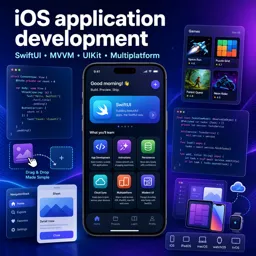
Duration of the online course: 22 hours and 10 minutes
4

(3)
Build real iOS apps with SwiftUI—learn modern UI, MVVM, animation and persistence in a free course and level up your mobile developer skills.
Want to turn app ideas into polished iPhone and iPad experiences? This free online course guides you through modern iOS application development using SwiftUI, Apple’s declarative UI framework, so you can design interfaces faster, iterate confidently, and ship features with a clear architecture.
You’ll begin with the essentials of SwiftUI and quickly move beyond basics into the patterns that make apps maintainable. You’ll practice building views the SwiftUI way, understanding why the UI is described as a function of state and why views are treated as read-only snapshots. From there, you’ll develop a strong foundation in MVVM, learning how to separate UI from business logic so your code remains testable, scalable, and easier to change as your app grows.
As you progress, you’ll connect layout and composition with reusable components, explore shapes and protocols, and learn how Swift’s type system supports safer app development. You’ll also dive into view modifiers, gestures, and animation, gaining the ability to add smooth interactions that make an app feel responsive and professional.
Practical building is a core focus. You’ll work through app-style projects that reinforce state management, user interaction, drag and drop, and document-style workflows. Along the way, you’ll encounter multithreading concepts for keeping the interface fluid, plus robust error handling and persistence strategies so data can live beyond a single session.
By the end, you’ll understand how to navigate common SwiftUI app structures, work with bindings and navigation, integrate with UIKit when necessary, and think through multi-platform considerations when targeting iOS and macOS. If you’re aiming for a portfolio project, a first mobile developer role, or a modern upgrade from UIKit-only workflows, this course gives you a solid, hands-on path to building with SwiftUI.

22 hours and 10 minutes of online video course

Digital certificate of course completion (Free)

Exercises to train your knowledge

100% free, from content to certificate
What SwiftUI concepts are covered in this iOS application development course?
The course covers SwiftUI views, layouts, bindings, animations, gestures, drag and drop, navigation, persistence, document architecture, and UIKit integration.
How does the course use MVVM to build the SwiftUI Memorize game?
It separates the game’s data and rules into a Model, exposes presentation logic through a ViewModel, and uses SwiftUI Views to render and interact with the game.
What is the difference between SwiftUI and UIKit in iOS development?
SwiftUI uses a declarative approach where the interface reflects state, while UIKit typically uses imperative view objects that are updated through explicit code.
Ready to get started?Download the app and get started today.
Install the app now
to access the course
Over 5,000 free courses
Programming, English, Digital Marketing and much more! Learn whatever you want, for free.

Study plan with AI
Our app's Artificial Intelligence can create a study schedule for the course you choose.

From zero to professional success
Improve your resume with our free Certificate and then use our Artificial Intelligence to find your dream job.
You can also use the QR Code or the links below.




Free CourseDart and Flutter Developer course
5
(3)

20h47m

6 exercises

Free CourseFlutter for complete beginners
5
(2)
1h45m
6 exercises
Free CourseLearn Flutter and Dart to create apps
5
(1)
2h48m
25 exercises

Free CourseBuild Your First Universal React Native App
5
(1)
1h23m
9 exercises

Free CourseAndroid for beginners
4.9
(361)
10h47m
52 exercises

Free CourseIonic for Beginners
4.8
(17)
5h04m
22 exercises

Free CourseFlutter tutorial for beginners
4.8
(5)
4h23m
8 exercises
Free CourseMobile App Development
4.7

(7)
21h40m
14 exercises

Free CourseiOS
4.7
(40)
22h35m
13 exercises

Free CourseiOS Development
4.7
(6)
4h51m
29 exercises
Carry knowledge in your pocket.
Download the Cursa app.
There are hundreds of free courses available, with a free certificate of completion that is saved in your mobile image gallery.
Download the app to access the Course Completion Certificate for Free.


+ 10 million
students

Free and Valid
Certificate

60 thousand free
exercises

4.8/5 rating in
app stores

Free courses in
video and ebooks