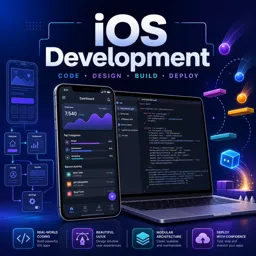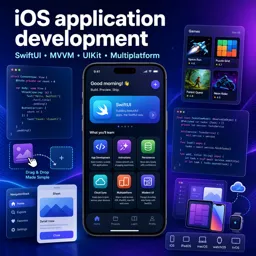


Free ebook on SwiftUI for building modern iOS apps with views, state, navigation, layouts, accessibility, UIKit integration, and publishing.
Free ebook + audiobook content
-

Understanding Declarative Syntax
+ Exercise: What is a key benefit of using declarative syntax in SwiftUI? 3 minutes
-
SwiftUI vs UIKit
+ Exercise: What is a primary advantage of using SwiftUI over UIKit? 4 minutes
-
Setting Up the Development Environment
+ Exercise: What is the first step in setting up an environment for SwiftUI development? 3 minutes
-
SwiftUI Views and View Hierarchy
+ Exercise: What is the primary function of modifiers in SwiftUI? 3 minutes


-
Building Navigation and Stacks
+ Exercise: What is the primary role of a NavigationView in SwiftUI? 4 minutes
-
Working with Lists and Forms
+ Exercise: What is a key feature of SwiftUI's List view? 4 minutes
-
Animations and Transitions in SwiftUI
+ Exercise: Which SwiftUI feature allows multiple state changes to be animated simultaneously? 3 minutes
-
Understanding State and Binding
+ Exercise: What is the purpose of a Binding in SwiftUI? 4 minutes
-
Using @State, @Binding, and @Environment
+ Exercise: In SwiftUI, which property wrapper is used to declare a source of truth for a view? 4 minutes
-
Managing Data with ObservableObject
+ Exercise: What is the purpose of using the ObservableObject protocol in SwiftUI? 3 minutes
-
Responsive Layouts with SwiftUI
+ Exercise: Which SwiftUI component is used to adapt a layout based on device conditions? 4 minutes
-
Dynamic Type and Accessibility
+ Exercise: What is a key feature in iOS for adjusting text size based on user preferences? 4 minutes
-
Designing for Multiple Platforms
+ Exercise: What is a key difference between responsive and adaptive design? 4 minutes
-
Planning and Designing the App
+ Exercise: What is the first essential step in planning and designing an iOS app? 4 minutes
-
Implementation and Development
+ Exercise: What is the initial step in creating an iOS app using SwiftUI? 5 minutes
-
Testing and Debugging
+ Exercise: What is the purpose of UI tests in SwiftUI app development? 5 minutes
-
Publishing Your App
+ Exercise: What is NOT a required step before submitting an app to the App Store? 4 minutes
About the free ebook with audio
SwiftUI Essentials: Building Modern iOS Apps
SwiftUI Essentials: Building Modern iOS Apps is a free ebook for developers who want to create polished Apple-platform interfaces with SwiftUI’s declarative approach. It explains how views, layout, navigation, data flow, and reusable interface components work together to form maintainable apps.
Build interfaces with a modern SwiftUI mindset
Learn how declarative syntax changes the way iOS interfaces are designed and updated, and understand where SwiftUI fits alongside UIKit. The ebook guides you through configuring a practical development environment, composing view hierarchies, and creating navigation experiences, stacks, lists, and forms.
Manage state and create responsive experiences
Discover how state drives interface updates through @State, @Binding, environment values, and observable data models. You will also explore animations, transitions, responsive layouts, Dynamic Type, and accessibility considerations that help apps feel natural and inclusive.
Work across Apple frameworks and platforms
SwiftUI can coexist with existing UIKit code. This ebook introduces approaches for hosting UIKit inside SwiftUI and embedding SwiftUI in UIKit, helping developers modernize projects incrementally. It also considers design choices for multiple Apple platforms.
Move from concept to release
Apply the concepts to the full app-development workflow: planning an app, implementing features, testing and debugging behavior, and preparing an app for publication. By the end, you will have a clearer foundation for building modern, data-driven SwiftUI applications.
What you will gain
- A practical understanding of declarative UI development
- Patterns for navigation, forms, state, and observable data
- Techniques for accessible and adaptable layouts
- Guidance for integrating SwiftUI with UIKit
What is the difference between SwiftUI and UIKit?
SwiftUI uses declarative code to describe interfaces, while UIKit is an imperative framework based on view controllers and manual updates.
How do @State and @Binding work in SwiftUI?
@State stores view-owned mutable data, while @Binding lets a child view read and modify data owned by another view.
Can SwiftUI be used with an existing UIKit app?
Yes. You can host UIKit views in SwiftUI or embed SwiftUI views in UIKit to adopt SwiftUI gradually.
This ebook/audiobook includes:

1 hours and 25 minutes of audio content

Digital certificate of course completion (Free)

Exercises to train your knowledge

100% free, from content to certificate
Ready to get started?

 recommended
In the app you will also find...

Over 5,000 free courses
Programming, English, Digital Marketing and much more! Learn whatever you want, for free.

Study plan with AI
Our app's Artificial Intelligence can create a study schedule for the course you choose.

From zero to professional success
Improve your resume with our free Certificate and then use our Artificial Intelligence to find your dream job.
You can also use the QR Code or the links below.