Flutter lets you create cross-platform apps from one Dart codebase, then build and deploy them for both iOS and Android.


Duration of the online course: 1 hours and 45 minutes
5

(2)
Build your first iOS and Android app with Flutter—learn widgets, layouts, and core concepts in a free beginner-friendly course with practice questions.
Learn how to turn app ideas into real mobile experiences with Flutter, one of the most popular toolkits for building iOS and Android apps from a single codebase. This beginner-friendly course is designed for people starting from zero and wanting a clear path into app development, without needing prior Flutter experience. You will get comfortable with the way Flutter thinks: everything is a widget, and user interfaces are assembled by combining simple building blocks into flexible screens.
As you progress, you will focus on foundational UI skills that make the biggest difference early on—especially how to structure layouts and arrange elements cleanly on the page. You will learn how vertical layout works in Flutter and why choosing the right widget matters when you want items to flow from top to bottom in an interface. By working through guided learning and quick checks for understanding, you will reinforce concepts like how Flutter composes the screen, how parent and child widgets interact, and how common layout choices affect the final result.
The course combines a full tutorial experience with targeted practice questions so you can validate what you have learned as you go. Instead of memorizing isolated terms, you will build intuition for reading Flutter code, understanding widget roles, and making deliberate layout decisions. This approach helps you move from beginner confusion to practical confidence, so you can start creating your own screens, prototypes, and simple apps faster.
Whether you are aiming for a career shift into technology, adding mobile development to your skill set, or simply exploring programming through a modern framework, this free online course offers an accessible starting point. By the end, you will feel more prepared to continue building with Flutter, expand into additional widgets and navigation, and take the next steps toward real-world app projects.

1 hours and 45 minutes of online video course

Digital certificate of course completion (Free)

Exercises to train your knowledge

100% free, from content to certificate
How do I build both iOS and Android apps with Flutter?
Flutter lets you create cross-platform apps from one Dart codebase, then build and deploy them for both iOS and Android.
Which Flutter widget arranges children vertically from top to bottom?
Use the Column widget. It lays out its child widgets vertically along the main axis.
What is the difference between Column and Row in Flutter?
Column arranges widgets vertically, while Row arranges them horizontally from left to right.
Ready to get started?Download the app and get started today.
Install the app now
to access the course
Over 5,000 free courses
Programming, English, Digital Marketing and much more! Learn whatever you want, for free.

Study plan with AI
Our app's Artificial Intelligence can create a study schedule for the course you choose.

From zero to professional success
Improve your resume with our free Certificate and then use our Artificial Intelligence to find your dream job.
You can also use the QR Code or the links below.




Free CourseDart and Flutter Developer course
5
(3)

20h47m

6 exercises
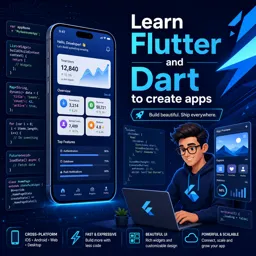
Free CourseLearn Flutter and Dart to create apps
5
(1)
2h48m
25 exercises

Free CourseBuild Your First Universal React Native App
5
(1)
1h23m
9 exercises

Free CourseAndroid for beginners
4.9
(361)
10h47m
52 exercises

Free CourseIonic for Beginners
4.8
(17)
5h04m
22 exercises

Free CourseFlutter tutorial for beginners
4.8
(5)
4h23m
8 exercises
Free CourseMobile App Development
4.7

(7)
21h40m
14 exercises

Free CourseiOS
4.7
(40)
22h35m
13 exercises

Free CourseiOS Development
4.7
(6)
4h51m
29 exercises
Free CourseApps
4.7
(54)
5h47m
28 exercises
Carry knowledge in your pocket.
Download the Cursa app.
There are hundreds of free courses available, with a free certificate of completion that is saved in your mobile image gallery.
Download the app to access the Course Completion Certificate for Free.


+ 10 million
students

Free and Valid
Certificate

60 thousand free
exercises

4.8/5 rating in
app stores

Free courses in
video and ebooks