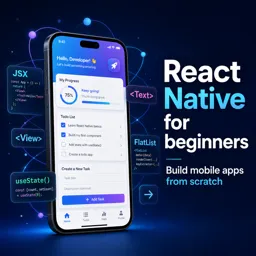
Free Course Image React Native for beginners

Free online courseReact Native for beginners

Duration of the online course: 5 hours and 26 minutes

4

StarStarStarStar

(9)

Learn React Native from scratch with this free online course. Dive into app development covering views, state, navigation, forms, and more. Perfect for beginners.

In this free course, learn about

  • React Native Fundamentals
  • Todo App Mini Project
  • Game Zone App and Styling
  • Navigation in React Native
  • Reusable UI Components and Media
  • Forms, Validation, and Final Wrap Up

Course Description

"React Native for Beginners" is an immersive course designed for aspiring app developers who are eager to dive into the world of React Native. With a total duration of 5 hours and 26 minutes, this course offers a comprehensive introduction to building mobile applications using React Native, ideal for those new to the subject.

Rated 4.0 out of 5 stars by previous learners, the course enjoys a positive reception and is positioned within the Information Technology category, specifically in the App Development subcategory. This rating reflects a good satisfaction level among students and indicates that the course material is well-received and effective in teaching the foundational concepts of React Native.

The curriculum is thoughtfully structured to guide beginners step-by-step through the essentials of React Native, starting with an introductory lesson that sets the stage for the entire course. It then takes learners through the creation of a React Native app, providing hands-on experience with building and configuring their projects from scratch.

Within the course, core React Native components and functionalities are explored in depth. Lessons on views, text handling, and using state help students grasp the fundamental building blocks of React Native applications. Topics such as text inputs, lists, and the Flat List component offer practical insights into managing and displaying data effectively.

The course progresses into more interactive features, discussing various touchable components and guiding learners through the development of a sample todo app over three separate modules. These lessons culminate in a solid project that reinforces the concepts covered earlier.

Additional modules delve into features such as alerts, dismissing the keyboard, and the Flexbox layout system, which are crucial for creating intuitive and user-friendly interfaces. The integration of icons, setup of custom fonts, and global styles are also covered, providing students with the tools to customize and enhance their apps’ visual appeal.

Navigation, a vital aspect of any mobile application, is thoroughly addressed with lessons on setting up React Navigation, stack navigation, and drawer navigation. These segments explain how to navigate between screens and pass data, ensuring a seamless user experience.

Further instructions teach the creation of custom components like headers and cards, and the use of images and background images, which add a personalized touch to the apps. The course also introduces modals and advanced form handling with Formik, along with validation using Yup, ensuring forms are robust and user-friendly.

By the end of "React Native for Beginners," students will have completed multiple projects and gained a clear understanding of React Native's capabilities. The final lessons provide a wrap-up and reinforce the concepts learned, ensuring that students are well-prepared to tackle their own React Native projects with confidence.

Course content

  • Video class: React Native Tutorial #1 - Introduction 08m
  • Exercise: _What is the recommended prerequisite knowledge for starting the React Native tutorial by The Net Ninja?
  • Video class: React Native Tutorial #2 - Creating a React Native App 18m
  • Exercise: Which CLI tool is recommended for beginners to create a React Native app?
  • Video class: React Native Tutorial #3 - Views, Text 09m
  • Exercise: _What is the purpose of the "style" prop in React Native?
  • Video class: React Native Tutorial #4 - Using State 09m
  • Exercise: What is the primary feature being introduced in this React Native tutorial?
  • Video class: React Native Tutorial #5 - Text Inputs 08m
  • Exercise: _What is the purpose of adding a text input field in React Native?
  • Video class: React Native Tutorial #6 - Lists 07m
  • Exercise: How is an array of people displayed in a React Native component?
  • Video class: React Native Tutorial #7 - Flat List Component 07m
  • Exercise: _What is the main difference between using a map method and a flat list component to output a list in React Native?
  • Video class: React Native Tutorial #8 - Touchable Components 07m
  • Exercise: What component allows making list items pressable without using buttons?
  • Video class: React Native Tutorial #9 - Todo App (part 1) 12m
  • Exercise: What is the primary goal of the described mini project?
  • Video class: React Native Tutorial #10 - Todo App (part 2) 08m
  • Exercise: What is the main purpose of creating a separate 'to-do item' component?
  • Video class: React Native Tutorial #11 - Todo App (part 3) 13m
  • Exercise: _What is the purpose of the "add to do" component in React Native?
  • Video class: React Native Tutorial #12 - Alerts 04m
  • Exercise: What feature ensures user input is valid in the app?
  • Video class: React Native Tutorial #13 - Dismissing the Keyboard 04m
  • Exercise: _What is the purpose of wrapping the entire component with a touchable without feedback component in React Native?
  • Video class: React Native Tutorial #14 - Flexbox Basics 18m
  • Exercise: What layout technique can help prevent content from being pushed off-screen in a React Native app?
  • Video class: React Native Tutorial #15 - Icons 07m
  • Exercise: _What is the library that comes along with a new React Native project using Expo, which allows us to add icons out of the box?
  • Video class: React Native Tutorial #16 - Starting the Reviews App 08m
  • Exercise: What is the initial "Game Zone" app's primary function?
  • Video class: React Native Tutorial #17 - Custom Fonts 11m
  • Exercise: _What is the method used to load custom fonts in a React Native app using Expo Fonts?
  • Video class: React Native Tutorial #18 - Global Styles 05m
  • Exercise: What is the main purpose of creating a global style file in coding?
  • Video class: React Native Tutorial #19 - React Navigation Setup 05m
  • Exercise: _What is the purpose of using a stack navigator in React Native?
  • Video class: React Native Tutorial #20 - Stack Navigator 12m
  • Exercise: What is the first step to set up a stack navigator in an app?
  • Video class: React Native Tutorial #21 - Navigating Around 08m
  • Exercise: _What method do we use to navigate to a different screen in a React Native app using React Navigation?
  • Video class: React Native Tutorial #22 - Passing Data Between Screens 08m
  • Video class: React Native Tutorial #23 - Navigation Options 05m
  • Exercise: _What property do we need to add inside each screen to add a title to the header in a stack navigator in React Native?
  • Video class: React Native Tutorial #24 - Drawer Navigation 12m
  • Video class: React Native Tutorial #25 - Custom Header Component 14m
  • Video class: React Native Tutorial #26 - Custom Card Component 09m
  • Video class: React Native Tutorial #27 - Using Images 11m
  • Exercise: _What is the correct way to import and use an image in React Native?
  • Video class: React Native Tutorial #28 - Background Images 04m
  • Video class: React Native Tutorial #29 - Modals 11m
  • Exercise: _What is a modal in React Native?
  • Video class: React Native Tutorial #30 - Formik Forms (part 1) 14m
  • Video class: React Native Tutorial #31 - Formik Forms (part 2) 09m
  • Exercise: _What is the purpose of the "add review" function in the React Native app?
  • Video class: React Native Tutorial #32 - Validation with Yup 09m
  • Video class: React Native Tutorial #33 - Showing Form Errors 07m
  • Exercise: _What is the purpose of using yup and formik together in React Native?
  • Video class: React Native Tutorial #34 - Custom Button Component 06m
  • Video class: React Native Tutorial #35 - Wrap Up 02m

This free course includes:

5 hours and 26 minutes of online video course

Digital certificate of course completion (Free)

Exercises to train your knowledge

100% free, from content to certificate

Ready to get started?Download the app and get started today.

Install the app now

to access the course
Icon representing technology and business courses

Over 5,000 free courses

Programming, English, Digital Marketing and much more! Learn whatever you want, for free.

Calendar icon with target representing study planning

Study plan with AI

Our app's Artificial Intelligence can create a study schedule for the course you choose.

Professional icon representing career and business

From zero to professional success

Improve your resume with our free Certificate and then use our Artificial Intelligence to find your dream job.

You can also use the QR Code or the links below.

QR Code - Download Cursa - Online Courses

More free courses at App Development

Download the App now to have access to + 3300 free courses, exercises, certificates and lots of content without paying anything!

  • 100% free online courses from start to finish

    Thousands of online courses in video, ebooks and audiobooks.

  • More than 48 thousand free exercises

    To test your knowledge during online courses

  • Valid free Digital Certificate with QR Code

    Generated directly from your cell phone's photo gallery and sent to your email

Cursa app on the ebook screen, the video course screen and the course exercises screen, plus the course completion certificate

+ 9 million
students

Free and Valid
Certificate

60 thousand free
exercises

4.8/5 rating in
app stores

Free courses in
video and ebooks