Install the Dart SDK, then add its bin folder to the Windows PATH environment variable and reopen your terminal.

Duration of the online course: 2 hours and 48 minutes
New
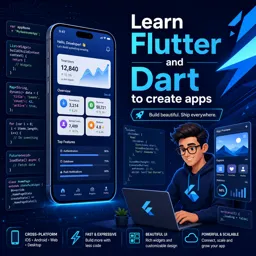
Build real mobile apps faster—learn Dart, Flutter widgets, layouts, and hot reload in a free online course, with practice to boost your app development skills.
Turn your app ideas into working Android experiences by learning the two tools Flutter developers rely on every day: Dart for clean, reliable logic and Flutter for fast, beautiful UI. This free online course guides you from getting set up on Windows to building your first screens, so you can move from curiosity to confidence without getting stuck on the basics.
You will start by installing and configuring Dart correctly so your environment works smoothly from any terminal. From there, you will build solid programming foundations in a way that immediately supports app development: variables, data types, lists and maps, loops, conditionals, and functions. Along the way you will practice input handling, null safety thinking, and common conversions between strings and numbers—skills you will use constantly when working with forms, APIs, and user-driven apps.
Once the Dart fundamentals are in place, you will shift into Flutter and set up the full toolchain, including the steps needed to resolve typical warnings and run on an emulator. Then you will start assembling interfaces the way Flutter intends: with a widget tree and a Material-style structure that makes your screens feel native and professional. You will gain practical confidence styling an app bar, working with color swatches, and using hot reload for rapid iteration, which dramatically shortens the feedback loop while you build.
The course also strengthens your layout intuition, helping you control spacing and sizing with containers, keep content safe from notches and system bars, and arrange UI elements with columns and rows. You will learn how to bring an interface to life by adding local images correctly and preparing app icons for mobile platforms. By the end, you will have a clear, hands-on understanding of how Dart logic connects to Flutter UI, giving you the momentum to keep building, expand into new widgets, and progress toward more complete apps.

Explore free online Flutter courses and learn to build fast, beautiful, cross-platform apps for Android, iOS, web, and desktop. Master Dart, widgets, layouts, state management, APIs, Firebase, testing, and deployment through beginner-friendly lessons and practical projects. Enroll at no cost, grow your mobile development skills, and earn a certificate upon completion.

Explore free online Dart courses designed to help beginners and developers master the language behind Flutter apps. Learn Dart syntax, object-oriented programming, asynchronous coding, packages, testing, and app development through flexible lessons. Enroll today, build practical skills at your own pace, and earn a certificate with every course you complete.

Explore free online State Management in Flutter courses and learn to build scalable, responsive apps using Provider, Riverpod, BLoC, Cubit, GetX, and other popular patterns. Develop practical Flutter skills through flexible lessons, real-world projects, and expert guidance. Enroll for free and earn a certificate to showcase your knowledge.

2 hours and 48 minutes of online video course

Digital certificate of course completion (Free)

Exercises to train your knowledge

100% free, from content to certificate
How do I install Dart on Windows and make the dart command work in every terminal?
Install the Dart SDK, then add its bin folder to the Windows PATH environment variable and reopen your terminal.
How do I add and display a local image asset in a Flutter app?
Place the image in an assets folder, declare its path under flutter: assets: in pubspec.yaml, then use Image.asset('assets/your_image.png').
What Flutter widget keeps content clear of the status bar, notch, and navigation area?
Use SafeArea to automatically add padding around system UI intrusions.
Ready to get started?Download the app and get started today.
Install the app now
to access the course
Over 5,000 free courses
Programming, English, Digital Marketing and much more! Learn whatever you want, for free.

Study plan with AI
Our app's Artificial Intelligence can create a study schedule for the course you choose.

From zero to professional success
Improve your resume with our free Certificate and then use our Artificial Intelligence to find your dream job.
You can also use the QR Code or the links below.




Free CourseDart and Flutter Developer course
5

(3)

20h47m

6 exercises

Free CourseFlutter for complete beginners
5
(2)
1h45m
6 exercises

Free CourseBuild Your First Universal React Native App
5
(1)
1h23m
9 exercises

Free CourseAndroid for beginners
4.9
(361)
10h47m
52 exercises

Free CourseIonic for Beginners
4.8
(17)
5h04m
22 exercises

Free CourseFlutter tutorial for beginners
4.8
(5)
4h23m
8 exercises
Free CourseMobile App Development
4.7

(7)
21h40m
14 exercises

Free CourseiOS
4.7
(40)
22h35m
13 exercises

Free CourseiOS Development
4.7
(6)
4h51m
29 exercises
Free CourseApps
4.7
(54)
5h47m
28 exercises
Carry knowledge in your pocket.
Download the Cursa app.
There are hundreds of free courses available, with a free certificate of completion that is saved in your mobile image gallery.
Download the app to access the Course Completion Certificate for Free.


+ 10 million
students

Free and Valid
Certificate

60 thousand free
exercises

4.8/5 rating in
app stores

Free courses in
video and ebooks