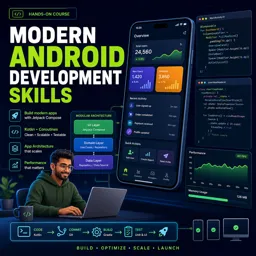
Free Course Image Modern android development skills

Free online courseModern android development skills

Duration of the online course: 21 hours and 30 minutes

4.5

StarStarStarStarHalf star

(2)

Learn Modern Android Development Skills with Google's comprehensive free course. Master Compose, architecture, DataStore, Gradle, Hilt, performance, navigation, and more.

In this free course, learn about

  • Course Introduction and MAD Overview
  • Jetpack Compose Basics
  • Performance Fundamentals
  • Clean Architecture on Android
  • DataStore for Data Persistence
  • Gradle and Android Gradle Plugin APIs
  • Paging for Large Data Sets
  • Dependency Injection with Hilt
  • Performance Debugging and Tracing
  • Navigation with Jetpack
  • Background Work with WorkManager
  • MotionLayout for Rich Animations
  • Kotlin and Jetpack APIs
  • Material Design Components
  • Android App Bundles and Play Distribution
  • Navigation Component Deep Dive

Course Description

The "Modern Android Development Skills" course is a comprehensive dive into contemporary Android app development techniques. Spanning a total duration of 21 hours and 30 minutes, this course has garnered an impressive average rating of 5 stars, reflecting its exceptional quality and effectiveness in imparting essential skills. It falls under the broad category of Information Technology, specifically within the subcategory of App Development.

This immersive learning journey begins with an engaging introduction to MAD Skills, setting the stage for assessing your initial skill level with "What’s your MAD score?" From here, the course delves into Compose Basics, a modern UI toolkit, covering key concepts such as thinking in Compose, harnessing composable functions, and utilizing the powerful Compose toolkit for accelerated development. To ensure a solid understanding, the course offers live Q&A sessions and community tips on Compose Basics.

Performance optimization is another critical aspect addressed in this course. Learners are introduced to performance metrics, inspecting performance, and strategies for improving performance with baseline profiles. Monitoring performance and participating in live Q&A sessions ensure that learners can apply best practices in real-time scenarios.

Architectural principles form a significant part of the curriculum, starting with an introduction to Android architecture. Topics such as the data layer, UI layer, handling UI events, the domain layer, and organizing modules are thoroughly explored. The course also covers entities and offers live Q&A sessions, enabling students to master architecture best practices.

Data management through DataStore is another pivotal topic. The course provides an introduction to DataStore, covering both Preferences and Proto DataStores, along with best practices split into multiple sessions for in-depth understanding.

The course takes a detailed look at Gradle and AGP Build APIs, including configuring builds, writing plugins, and advanced plugin techniques, supplemented with live Q&A sessions. Paging in Android apps is comprehensively covered, from fetching data to sophisticated transformation techniques, supported by community tips and live discussions.

Dependency injection using Hilt is another focus area. The course includes sessions on Hilt basics, testing best practices, and advanced Hilt and Dagger topics. Participants learn practical skills through Q&A sessions and migration strategies from Dagger to Hilt.

Performance debugging techniques are meticulously examined, with sessions on system tracing, Systrace in Android Studio, sampling profiling, and Perfetto Traceviewer, enhancing students' debugging skills through live Q&A sessions.

Navigation within Android applications is thoroughly discussed, covering UI navigation, conditional navigation, module navigation, multiple back stacks, and deep-linking tips. These concepts are reinforced through community contributions and live questions.

WorkManager is another crucial component discussed, from basics to advanced configurations, working in the background, and handling the deprecation of GCM NM. Students benefit from community tips and interactive Q&A sessions.

The course also includes practical lessons on Motion Layout, focusing on animations, keyframes, multiple constraint sets, and building collapsible headers, accompanied by live discussions.

Introduction to Kotlin and Jetpack API presents a modern approach to simplifying APIs with coroutines, using KTX, and various Kotlin APIs for Room and WorkManager. The material is enriched with community tips and live Q&A sessions.

The course concludes with an in-depth exploration of Material Design Components, covering material theming, dark themes, and material motion, alongside community-sourced tips and interactive Q&A sessions. Students also gain prac.

Course content

  • Video class: Introduction to MAD Skills 01m
  • Exercise: _Which of the following is a part of modern Android development recommended by Google to make the Android development experience better?
  • Video class: What’s your MAD score? 01m
  • Exercise: How can an Android developer obtain their MAD score?
  • Video class: Introduction to Compose Basics - MAD Skills 01m
  • Exercise: What is Jetpack Compose primarily built for in Android development?
  • Video class: Intuitive: Thinking in Compose - MAD Skills 07m
  • Exercise: What is a key difference between Jetpack Compose and Views?
  • Video class: Less code: Composable functions - MAD Skills 09m
  • Exercise: _What is the purpose of annotating a function with @Composable in Jetpack Compose?
  • Video class: Powerful: Compose toolkit - MAD Skills 09m
  • Exercise: What is the purpose of the 'Scaffold' component in Jetpack Compose?
  • Video class: Accelerate development: Compose tooling - MAD Skills 08m
  • Exercise: What is the benefit of using the @preview annotation in Android Studio?
  • Video class: Compose Basics: Community tip - MAD Skills 02m
  • Exercise: What is recommended as a first step for developers new to Jetpack Compose?
  • Video class: Compose Basics: Live Q 58m
  • Exercise: _What is Compose's current version and what are some of the new features in the 1.3 release?
  • Video class: Introduction to Performance - MAD Skills 02m
  • Exercise: Which new technology can help improve Android app startup time by 30% on average?
  • Video class: Performance: Important metrics - MAD Skills 08m
  • Exercise: What is the slowest app startup type?
  • Video class: Inspecting Performance - MAD Skills 16m
  • Exercise: Which method is NOT used for performance inspection in apps?
  • Video class: Improving Performance with Baseline Profiles - MAD Skills 13m
  • Exercise: _What are baseline profiles in Android development?
  • Video class: Monitoring Performance - MAD Skills 06m
  • Exercise: When should you run benchmarks to ensure app performance?
  • Video class: Performance: Live Q 1h07m
  • Exercise: Where should you start when working with app performance optimization?
  • Video class: Introduction to Architecture - MAD Skills 01m
  • Exercise: What is the initial focus when building an Android app according to the recommended architecture guidelines?
  • Video class: Architecture: The data layer - MAD Skills 07m
  • Exercise: _What is the role of repositories in an Android app architecture?
  • Video class: Architecture: The UI layer - MAD Skills 08m
  • Exercise: What is the primary role of the UI layer in an application?
  • Video class: Architecture: Handling UI events - MAD Skills 10m
  • Exercise: What are the two types of UI events discussed in the video?
  • Video class: Architecture: The Domain Layer - MAD Skills 08m
  • Exercise: What role does the domain layer play in app architecture?
  • Video class: Architecture: Organizing modules - MAD Skills 01m
  • Exercise: _What are the benefits of modularization in large projects, according to Emily Kager in the MAD Skills series on architecture?
  • Video class: Architecture: Entities - MAD Skills 07m
  • Video class: Architecture: Live Q 45m
  • Video class: DataStore - MAD Skills 00m
  • Video class: Introduction to DataStore - MAD Skills 06m
  • Exercise: _What is DataStore and how does it differ from SharedPreferences?
  • Video class: Preferences DataStore - MAD Skills 08m
  • Video class: Proto DataStore - MAD Skills 11m
  • Video class: DataStore: Best practices - MAD Skills 08m
  • Video class: DataStore: Best practices (part 2) - MAD Skills 10m
  • Exercise: _What is the purpose of DataStore-to-DataStore migration?
  • Video class: Introduction to Gradle and AGP Build APIs - MAD Skills 01m
  • Video class: Gradle and AGP Build APIs: Configure your build - MAD Skills 07m
  • Video class: Gradle and AGP Build APIs: How to write a plugin - MAD Skills 09m
  • Video class: Gradle and AGP Build APIs: Taking your plugin to the next step - MAD Skills 10m
  • Video class: Gradle and AGP Build APIs: Live Q 30m
  • Video class: Paging - MAD Skills 01m
  • Video class: Introduction to Paging - MAD Skills 07m
  • Video class: Paging: Fetching data from network - MAD Skills 05m
  • Exercise: _What is the advantage of using a PagingDataAdapter over a ListAdapter when working with PagingData in Android development?
  • Video class: Paging: Displaying data and its loading state - MAD Skills 06m
  • Video class: Paging: Getting fancy with transformations, separators, headers, footers and search - MAD Skills 04m
  • Video class: Paging: Community tip - MAD Skills 02m
  • Video class: Paging: Live Q 49m
  • Exercise: _What is the purpose of the maxSize argument in the paging config when using the paging library in Android development?
  • Video class: Introduction to Hilt - MAD Skills 01m
  • Video class: Hilt and dependency injection - MAD Skills 13m
  • Video class: Hilt testing best practices - MAD Skills 10m
  • Video class: Hilt and Dagger under the hood - MAD Skills 09m
  • Exercise: _What are the three most important annotations used in Hilt?
  • Video class: Hilt extensions - MAD Skills 09m
  • Video class: Migrating from Dagger to Hilt - MAD Skills 03m
  • Video class: Hilt: Live Q 58m
  • Video class: Introduction to Performance Debugging - MAD Skills 01m
  • Exercise: _What is the name of the web-based trace visualizer that is more oriented toward platform level use cases?
  • Video class: Performance: System tracing basics - MAD Skills 07m
  • Video class: Performance: Using Systrace in Android Studio - MAD Skills 06m
  • Video class: Performance: Using sampling profiling with Systrace - MAD Skills 05m
  • Video class: Performance: Perfetto Traceviewer - MAD Skills 07m
  • Exercise: _What is the difference between Android Studio Trace Viewer and Perfetto Trace Viewer?
  • Video class: Performance: Capturing Profiler traces - MAD Skills 02m
  • Video class: Performance Debugging: Live Q 48m
  • Video class: Intro to Navigation - MAD Skills 01m
  • Video class: Navigation: UI - MAD Skills 09m
  • Exercise: _What is the purpose of NavigationUI plus in Android development?
  • Video class: Conditional Navigation 06m
  • Video class: Navigation: Navigating between modules - MAD Skills 05m
  • Video class: Navigation in feature modules 06m
  • Video class: Navigation: Multiple back stacks - MAD Skills 04m
  • Exercise: _What is multiple backstack support in navigation and how can it be enabled?
  • Video class: Deep-link Navigation tip - MAD Skills 01m
  • Video class: Navigation: Live Q 55m
  • Video class: Introduction to WorkManager - MAD Skills 00m
  • Video class: WorkManager: Basics - MAD Skills 10m
  • Exercise: _What is WorkManager and why is it recommended for long-running tasks in Android development?
  • Video class: WorkManager: Working in the background - MAD Skills 07m
  • Video class: WorkManager: Deprecation of GCM NM 07m
  • Video class: WorkManager: Advanced configuration 10m
  • Video class: WorkManager: Community tip - MAD Skills 01m
  • Exercise: _What is the purpose of using WorkManager in the app mentioned by Hugo Visser?
  • Video class: WorkManager: Live Q 46m
  • Video class: Introduction to Motion Layout - MAD Skills 01m
  • Video class: Motion Layout: ConstraintSet animations - MAD Skills 09m
  • Video class: Motion Layout: Using keyframes - MAD Skills 07m
  • Exercise: _What is a keyframe in Motion Layout?
  • Video class: Motion Layout: Multiple ConstraintSets - MAD Skills 04m
  • Video class: Motion Layout: Building a collapsible header - MAD Skills 09m
  • Video class: Motion Layout: Live Q 46m
  • Video class: Introduction to Kotlin and Jetpack API - MAD Skills 01m
  • Exercise: _What are the topics covered in the MAD Skills series on Kotlin and Jetpack APIs?
  • Video class: Kotlin: Simplifying APIs with coroutines - MAD Skills 10m
  • Video class: Kotlin: Using KTX - MAD Skills 06m
  • Video class: Kotlin: Using Room Kotlin APIs - MAD Skills 07m
  • Video class: Kotlin: Using WorkManager Kotlin APIs - MAD Skills 04m
  • Exercise: _What is the recommended choice for tasks that should continue to run even if the user navigates away from the screen or if the device restarts?
  • Video class: Kotlin: Community tip - MAD Skills 02m
  • Video class: Kotlin and Jetpack API: Live Q 52m
  • Video class: Introduction to Material Design Components - MAD Skills 00m
  • Video class: Why use Material Design Components? - MAD Skills 05m
  • Exercise: _What is the Material Design Components library?
  • Video class: Material Design Components: Material Theming - MAD Skills 10m
  • Video class: Material Design Components: Dark theme - MAD Skills 12m
  • Video class: Material Design Components: Material Motion - MAD Skills 13m
  • Video class: Material Design Components: Community tip - MAD Skills 02m
  • Exercise: _What is the MDC catalog app?
  • Video class: Material Design Components: Live Q 54m
  • Video class: Introduction to App Bundles - MAD Skills 01m
  • Video class: App Bundles: Everything to know about Play App Signing - MAD Skills 09m
  • Video class: App Bundles: Building your first app bundle - MAD Skills 08m
  • Exercise: _What is the advantage of using Android App Bundle for app distribution?
  • Video class: App Bundles: Configuring your app for Play Feature Delivery - MAD Skills 11m
  • Video class: App Bundles: Testing bundles with bundletool and the Play Console - MAD Skills 07m
  • Video class: App Bundles: Community tip - MAD Skills 02m
  • Video class: App Bundles: Live Q 47m
  • Exercise: _What is the recommended way to reduce the size of Android applications quickly and easily?
  • Video class: Introduction to Navigation - MAD Skills 00m
  • Video class: Navigation: Overview - MAD Skills 10m
  • Video class: Navigation: Dialog destinations - MAD Skills 08m
  • Video class: Navigation: SafeArgs - MAD Skills 11m
  • Exercise: _What is SafeArgs in the Navigation component of Android development?
  • Video class: Navigation: Deep links - MAD Skills 08m
  • Video class: Navigation: Live Q 48m

This free course includes:

21 hours and 30 minutes of online video course

Digital certificate of course completion (Free)

Exercises to train your knowledge

100% free, from content to certificate

Ready to get started?Download the app and get started today.

Install the app now

to access the course
Icon representing technology and business courses

Over 5,000 free courses

Programming, English, Digital Marketing and much more! Learn whatever you want, for free.

Calendar icon with target representing study planning

Study plan with AI

Our app's Artificial Intelligence can create a study schedule for the course you choose.

Professional icon representing career and business

From zero to professional success

Improve your resume with our free Certificate and then use our Artificial Intelligence to find your dream job.

You can also use the QR Code or the links below.

QR Code - Download Cursa - Online Courses

More free courses at App Development

Download the App now to have access to + 3300 free courses, exercises, certificates and lots of content without paying anything!

  • 100% free online courses from start to finish

    Thousands of online courses in video, ebooks and audiobooks.

  • More than 48 thousand free exercises

    To test your knowledge during online courses

  • Valid free Digital Certificate with QR Code

    Generated directly from your cell phone's photo gallery and sent to your email

Cursa app on the ebook screen, the video course screen and the course exercises screen, plus the course completion certificate

+ 9 million
students

Free and Valid
Certificate

60 thousand free
exercises

4.8/5 rating in
app stores

Free courses in
video and ebooks