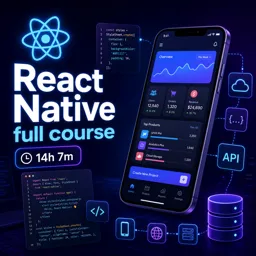
Free Course Image React Native full course

Free online courseReact Native full course

Duration of the online course: 14 hours and 7 minutes

4.25

StarStarStarStar

(8)

Learn React Native for free with this comprehensive online course covering app development fundamentals, state management, UI design, and more. Perfect for beginners to advanced.

In this free course, learn about

  • Introduction and Getting Started
  • Core React Native Concepts
  • User Input and Interaction
  • Navigation and Screen Management
  • Styling, Data Storage, and State Management
  • Native Features and Notifications
  • Project, Build, and Deployment

Course Description

The "React Native Full Course" is an extensive and comprehensive journey into the world of mobile app development using React Native. This course spans over 14 hours and 7 minutes, packing a wealth of knowledge that takes learners from absolute beginners to proficient app developers. It has garnered an impressive 4-star rating, reflecting its quality and the value it provides to students. This course is categorized under Information Technology, specifically within the App Development subcategory, making it ideal for individuals looking to build cross-platform mobile applications.

Starting from the basics, the course introduces React Native, explaining what it is and why it's such a powerful tool for mobile app development. This foundation is crucial for learners to appreciate the capabilities and advantages of using React Native for their projects. Following the introduction, students quickly dive into creating their first app using Expo, a tool that simplifies and accelerates the development process.

As the course progresses, learners move on to creating native apps using the React Native CLI, providing a more hands-on and flexible approach to app development. To ensure a seamless development experience, the course includes detailed instructions on configuring Visual Studio Code for React Native, creating an optimal environment for coding.

The course structure meticulously covers every essential aspect of React Native, including state management using the State Hook, styling components, and creating responsive UIs with Flexbox. Detailed lessons on lists, ScrollView, and FlatList equip students with the skills to handle complex data displays efficiently.

To reinforce learning, students have the opportunity to test their knowledge through quiz challenges, helping them solidify their understanding and identify areas for improvement. Interaction components such as text input fields, buttons, touchables, alerts, modals, and images are thoroughly explored, providing a complete toolkit for creating user-friendly interfaces.

One of the standout features of this course is its focus on custom components and navigation. Students learn how to implement Stack Navigator, Tab Navigator, and Drawer Navigation using React Navigation V5, enabling them to create seamless and intuitive app navigation experiences. Lessons on passing data between screens, debugging in VS Code, and adding custom fonts ensure that students can create polished and professional applications.

The course delves into advanced topics such as data persistence using AsyncStorage and SQLite, state management with Redux, and fetching data from APIs. Moreover, it covers essential features like global styles, local and push notifications with Firebase, Google Maps integration, and camera functionality with hooks, ensuring students can build feature-rich apps.

To ensure learners are well-prepared for production, the course includes tutorials on testing with Jest, building a complete To-Do List app, generating APK files, and publishing apps to the Google Play Store. Additionally, it provides guidance on building iOS apps using Xcode, making sure students can reach both Android and iOS users.

The "React Native Full Course" not only equips learners with the technical skills needed for app development but also instills confidence through practical experience and project-based learning. It stands as a valuable resource for anyone looking to master React Native and embark on a successful career in mobile app development.

Course content

  • Video class: The Complete React Native Course 2021 : from Zero to Hero 6h45m
  • Exercise: _What is React Native?
  • Video class: React Native Tutorial #1 (2021) - Introduction - What is React Native 07m
  • Exercise: What is React Native primarily used for?
  • Video class: React Native Tutorial #2 (2021) - Creating first app with Expo 09m
  • Exercise: _What is the main advantage of using Expo to build a React Native app?
  • Video class: React Native Tutorial #3 (2021) - Creating Native App with React Native CLI 11m
  • Exercise: What is required to develop an Android app on Windows using React Native CLI?
  • Video class: React Native Tutorial #4 (2021) - Configure Visual Studio Code for React Native Development 09m
  • Exercise: _What is IntelliSense in Visual Studio Code?
  • Video class: React Native Tutorial #5 (2021) - Structure 16m
  • Exercise: What is the primary file responsible for rendering the display in a React Native project?
  • Video class: React Native Tutorial #6 (2021) - Using the State Hook 07m
  • Exercise: _What is the difference between state and props in React Native?
  • Video class: React Native Tutorial #7 (2021) - Styles 09m
  • Exercise: What is recommended for styling in React Native?
  • Video class: React Native Tutorial #8 (2021) - Responsive UI with Flexbox 08m
  • Exercise: _What is the default content orientation in React Native?
  • Video class: React Native Tutorial #9 (2021) - List, ScrollView 08m
  • Exercise: What component is used to make a page scrollable?
  • Video class: React Native Tutorial #10 (2021) - FlatList 08m
  • Exercise: _What is the advantage of using FlatList instead of ScrollView to display a list in React Native?
  • Video class: React Native Tutorial (2021) - Quiz#1 - Challenge Yourself 05m
  • Exercise: What is the purpose of the 'npm run eject' command in an Expo project?
  • Video class: React Native Tutorial #11 (2021) - Text Input 07m
  • Exercise: _What is the purpose of defining a style for the TextInput component?
  • Video class: React Native Tutorial #12 (2021) - Button, Touchables 11m
  • Exercise: Which statement best describes the behavior of TouchableOpacity?
  • Video class: React Native Tutorial #13 (2021) - Alert 06m
  • Exercise: _What is the function of the Alert component in React Native?
  • Video class: React Native Tutorial #14 (2021) - Modal 08m
  • Exercise: What is the purpose of the onRequestClose prop in a Modal component?
  • Video class: React Native Tutorial #15 (2021) - Image 06m
  • Exercise: _What prop do we use to give the address of our image to the Image component?
  • Video class: React Native Tutorial #16 (2021) - Custom Components 09m
  • Exercise: What is a key benefit of creating custom components in programming?
  • Video class: React Native Tutorial #17 (2021) - React Navigation V5 - Stack Navigator 09m
  • Exercise: _What is the purpose of react navigation in React Native?
  • Video class: React Native Tutorial #18 (2021) - React Navigation V5 - Tab Navigator - Material Tab at Bottom 13m
  • Exercise: In a React Native app, how do you display icons on bottom tabs?
  • Video class: React Native Tutorial #19 (2021) - React Navigation V5 - Drawer Navigation - Side Menu 09m
  • Exercise: _What command is used to install the drawer or side menu in React Native?
  • Video class: React Native Tutorial #20 (2021) - React Navigation V5 - Passing Data Between Screens 04m
  • Video class: React Native Tutorial #21 (2021) - Debugging in VS Code 11m
  • Exercise: _What is the name of the plugin used for debugging in VS Code for React Native?
  • Video class: React Native Tutorial #22 (2021) - Custom Fonts in React Native CLI 08m
  • Video class: React Native Tutorial #23 (2021) - Global Styles 05m
  • Exercise: _What is the benefit of defining styles globally in React Native?
  • Video class: React Native Tutorial #24 (2021) - AsyncStorage - How to make an Offline Login with Async Storage 18m
  • Video class: React Native Tutorial #25 (2021) - SQLite Database - How to make an Offline Login with SQLite 13m
  • Exercise: _What is the main purpose of using SQLite in the React Native app?
  • Video class: React Native Tutorial #26 (2021) - Redux - State Management 13m
  • Video class: React Native Tutorial #27 (2021) - How to Fetch Data from an API Using Redux 08m
  • Exercise: _What method does the created API work with?
  • Video class: React Native Tutorial #28 (2021) - Local 15m
  • Video class: React Native Tutorial #29 (2021) - Push Notification with Firebase - Remote Notification 07m
  • Exercise: _What is the purpose of the react-native-push-notification module in this session?
  • Video class: React Native Tutorial #30 (2021) - Google Maps 09m
  • Video class: React Native Tutorial #31 (2021) - RN Camera with Hooks 10m
  • Exercise: _What module is used to access the phone's camera in React Native?
  • Video class: React Native Tutorial #32 (2021) - Testing with Jest and React Test Renderer 11m
  • Video class: React Native Tutorial (2021) - Quiz#2 - Challenge Yourself 08m
  • Exercise: _What is the default value of secureTextEntry prop in React Native TextInput component?
  • Video class: React Native Tutorial #33 (2021) - To-Do List App part 1 30m
  • Video class: React Native Tutorial #34 (2021) - To-Do List App part 2 43m
  • Exercise: _What is the purpose of the Touchable Opacity component in React Native?
  • Video class: React Native Tutorial #35 (2021) - Generating APK 12m
  • Video class: React Native Tutorial #36 (2021) - Publishing App to Google Play Store 11m
  • Exercise: _What is the file extension required by Google Play Store for uploading apps?
  • Video class: React Native Tutorial #37 (2021) - How to Build iOS App Using Xcode 12m

This free course includes:

14 hours and 7 minutes of online video course

Digital certificate of course completion (Free)

Exercises to train your knowledge

100% free, from content to certificate

Ready to get started?Download the app and get started today.

Install the app now

to access the course
Icon representing technology and business courses

Over 5,000 free courses

Programming, English, Digital Marketing and much more! Learn whatever you want, for free.

Calendar icon with target representing study planning

Study plan with AI

Our app's Artificial Intelligence can create a study schedule for the course you choose.

Professional icon representing career and business

From zero to professional success

Improve your resume with our free Certificate and then use our Artificial Intelligence to find your dream job.

You can also use the QR Code or the links below.

QR Code - Download Cursa - Online Courses

More free courses at App Development

Download the App now to have access to + 3300 free courses, exercises, certificates and lots of content without paying anything!

  • 100% free online courses from start to finish

    Thousands of online courses in video, ebooks and audiobooks.

  • More than 48 thousand free exercises

    To test your knowledge during online courses

  • Valid free Digital Certificate with QR Code

    Generated directly from your cell phone's photo gallery and sent to your email

Cursa app on the ebook screen, the video course screen and the course exercises screen, plus the course completion certificate

+ 9 million
students

Free and Valid
Certificate

60 thousand free
exercises

4.8/5 rating in
app stores

Free courses in
video and ebooks