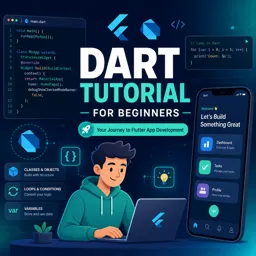
Free Course Image Flutter tutorial for beginners

Free online courseFlutter tutorial for beginners

Duration of the online course: 4 hours and 23 minutes

4.8

StarStarStarStarStar

(5)

Learn to develop Android and iOS apps using Flutter and Dart. This comprehensive beginner's course covers installation, UI design, widgets, database integration, and more. Join free!

In this free course, learn about

  • Course Introduction and Flutter Overview
  • Environment Setup and First Flutter App
  • Core Flutter Widgets and Layout
  • Stateful Widgets and Form Handling
  • Local Data Persistence with SQLite and SQFLite
  • Course Summary

Course Description

Flutter Tutorial for Beginners is an engaging and comprehensive course designed to introduce newcomers to the world of app development. With a duration of 4 hours and 23 minutes, this course provides an immersive learning experience for anyone looking to develop Android and iOS applications using Flutter and Dart. It has garnered an impressive average rating of 5 out of 5 stars, highlighting its effectiveness and popularity among learners.

As part of the Information Technology category and specifically focusing on App Development, the course offers a structured pathway from basic to advanced concepts in Flutter and Dart. The journey begins with a foundational understanding of the advantages of using Flutter for app development, followed by detailed instructions on setting up the development environment across different operating systems including Windows, Mac OS, and Linux.

Upon successful installation, learners are guided through their first Flutter application, starting with a "Hello World" app and progressively moving toward more complex projects. Attention to code organization and adding logic to applications ensures that participants acquire good coding practices early on.

The course diligently covers the various widgets essential for Flutter development, helping learners understand how to use containers, manage padding and margins, customize fonts, and utilize rows, columns, and expanded widgets. Detailed explanations of image assets, raised buttons, alert dialogs, and dynamic list views are provided, equipping participants with the skills to enhance their app's UI and functionality.

One of the core segments of the course delves into the differences between stateful and stateless widgets, guiding users through building complete applications with state management. This section also includes tutorials on creating dropdown menus, designing calculators, and implementing styles and themes.

For those interested in database integration, the course covers SQFLite thoroughly. Starting with the basics of SQLite databases, it builds up to advanced CRUD operations (Create, Read, Update, Delete). Learners will develop a NoteKeeper app that incorporates all these database functionalities, providing practical, hands-on experience.

Event handling and form validation are also explored in depth, ensuring that users can add robust logical code to their applications. This comprehensive journey from installation to advanced database integration leaves learners with a versatile skill set capable of developing fully-functional mobile applications.

Throughout the course, the content is presented in a clear, beginner-friendly manner, making it accessible even to those with no prior programming experience. The overall structure ensures that by the end of the course, participants will have the confidence and knowledge to create sophisticated mobile apps using Flutter and Dart. Offered as a free course, it represents an invaluable resource for aspiring app developers.

Course content

  • Video class: #0 Flutter Tutorial for Beginners with Dart: Develop Android and iOS Apps [ FREE COURSE ] 02m
  • Exercise: _What is the advantage of using Flutter for developing mobile applications?
  • Video class: #1.1 Flutter Tutorial Dart: Why develop Android and iOS apps using Flutter? Introduction to Flutter 06m
  • Video class: #1.2 Flutter Installation for Windows, Mac OS and Linux ( ubuntu ). Flutter Dart Tutorial 06m
  • Exercise: _What are the three options for editors to create a Flutter application?
  • Video class: #1.3 Flutter Hello World Tutorial: Create First Flutter Application: Flutter Dart Tutorial 10m
  • Video class: #1.4 First Flutter Application using Dart: PART-2 Flutter Tutorial for Beginners using Dart 06m
  • Video class: #1.5 Flutter Tutorial for Beginners with Dart: Organize your Dart code in the Flutter App PART-3 07m
  • Video class: #1.6 Flutter Apps Tutorial for Beginners: Add logic to your app PART-4 04m
  • Video class: #2.1 Flutter Tutorial for Beginners using Dart: Exploring Widgets in flutter using Dart 01m
  • Video class: #2.2 Flutter Container widget with Margin and Padding 09m
  • Video class: #2.3 Flutter Custom Fonts in Text widget. Text Style in Flutter. Tutorial for Beginners using Dart 08m
  • Video class: #2.4 Flutter Row, Column and Expanded widget Tutorial: Flutter Dart Tutorial for beginners: 07m
  • Video class: #2.5 Flutter Image Asset ( Bitmaps ) Widget Example. Flutter Beginners Tutorial with Dart 04m
  • Exercise: How to add an image from assets in a Flutter application?
  • Video class: #2.6 Flutter Tutorial using Dart: Raised Button and Alert Dialog Widget ( popup dialog ) 07m
  • Exercise: What action is performed when the button is clicked in the application?
  • Video class: #2.7 Flutter: How to create List in Flutter? Flutter ListView Tutorial in Dart 07m
  • Exercise: What is the best practice for using ListView in Flutter applications?
  • Video class: #2.8 Flutter LONG LIST. Memory Efficient dynamic ListView tutorial: Flutter Dart Tutorial 05m
  • Video class: #2.9 Flutter Floating Action Button ( FAB ) and Snack Bar Tutorial: Flutter Dart Tutorial 07m
  • Video class: #3.1 Flutter Tutorial for Beginners with Dart: Building Complete app using Stateful Widget 03m
  • Video class: #3.2 Flutter Stateful Widget Tutorial for Beginners: Stateful vs. Stateless Widget using Dart 07m
  • Video class: #3.3 Flutter Dart Tutorials: Building first Stateful widget App in Flutter 10m
  • Video class: #3.4 Flutter DropdownButton Tutorial: Dropdown Menu Item List for beginners: Flutter with Dart 08m
  • Video class: #3.5 Flutter Design UI for Simple Interest Calculator App. Flutter Tutorial with Dart 16m
  • Video class: #3.6 Flutter Styles and Themes Tutorial using Dart. Flutter Tutorial for Beginners 08m
  • Video class: #3.7 Flutter Event Handling: Add logical code: Flutter Tutorial for Beginners using Dart 09m
  • Exercise: _What is the standard protocol to extract the value out of a text field in Flutter?
  • Video class: #3.8 Flutter Form Validation Tutorial using TextFormField: Flutter tutorial with Dart 09m
  • Video class: #4.1 Flutter SQFLite Database Tutorial: Implement SQLite database with example: Section Overview 03m
  • Video class: #4.2 Flutter: Building UI for NoteKeeper App. [ SQLite Database Tutorial using SQFlite Plugin ] 13m
  • Video class: #4.3 Flutter Navigate to a new screen and back. Use WillPopScope and Perform Push and Pop operations 10m
  • Exercise: _What is the widget used to manage screens or routes in Flutter?
  • Video class: #4.4 Dart 12m
  • Video class: #4.5 Flutter SQFLite tutorial. What is SQLite database in Android and iOS? with example 05m
  • Video class: #4.6 Flutter SQFLite tutorial: Create Model Class to map SQLite Database Table 07m
  • Video class: #4.7 Flutter SQFLite tutorial: CRUD Operation. Perform Insert, Fetch, Update and Delete Operation 10m
  • Video class: #4.8 Flutter SQFLITE Example: Complete NoteKeeper App. CRUD Operation in SQLite 20m
  • Video class: #4.9 Flutter SQLite Database Tutorial using SQFLITE plugin: Finishing Touches 02m
  • Exercise: _What is the final takeaway from Section Four of the Flutter tutorial by Smartherd?
  • Video class: Flutter Application Development using Dart: Beginners Tutorials [ FREE COURSE ] Summary 01m

This free course includes:

4 hours and 23 minutes of online video course

Digital certificate of course completion (Free)

Exercises to train your knowledge

100% free, from content to certificate

Ready to get started?Download the app and get started today.

Install the app now

to access the course
Icon representing technology and business courses

Over 5,000 free courses

Programming, English, Digital Marketing and much more! Learn whatever you want, for free.

Calendar icon with target representing study planning

Study plan with AI

Our app's Artificial Intelligence can create a study schedule for the course you choose.

Professional icon representing career and business

From zero to professional success

Improve your resume with our free Certificate and then use our Artificial Intelligence to find your dream job.

You can also use the QR Code or the links below.

QR Code - Download Cursa - Online Courses

Course comments: Flutter tutorial for beginners

Kajal Sanjay Katheriya

It's an amazing course.. Thankyou Sir this was really understanding playlist of flutter with Dart.. Must appreciate your hard work.

Abhinandan Das

Good

More free courses at App Development

Download the App now to have access to + 3300 free courses, exercises, certificates and lots of content without paying anything!

  • 100% free online courses from start to finish

    Thousands of online courses in video, ebooks and audiobooks.

  • More than 48 thousand free exercises

    To test your knowledge during online courses

  • Valid free Digital Certificate with QR Code

    Generated directly from your cell phone's photo gallery and sent to your email

Cursa app on the ebook screen, the video course screen and the course exercises screen, plus the course completion certificate

+ 9 million
students

Free and Valid
Certificate

60 thousand free
exercises

4.8/5 rating in
app stores

Free courses in
video and ebooks