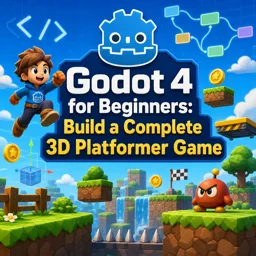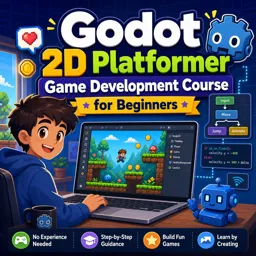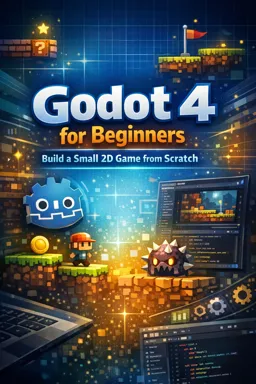

Free ebook on building a small 2D game in Godot 4, covering scenes, GDScript, movement, UI, enemies, testing, and export.
Free ebook content
-

Godot 4 Beginner Setup and Editor Workflow for a 2D Game
+ Exercise: When setting up movement controls for a 2D player, why should you define actions in the Input Map instead of checking specific keys directly in scripts?
-
Scenes, Nodes, and Building Reusable 2D Game Components in Godot 4
+ Exercise: You want to make a new enemy type that keeps the same detection/targeting setup as an existing base enemy but changes only movement behavior without duplicating scripts. What is the best approach?
-
GDScript Basics Applied: Variables, Functions, Input, and State
+ Exercise: Why should a player controller read movement and jump using Input Map actions (for example, Input.get_axis("move_left", "move_right") and Input.is_action_just_pressed("jump")) instead of checking specific keys directly in code?


-
2D Movement and Physics with CharacterBody2D and Collision Shapes
+ Exercise: In a beginner-friendly CharacterBody2D movement setup, what is the main purpose of calling move_and_slide() each physics frame?
-
Signals and Events: Clean Communication Between Nodes
+ Exercise: In a reusable Coin scene, what is the main advantage of emitting a collected signal instead of directly calling a UI or GameManager method to update the score?
-
Animation and Visual Feedback in a 2D Godot 4 Game
+ Exercise: In a 2D Godot 4 character, what is the most maintainable way to decide which locomotion animation (idle/run/jump/fall/hit) should play each frame?
-
Enemies, Hazards, and Simple AI Patterns for 2D Platformers
+ Exercise: In a reusable damage system using Hitboxes and Hurtboxes, which setup best keeps collision detection separate from health and reactions?
-
UI, HUD, and Menus with Control Nodes in Godot 4
+ Exercise: When creating a HUD that should always stay visible and not be affected by the camera, which root node choice best fits this purpose in Godot 4?
-
Level Structure, Game Flow, and Best-Practice Project Organization
+ Exercise: In a clean Godot 4 scene architecture for a small 2D game loop, what is the recommended way to handle the player dying so you avoid tangled dependencies?
-
Polish, Testing, and Exporting a Small 2D Godot 4 Game
+ Exercise: When you notice background music overlapping after changing scenes in a small Godot 4 game, what is the most appropriate fix?
About the free ebook
Godot 4 for Beginners: Build a Small 2D Game from Scratch
Create a complete small 2D game while learning the practical foundations of Godot 4. This free ebook guides you from setting up a project and navigating the editor to organizing scenes, scripting gameplay, and preparing a polished build for export.
Learn Godot by building
Rather than focusing only on isolated concepts, this ebook applies each skill to a playable project. You will work with Godot’s scene-and-node system, create reusable components, and use GDScript to manage input, game state, and interactions.
Build responsive 2D gameplay
Develop character movement with CharacterBody2D, collision shapes, and physics. Add visual feedback through animation, then introduce enemies, hazards, and approachable AI patterns suitable for a small platform-style game.
Create a complete player experience
Learn how signals help nodes communicate cleanly, how Control nodes support menus and HUD elements, and how thoughtful level structure keeps a project manageable. The final stages focus on testing, polishing, debugging common issues, and exporting your game.
What you will be able to do
- Set up and navigate a Godot 4 project efficiently.
- Build reusable 2D scenes and node-based game objects.
- Write GDScript for movement, input, state, and events.
- Add collisions, animation, enemies, hazards, UI, and game flow.
- Organize, test, polish, and export a small 2D game.
This ebook is a practical starting point for aspiring game developers who want to turn Godot 4 concepts into a finished playable result.
How do Godot scenes and nodes help build reusable 2D game components?
Scenes package nodes into reusable objects such as players, enemies, levels, and interface elements.
What is CharacterBody2D used for in Godot 4?
CharacterBody2D provides a foundation for scripted 2D movement and collision-aware physics.
How are signals used in a Godot 4 2D game?
Signals let nodes notify other nodes about events without tightly coupling their scripts.
This ebook includes:

10 content chapters

Digital certificate of course completion (Free)

Exercises to train your knowledge

100% free, from content to certificate
Ready to get started?

 recommended
In the app you will also find...

Over 5,000 free courses
Programming, English, Digital Marketing and much more! Learn whatever you want, for free.

Study plan with AI
Our app's Artificial Intelligence can create a study schedule for the course you choose.

From zero to professional success
Improve your resume with our free Certificate and then use our Artificial Intelligence to find your dream job.
You can also use the QR Code or the links below.