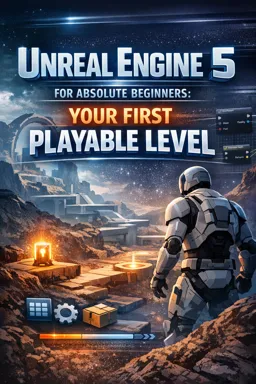

Free ebook on building your first playable Unreal Engine 5 level with lighting, Blueprints, objectives, testing, and packaging.
Free ebook content
-

Unreal Engine 5 Setup and First Project for a Playable Level
+ Exercise: When Play-in-Editor (PIE) starts but you have no character to control, what is the best first fix?
-
Viewport Navigation and Scene Organization in Unreal Engine 5
+ Exercise: You want two pedestal pieces to always move together when you reposition the pedestal in the level. Which workflow best fits this goal?
-
Blocking Out Your First Unreal Engine 5 Level
+ Exercise: While blocking out a first UE5 level, what should you do if play-testing shows players hesitate because they don’t know where to go next?


-
Lighting a Small Scene in Unreal Engine 5
+ Exercise: When tuning lighting for gameplay readability in a small UE5 scene, what is a good way to prevent the scene from auto-brightening or auto-darkening while you adjust lights?
-
Materials and Basic Asset Use in Unreal Engine 5
+ Exercise: Why would you create a Material Instance instead of editing the original material when you want to tweak a surface’s color or roughness?
-
Player Start, Game Mode, and Testing Your Level
+ Exercise: When pressing Play, you spawn somewhere unexpected instead of at your Player Start. Which explanation best matches the likely cause and fix?
-
Blueprints Fundamentals for Simple Interactive Gameplay in Unreal Engine 5
+ Exercise: In a Blueprint door-opening setup using a Timeline, what is a recommended way to make the door open speed adjustable per instance using the OpenTime variable?
-
Creating a Clear Objective: Collectible Item and Win Trigger
+ Exercise: In a beginner-friendly level objective, what should the Exit Trigger check before showing the win message?
-
Polish Pass and Packaging a Small Playable Unreal Engine 5 Level
+ Exercise: During a beginner-friendly polish pass, what is the best first response when a section of the level feels too dark along the critical path?
About the free ebook
Unreal Engine 5 for Absolute Beginners: Your First Playable Level
This free ebook introduces the practical foundations of creating a small playable level in Unreal Engine 5. It is designed for people who want to move beyond the editor’s opening screen and build a complete, testable game scene from scratch.
Build a level with purpose
Learn how to create a project, navigate the viewport, organize scene objects, and block out a compact environment using simple geometry. The ebook explains how to shape spaces that players can understand, explore, and move through.
Create atmosphere and readable visuals
Discover how basic lighting, materials, and assets can make a prototype feel more coherent. You will explore a practical approach to illuminating a small scene, applying materials, and keeping the level visually clear without overcomplicating the workflow.
Make the level playable
The guide covers Player Start placement, Game Mode setup, and in-editor testing. It also introduces Blueprints for simple gameplay interactions, helping you connect level design with player actions.
Add an objective and finish the project
Create a collectible item and a win trigger to give the player a clear goal. Finish with a polish pass and learn the essentials of packaging a small Unreal Engine 5 project so it can be shared and played outside the editor.
What you will gain
- A working understanding of the Unreal Engine 5 editor.
- A small level built around player movement and a clear objective.
- Experience with introductory Blueprints and gameplay testing.
- A repeatable process for turning a simple idea into a playable prototype.
How do I create a playable level in Unreal Engine 5?
Set up a project, build a level, place a Player Start, configure Game Mode, and test player movement.
What are Blueprints used for in a UE5 beginner level?
Blueprints add visual-scripted behavior, such as collectible interactions and a trigger that ends the level.
How can I package a small Unreal Engine 5 game?
After testing and polishing the level, use Unreal Engine’s packaging tools to create a standalone playable build.
This ebook includes:

9 content chapters

Digital certificate of course completion (Free)

Exercises to train your knowledge

100% free, from content to certificate
Ready to get started?

 recommended
In the app you will also find...

Over 5,000 free courses
Programming, English, Digital Marketing and much more! Learn whatever you want, for free.

Study plan with AI
Our app's Artificial Intelligence can create a study schedule for the course you choose.

From zero to professional success
Improve your resume with our free Certificate and then use our Artificial Intelligence to find your dream job.
You can also use the QR Code or the links below.