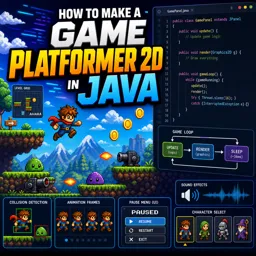
Free Course Image How to make a game Platformer 2D in Java

Free online courseHow to make a game Platformer 2D in Java

Duration of the online course: 17 hours and 52 minutes

New

Build your own 2D platformer in Java with this free online course—game loop, collisions, animations, enemies and menus, plus a certificate-ready project.

In this free course, learn about

  • Set up a Swing window & GamePanel correctly (setVisible timing) to avoid blank rendering
  • Capture keyboard input reliably: KeyListener setup, focus handling, and resetting input on focus loss
  • Implement a controllable game loop with fixed UPS/FPS, delta accumulators, and consistent timing
  • Load sprite atlases from the classpath and render scaled subimages in Java2D
  • Build animation systems: frame indexing, animation speed control, and per-entity animations
  • Design Player architecture: movement states, hitboxes, and clean separation of update/render logic
  • Create levels from tilemaps/images: tile type mapping, efficient parsing, and player spawn points
  • Handle collisions & physics: pre-move overlap prevention, gravity/air acceleration, and ground checks
  • Implement GameStates with enums/interfaces for menu, pause, gameplay, and overlays
  • Create UI components: menu buttons, URM buttons, audio/music/SFX toggles, and options sharing
  • Add scrolling camera & parallax backgrounds (cloud layers) for larger levels
  • Build enemy systems: enemy manager, patrol edge checks, aggro/attack triggers, and health bars
  • Implement objects/traps/cannons/projectiles with correct hitboxes, sequences, and tile collisions
  • Handle death/restart flows and bug fixes; add character selection via maintainable animation metadata

Course Description

Create a complete 2D platformer from scratch while strengthening your Java fundamentals and building practical game development skills. This free online course guides you through the real decisions behind a playable game: how to open a reliable Swing window, capture responsive input, and draw smooth graphics without flicker. You will move beyond isolated snippets and learn how systems fit together to form a game that feels tight, readable, and expandable.

Step by step, you will shape a solid foundation around timing and performance. You will implement a controllable game loop, understand why separating updates from rendering matters, and keep motion consistent across different machines. From there, you will bring the world to life with sprite atlases, animation control, and a player that moves convincingly with gravity, jumping, and robust collision rules that prevent clipping through tiles.

As the project grows, you will learn how to organize code so it stays maintainable: using game states to switch cleanly between gameplay, menus, pause overlays, options, and game over screens. You will also tackle essential game feel features such as scrolling levels, parallax backgrounds, UI buttons with proper visual states, and audio that behaves predictably across screens.

The course rounds out the experience by adding enemies with patrol and attack behavior, interactive objects, traps, cannons, projectiles, health bars, multiple levels, and tools to build your own stages from images. Along the way, you will practice debugging and polishing edge cases such as focus loss, state resets after restart, and consistent collision checks. By the end, you will have a working platformer framework you can extend with new characters, levels, and mechanics—ideal for a portfolio piece or a starting point for your next game.

Course content

  • Video class: A New Beginning - Episode #01 - Java Game Development Tutorial 27m
  • Exercise: When setting up the Swing window for a Java 2D platformer, where should you call setVisible(true) to avoid a blank screen?
  • Video class: INPUTS - Episode #02 - Platformer Game Tutorial Java 20m
  • Exercise: Which step ensures your GamePanel receives keyboard events after adding a KeyListener?
  • Video class: GAME LOOP - Episode #03 - Platformer Tutorial Java 28m
  • Exercise: Which game loop approach gives consistent, controllable FPS in a Java Swing 2D platformer?
  • Video class: HOW TO MAKE A Game Loop in Java - Platformer GameDev 2022 00m
  • Exercise: What kind of game loop should you implement for a 2D Java platformer and why?
  • Video class: IMAGES - Episode #04 - Platformer Tutorial Java 15m
  • Exercise: How do you correctly load a sprite atlas from the classpath and render a 64x40 subimage at double size in a Java 2D platformer panel?
  • Video class: ANIMATIONS - Episode #05 - Platformer Tutorial Java 29m
  • Exercise: What does the animation speed variable control in the 2D platformer animation loop?
  • Video class: GAME LOOP 2.0 - Episode #06 - Platformer Tutorial Java 14m
  • Exercise: Why separate UPS from FPS and use delta accumulators in a 2D platformer game loop?
  • Video class: PLAYER CLASS - Episode #07 - Platformer Tutorial Java 27m
  • Exercise: What is the correct way to prevent the player from continuing to move when the game window loses focus?
  • Video class: Level Creation - Episode #08 - Platformer Tutorial Java 28m
  • Exercise: How are tile types for a level determined in the implementation?
  • Video class: Collision Detection - Episode #09 - Platformer Tutorial Java 29m
  • Exercise: How does the player prevent overlapping tiles before moving?
  • Video class: GRAVITY - Episode #10 - Platformer Tutorial Java 32m
  • Exercise: Which variable determines the player's downward acceleration while in the air in a 2D platformer?
  • Video class: GAMESTATES - Episode #11 - Platformer Tutorial Java 25m
  • Exercise: What is the main benefit of using an enum based GameState with a StateMethods interface in a Java 2D platformer
  • Video class: HOW TO CREATE a MENU - Episode #12 - Platformer Tutorial Java 34m
  • Exercise: Which index mapping is correct for MenuButton image states in the Java 2D platformer menu?
  • Video class: PAUSE SCREEN - Episode #13 - Platformer Tutorial Java 33m
  • Exercise: In the pause overlay, what is the intended behavior of the music and SFX buttons?
  • Video class: PAUSE SCREEN - PART 2 - Episode #13 - Platformer Tutorial Java 41m
  • Exercise: How should a pause overlay URM button handle visual states and rendering?
  • Video class: Bigger Levels - Episode #14 - Platformer Tutorial Java 26m
  • Exercise: Best approach to implement horizontal scrolling in a 2D platformer
  • Video class: Background That Moves ? - Episode #15 - Platformer Tutorial Java 17m
  • Exercise: Implementing Parallax Clouds in a 2D Java Platformer
  • Video class: ENEMIES - Episode #16 - Part 1 - Platformer Tutorial Java 29m
  • Exercise: Which class should handle loading, updating, and drawing multiple enemies in a 2D Java platformer?
  • Video class: ENEMIES - Episode #16 - Part 2 - Platformer Tutorial Java 24m
  • Exercise: Preventing Enemy From Falling Off Platforms During Patrol
  • Video class: ENEMIES - Episode #16 - part 3 - Platformer Tutorial Java 38m
  • Exercise: When will a 2D platformer enemy start turning toward the player and prepare to attack?
  • Video class: ENEMIES - The Finale - Episode #16 - Platformer Tutorial Java 1h10m
  • Exercise: How do you correctly compute the dynamic health bar width so it scales with current health?
  • Video class: MULTIPLE LEVELS - Episode #17 - Platformer Tutorial Java 57m
  • Exercise: How is the player spawn point determined for each level
  • Video class: CODE CLEANUP - Episode #18 - Platformer Tutorial Java 17m
  • Exercise: Centralizing shared logic in a Java 2D platformer
  • Video class: OBJECTS - Episode #19-part 1/2 - Platformer Tutorial Java 32m
  • Exercise: How are barrel and box animations managed in the game objects system?
  • Video class: OBJECTS - Episode #19-part 2/2 - Platformer Tutorial Java 33m
  • Exercise: Why add y draw offset plus 2 to the container hitbox position in a 2D Java platformer
  • Video class: TRAPS - Episode #20 - Platformer Tutorial Java 23m
  • Exercise: What hitbox dimensions should a spike trap use to match gameplay collision?
  • Video class: CANNONS - Episode #21 - Platformer Tutorial Java 32m
  • Exercise: What is the correct sequence a cannon uses before firing?
  • Video class: PROJECTILES - Episode #22 - Platformer Tutorial Java 23m
  • Exercise: Best point to test cannonball collision with tiles in a 2D Java platformer
  • Video class: DEATH SCREEN - Episode #23 - Platformer Tutorial Java 22m
  • Exercise: What is the correct flow to handle player death with animation and a game over overlay in a Java 2D platformer
  • Video class: OPTIONS MENU- Episode #24 - Platformer Tutorial Java 29m
  • Exercise: Where should AudioOptions be instantiated to share audio controls across Pause and Options screens in a Java 2D platformer
  • Video class: SOUNDS - Episode #25 - Platformer Tutorial Java 58m
  • Exercise: How do you ensure a short sound effect replays every time when using Java Clip in a 2D platformer?
  • Video class: POWER ATTACK! - Episode #26 - Platformer Tutorial Java 20m
  • Exercise: In a 2D Java platformer, what power cost is required to start the power attack?
  • Video class: FIXING BUGS - Episode #27 - Platformer Tutorial Java 21m
  • Exercise: In a 2D Java platformer, the player continues moving upward after restarting if the restart occurs mid jump. What is the correct state reset to prevent this?
  • Video class: THE FINAL EPISODE - Platformer Tutorial Java 12m
  • Exercise: Most efficient way to parse a level image into game data in a basic Java 2D platformer
  • Video class: How To BUILD YOUR OWN LEVEL - Platformer Tutorial EXTRA 21m
  • Exercise: Which pixel component decides which terrain tile sprite is drawn in the PNG based level system?
  • Video class: How To Add CHARACTER SELECTION - Platformer Tutorial EXTRA 1h12m
  • Exercise: What is the most maintainable way to support multiple characters with different animation rows and frame counts in a Java 2D platformer

This free course includes:

17 hours and 52 minutes of online video course

Digital certificate of course completion (Free)

Exercises to train your knowledge

100% free, from content to certificate

Ready to get started?Download the app and get started today.

Install the app now

to access the course
Icon representing technology and business courses

Over 5,000 free courses

Programming, English, Digital Marketing and much more! Learn whatever you want, for free.

Calendar icon with target representing study planning

Study plan with AI

Our app's Artificial Intelligence can create a study schedule for the course you choose.

Professional icon representing career and business

From zero to professional success

Improve your resume with our free Certificate and then use our Artificial Intelligence to find your dream job.

You can also use the QR Code or the links below.

QR Code - Download Cursa - Online Courses

More free courses at Game development

Free Ebook + Audiobooks! Learn by listening or reading!

Download the App now to have access to + 5000 free courses, exercises, certificates and lots of content without paying anything!

  • 100% free online courses from start to finish

    Thousands of online courses in video, ebooks and audiobooks.

  • More than 60 thousand free exercises

    To test your knowledge during online courses

  • Valid free Digital Certificate with QR Code

    Generated directly from your cell phone's photo gallery and sent to your email

Cursa app on the ebook screen, the video course screen and the course exercises screen, plus the course completion certificate