
Use a ground-check transform or collider to detect whether the player is touching a ground layer, then allow jumping only when that check is true.

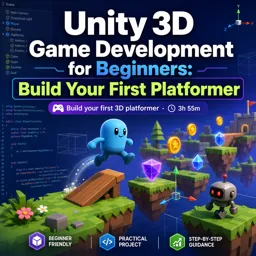
Duration of the online course: 3 hours and 55 minutes
New
Create your first Unity 3D platformer from scratch in this free online course, learning player movement, enemies, audio, levels, and game UI with hands-on practice.
Turn your game idea into a playable 3D platformer and learn the Unity workflow step by step, even if you are starting from zero. This free online course is built for beginners who want real results: a small but complete game you can control, improve, and share. You will get comfortable navigating the Unity editor, building a first level, and understanding how scenes, objects, and components come together to create gameplay.
As you progress, you will move beyond placing objects and begin scripting the interactions that make a platformer feel responsive. You will create a controllable player with smooth movement and reliable jumping, supported by a grounding check so actions behave correctly on different surfaces. You will also learn practical habits that matter in real projects, such as keeping component references for better performance and cleaner code instead of repeatedly searching for them every frame.
To make the world feel alive, you will add moving platforms and discover why frame-rate independent motion is essential for consistent gameplay across different computers. You will bring in enemies that patrol, add collectible items that reward exploration, and include sound to give feedback and personality to your game. Along the way, you will practice importing assets properly and integrating audio so your actions have satisfying cues.
Finally, you will connect levels into a complete experience by adding more stages, creating a finish line that advances the player, and designing a simple start and game over flow with UI. By the end, you will understand the core loop behind many 3D games and have the confidence to expand your project with new mechanics, better visuals, and your own level designs.

3 hours and 55 minutes of online video course

Digital certificate of course completion (Free)

Exercises to train your knowledge

100% free, from content to certificate
How do you make a Unity 3D platformer player jump only when grounded?
Use a ground-check transform or collider to detect whether the player is touching a ground layer, then allow jumping only when that check is true.
Why should a Unity script cache Rigidbody instead of calling GetComponent in Update?
Caching the Rigidbody once, typically in Awake or Start, avoids repeated component searches every frame and keeps the code more efficient.
How can a finish line load the next scene in a Unity platformer?
Attach a trigger collider to the finish line and use OnTriggerEnter to detect the player, then load the next scene with SceneManager.LoadScene.
Ready to get started?Download the app and get started today.
Install the app now
to access the course
Over 5,000 free courses
Programming, English, Digital Marketing and much more! Learn whatever you want, for free.

Study plan with AI
Our app's Artificial Intelligence can create a study schedule for the course you choose.

From zero to professional success
Improve your resume with our free Certificate and then use our Artificial Intelligence to find your dream job.
You can also use the QR Code or the links below.




Free CourseUnreal Engine 5 Complete Tutorials
5

(1)

105h07m

53 exercises

Free CourseUnity - survival game
5
(13)
11h23m
38 exercises

Free CourseGame Environment Art
5
(3)
2h37m
7 exercises

Free CourseGame Design course
5
(1)
10h16m
38 exercises

Free CourseAndroid - LibGDX - Super Mario Bros
4.8
(18)
5h08m
22 exercises

Free CourseUnity game development for beginners
4.8

(4)
7h24m

Free CourseUnity 3D Game Development Course
4.8
(4)
11h44m
45 exercises

Free CourseRPG in Unity
4.7
(10)
2h27m
11 exercises

Free CourseBasic game in Unity
4.7
(53)
1h39m
11 exercises

Free CourseMultiplayer FPS in Unity
4.7
(15)
14h06m
24 exercises
Carry knowledge in your pocket.
Download the Cursa app.
There are hundreds of free courses available, with a free certificate of completion that is saved in your mobile image gallery.
Download the app to access the Course Completion Certificate for Free.


+ 10 million
students

Free and Valid
Certificate

60 thousand free
exercises

4.8/5 rating in
app stores

Free courses in
video and ebooks




