A player needs a Rigidbody2D for physics and gravity, plus a Collider2D to collide with ground colliders.

Duration of the online course: 5 hours and 7 minutes
New
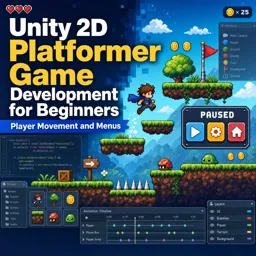
Build 2D platformer skills in Unity fast with this free course—movement, animations, menus, enemies, UI and more, plus practical exercises.
Learn how to build a solid 2D platformer foundation in Unity by creating the systems that make games feel responsive, readable, and fun. This beginner-friendly course guides you through the core workflow of developing a playable character and a complete loop of interaction, from the first jump to the moment you pause the game or hit game over. You will start by making a player that moves smoothly, collides correctly with the world, and reacts to gravity the way platformers should.
As you progress, you will connect movement to animation so every step and action communicates clearly. You will also add mechanics that players expect, such as wall jumping and advanced jumping for better control, and you will see how to validate grounding reliably to avoid frustrating edge cases. On top of that, you will implement shooting in a performance-conscious way, learning why efficient patterns matter as your scenes grow.
The course goes beyond character control by shaping the full experience around it. You will build clean visuals with properly aligned tiles, set up camera movement between rooms using triggers, and create a health system with temporary invincibility frames so damage feels fair. You will add traps and enemies with the right collider and animation logic, then bring everything to life with audio that persists correctly across scenes without duplicating managers.
To round out a playable prototype, you will implement checkpoints, restart behavior, and a game over flow, along with a pause menu that truly stops gameplay. Throughout the course, quick exercises reinforce key decisions so you understand not just what to do, but why it works. By the end, you will have the confidence to expand a platformer project, iterate on feel, and build menus and systems that make your game ready for players.

Explore free online Unity courses designed to help you master game development, C# scripting, 2D and 3D design, animation, physics, and interactive experiences. Learn at your own pace with beginner-friendly lessons and practical projects, build job-ready skills, and earn a certificate to showcase your Unity expertise.

Explore free online 2D game development courses with certificates and learn to create engaging games from scratch. Build practical skills in game design, programming, animation, sprites, physics, level creation, and popular engines. Study at your own pace, strengthen your portfolio, and start your journey toward a career in 2D game development.

5 hours and 7 minutes of online video course

Digital certificate of course completion (Free)

Exercises to train your knowledge

100% free, from content to certificate
What Unity components does a 2D platformer player need for gravity and ground collisions?
A player needs a Rigidbody2D for physics and gravity, plus a Collider2D to collide with ground colliders.
How do you create adjustable jump height in a Unity 2D platformer?
Apply upward velocity when jumping, then reduce it when the jump button is released early so short presses create smaller hops.
How can Unity background music continue between scenes without duplicate SoundManager objects?
Keep one SoundManager with DontDestroyOnLoad and destroy any newly created duplicate manager when a scene loads.
Ready to get started?Download the app and get started today.
Install the app now
to access the course
Over 5,000 free courses
Programming, English, Digital Marketing and much more! Learn whatever you want, for free.

Study plan with AI
Our app's Artificial Intelligence can create a study schedule for the course you choose.

From zero to professional success
Improve your resume with our free Certificate and then use our Artificial Intelligence to find your dream job.
You can also use the QR Code or the links below.




Free CourseUnreal Engine 5 Complete Tutorials
5

(1)

105h07m

53 exercises

Free CourseUnity - survival game
5
(13)
11h23m
38 exercises

Free CourseGame Environment Art
5
(3)
2h37m
7 exercises

Free CourseGame Design course
5
(1)
10h16m
38 exercises

Free CourseAndroid - LibGDX - Super Mario Bros
4.8
(18)
5h08m
22 exercises

Free CourseUnity game development for beginners
4.8

(4)
7h24m

Free CourseUnity 3D Game Development Course
4.8
(4)
11h44m
45 exercises

Free CourseRPG in Unity
4.7
(10)
2h27m
11 exercises

Free CourseBasic game in Unity
4.7
(53)
1h39m
11 exercises

Free CourseMultiplayer FPS in Unity
4.7
(15)
14h06m
24 exercises
Carry knowledge in your pocket.
Download the Cursa app.
There are hundreds of free courses available, with a free certificate of completion that is saved in your mobile image gallery.
Download the app to access the Course Completion Certificate for Free.


+ 10 million
students

Free and Valid
Certificate

60 thousand free
exercises

4.8/5 rating in
app stores

Free courses in
video and ebooks




