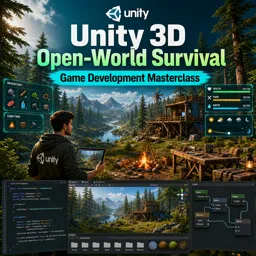
Free Course Image Unity 3D Open-World Survival Game Development Masterclass

Free online courseUnity 3D Open-World Survival Game Development Masterclass

Duration of the online course: 45 hours and 42 minutes

New

Free Unity course to build a 3D open-world survival game with terrain, inventory, crafting, quests, saving, AI, weather, and more.

In this free course, learn about

  • Project Setup, Player Movement, and Terrain Foundations
  • Interaction and Item Pickup
  • Inventory, Crafting Basics, and UX Polish
  • Player Stats and Equipment Shortcuts
  • Resource Gathering, Audio, and World Feedback
  • Base Building System
  • Menus and Saving System
  • NPCs, Quests, and Dialogue Audio
  • Hunting, Looting, and Storage
  • Cooking, Time, Farming, and Weather Systems
  • Water, Swimming, and Underwater Systems
  • Fishing System
  • Stackable Inventory and Shop System
  • Combat AI, Player Death, and Spawning
  • Ranged Combat and Improved Crafting
  • Progression and Advanced Survival Features

Course Description

Unity 3D Open-World Survival Game Development Masterclass is a free online course in Technology and Programming focused on game development, guiding you through building a complete 3D open-world survival experience in Unity from the ground up.

Start with a solid project setup and learn how to shape an explorable world using Unity terrain workflows. Progress into core interaction systems such as raycast-based item selection, pickup feedback, custom cursors, and responsive UI that supports smooth player actions.

Develop essential survival gameplay loops with inventory management, stackable items, quick slots, crafting, and improved crafting workflows. Add player stats such as health, food, hydration, and temperature, then connect these systems to consuming items and in-world behaviors.

Expand the world with base building, storage, looting, shops, and saving systems that persist player progress. Bring the environment to life with a day-night cycle, weather, music, sound effects, plant growth, tree regrowth, water traversal, swimming, underwater breathing, and fishing mechanics.

Round out your game with NPCs, quests, voice over integration, hunting, wild animals and enemy behaviors, spawners, player death, bows, durability, riding and mounts, and skill perks. By the end, you will have practical experience wiring together gameplay systems into a cohesive open-world survival project in Unity.

Course content

  • Video class: 3D Survival Game Tutorial | Unity | Part 1: Getting Started 45m
  • Exercise: Why is a Ground Check transform and Ground Mask layer used in the player movement setup?
  • Video class: 3D Survival Game Tutorial | Unity | Part 2: Creating the Landscape, using the Terrain Tool 31m
  • Video class: 3D Survival Game Tutorial | Unity | Part 3: Selecting Items with Raycast 51m
  • Exercise: In the interaction system, what determines whether an object should display its name when you aim at it?
  • Video class: 3D Survival Game Tutorial | Unity | Part 4: Picking Up Items 36m
  • Video class: 3D Survival Game Tutorial | Unity | Part 5: Inventory System (UI Drag 54m
  • Exercise: In this inventory setup, what must be true for an item to successfully drop into a slot?
  • Video class: 3D Survival Game Tutorial | Unity | Part 6: Inventory System (Script) 42m
  • Video class: 3D Survival Game Tutorial | Unity | Part 7: Crafting System (UI) 46m
  • Exercise: How was the issue fixed where multiple nearby items were picked up at the same time?
  • Video class: 3D Survival Game Tutorial | Unity | Part 8: Crafting System (Script) 54m
  • Video class: 3D Survival Game Tutorial | Unity | Part 9: Custom Cursors, Item Pickup Alert 40m
  • Exercise: How can you avoid calling the crafting UI refresh every frame while still keeping it updated in real time?
  • Video class: 3D Survival Game Tutorial | Unity | Part 10: Creating a Health Bar ( Food and Hydration) 47m
  • Video class: 3D Survival Game Tutorial | Unity | Part 11: Consuming, Hovering Over 45m
  • Exercise: Which set of Unity EventSystem interfaces is used to show and hide an item info panel when the cursor hovers over an inventory item?
  • Video class: 3D Survival Game Tutorial | Unity | Part 12 - Quick Slots 1h18m
  • Video class: 3D Survival Game Tutorial | Unity | Part 13 - Quick Slots 55m
  • Exercise: How is tool clipping through world objects prevented when a tool is equipped in first-person view?
  • Video class: 3D Survival Game Tutorial | Unity | Part 14 - Chopping Down Trees #1 (UI Code) 43m
  • Video class: 3D Survival Game Tutorial | Unity | Part 15 - Chopping Down Trees #2 (Animation) 42m
  • Exercise: Why was an empty "tree parent" object created and used as the prefab root when adding tree animations?
  • Video class: 3D Survival Game Tutorial | Unity | Part 16 - Adding Music and Sound Effects 1h15m
  • Video class: 3D Survival Game Tutorial | Unity | Part 17 - Base Building System #1 26m
  • Exercise: What building approach is being implemented for the construction system?
  • Video class: 3D Survival Game Tutorial | Unity | Part 18 - Base Building System #2 38m
  • Video class: 3D Survival Game Tutorial | Unity | Part 19 - Base Building System #3 43m
  • Exercise: In the base-building system, what is the main reason ghost objects need their colliders enabled during construction mode?
  • Video class: 3D Survival Game Tutorial | Unity | Part 20 - Base Building System #4 37m
  • Video class: 3D Survival Game Tutorial | Unity | Part 21 - Main Menu 40m
  • Exercise: What must be done so the New Game button can load the gameplay scene successfully?
  • Video class: 3D Survival Game Tutorial | Unity | Part 22 - Saving 57m
  • Video class: 3D Survival Game Tutorial | Unity | Part 23 - Saving 39m
  • Exercise: What is the main reason the Save Manager object can be used across multiple scenes without creating a new one in each scene?
  • Video class: 3D Survival Game Tutorial | Unity | Part 24 - Saving 55m
  • Video class: 3D Survival Game Tutorial | Unity | Part 25 - Saving 52m
  • Exercise: How does the saving system support multiple save slots (instead of one hard-coded file)?
  • Video class: 3D Survival Game Tutorial | Unity | Part 26 - Saving 40m
  • Video class: 3D Survival Game Tutorial | Unity | Part 27 - Our First NPC 34m
  • Exercise: When downloading an animation from Mixamo for an NPC you already imported into Unity, which download setting is used to avoid re-downloading the model mesh?
  • Video class: 3D Survival Game Tutorial | Unity | Part 28 - Quest System #1 52m
  • Video class: 3D Survival Game Tutorial | Unity | Part 29 - Quest System #2 59m
  • Exercise: Why is a Quest Manager implemented as a Singleton in a questing UI system?
  • Video class: 3D Survival Game Tutorial | Unity | Part 30 - NPC Voice Over 49m
  • Video class: 3D Survival Game Tutorial | Unity | Part 31 - Hunting Rabbits 38m
  • Exercise: Why is a damage-dealing Coroutine used when hitting an animal with a weapon?
  • Video class: 3D Survival Game Tutorial | Unity | Part 32 - Looting 40m
  • Video class: 3D Survival Game Tutorial | Unity | Part 33 - Storage System 43m
  • Exercise: Which condition makes a storage box placement valid in the placement system?
  • Video class: 3D Survival Game Tutorial | Unity | Part 34 - Saving More Things 23m
  • Video class: 3D Survival Game Tutorial | Unity | Part 35 - Campfire / Cooking 40m
  • Exercise: What condition makes the Campfire "Cook" button become interactable?
  • Video class: 3D Survival Game Tutorial | Unity | Part 36 - Day Night System 42m
  • Video class: 3D Survival Game Tutorial | Unity | Part 37 - Planting 33m
  • Exercise: What is the purpose of the isEmpty boolean in the Soil script?
  • Video class: 3D Survival Game Tutorial | Unity | Part 38 - Planting 36m
  • Video class: 3D Survival Game Tutorial | Unity | Part 39 - Planting 40m
  • Exercise: What change is made to improve picking up fruits like tomatoes without adding extra trigger colliders to each fruit?
  • Video class: 3D Survival Game Tutorial | Unity | Part 40 - Weather 36m
  • Video class: 3D Survival Game Tutorial | Unity | Part 41 - Regrow Trees 30m
  • Exercise: When should a chopped tree regrow in the regrow system?
  • Video class: 3D Survival Game Tutorial | Unity | Part 42 - Adding Water 11m
  • Video class: 3D Survival Game Tutorial | Unity | Part 43 - Swimming 20m
  • Exercise: How is the player’s swimming state toggled when entering or leaving a water area?
  • Video class: 3D Survival Game Tutorial | Unity | Part 44 - Breathing Underwater 15m
  • Video class: 3D Survival Game Tutorial | Unity | Part 45 - Fishing System #1 24m
  • Exercise: What Unity setting must be enabled so a raycast can detect the lake’s trigger collider when checking for a fishing area?
  • Video class: 3D Survival Game Tutorial | Unity | Part 46 - Fishing System #2 37m
  • Video class: 3D Survival Game Tutorial | Unity | Part 47 - Fishing System #3 33m
  • Exercise: How is the fishing system updated to detect the correct water source without hardcoding it?
  • Video class: 3D Survival Game Tutorial | Unity | Part 48 - Fishing System #4 26m
  • Video class: 3D Survival Game Tutorial | Unity | Part 49 - Stackable Inventory #1 38m
  • Exercise: In a stackable inventory system, what change allows multiple identical items to be stored in the same slot?
  • Video class: 3D Survival Game Tutorial | Unity | Part 50 - Stackable Inventory #2 27m
  • Video class: 3D Survival Game Tutorial | Unity | Part 51 - Stackable Inventory #3 14m
  • Exercise: Why was the inventory system refactored to store InventorySlot references instead of slot GameObjects?
  • Video class: 3D Survival Game Tutorial | Unity | Part 52 - Shop System #1 35m
  • Video class: 3D Survival Game Tutorial | Unity | Part 53 - Shop System #2 22m
  • Exercise: How does the shop UI prevent the player from buying an item they can’t afford?
  • Video class: 3D Survival Game Tutorial | Unity | Part 54 - Shop System #3 28m
  • Video class: 3D Survival Game Tutorial | Unity | Part 55 - Enemy / Wild Animals #1 29m
  • Exercise: When opening the inventory menu, what should be disabled via the Movement Manager to stop the player from looking around?
  • Video class: 3D Survival Game Tutorial | Unity | Part 56 - Enemy / Wild Animals #2 35m
  • Video class: 3D Survival Game Tutorial | Unity | Part 57 - Enemy / Wild Animals #3 31m
  • Exercise: Why is an "attack rate" (with an attack timer) added to the creature attack state?
  • Video class: 3D Survival Game Tutorial | Unity | Part 58 - Enemy / Wild Animals #4 29m
  • Video class: 3D Survival Game Tutorial | Unity | Part 59 - Player Death 35m
  • Exercise: What is the main reason the player respawn is implemented as a coroutine that temporarily disables movement scripts?
  • Video class: 3D Survival Game Tutorial | Unity | Part 60 - Creature/Enemy Spawner 22m
  • Video class: 3D Survival Game Tutorial | Unity | Part 61 - Bow 34m
  • Exercise: When adding the bow to the equip workflow, what change is made in the Equip System?
  • Video class: 3D Survival Game Tutorial | Unity | Part 62 - Bow 29m
  • Video class: 3D Survival Game Tutorial | Unity | Part 63 - Bow 46m
  • Exercise: Why is an enum (ArrowType) used for switching between different arrow kinds in the bow controller?
  • Video class: 3D Survival Game Tutorial | Unity | Part 64 - Improved Crafting System #1 45m
  • Video class: 3D Survival Game Tutorial | Unity | Part 65 - Improved Crafting System #2 26m
  • Exercise: What is the main benefit of setting UI Button OnClick actions in the Inspector for the crafting categories (Tools/Survival/Refined/Construction)?
  • Video class: 3D Survival Game Tutorial | Unity | Part 66 - Weapon/Tool Durability 42m
  • Video class: 3D Survival Game Tutorial in Unity | Part 67 - Horse Riding/Mount System 33m
  • Exercise: In a simple horse riding system, what is used to switch between idle, walk, and run animations?
  • Video class: 3D Survival Game Tutorial in Unity | Part 68 - Temperature System 52m
  • Video class: 3D Survival Game Tutorial in Unity | Part 69: Skill System (Perks 35m
  • Exercise: In the skills/tech tree system, what happens when a perk is successfully unlocked?
  • Video class: 3D Survival Game Tutorial in Unity | Part 70: Skill System #2 48m

This free course includes:

45 hours and 42 minutes of online video course

Digital certificate of course completion (Free)

Exercises to train your knowledge

100% free, from content to certificate

Ready to get started?Download the app and get started today.

Install the app now

to access the course
Icon representing technology and business courses

Over 5,000 free courses

Programming, English, Digital Marketing and much more! Learn whatever you want, for free.

Calendar icon with target representing study planning

Study plan with AI

Our app's Artificial Intelligence can create a study schedule for the course you choose.

Professional icon representing career and business

From zero to professional success

Improve your resume with our free Certificate and then use our Artificial Intelligence to find your dream job.

You can also use the QR Code or the links below.

QR Code - Download Cursa - Online Courses

More free courses at Game development

Free Ebook + Audiobooks! Learn by listening or reading!

Download the App now to have access to + 5000 free courses, exercises, certificates and lots of content without paying anything!

  • 100% free online courses from start to finish

    Thousands of online courses in video, ebooks and audiobooks.

  • More than 60 thousand free exercises

    To test your knowledge during online courses

  • Valid free Digital Certificate with QR Code

    Generated directly from your cell phone's photo gallery and sent to your email

Cursa app on the ebook screen, the video course screen and the course exercises screen, plus the course completion certificate