Use a KinematicBody2D in Godot 3, typically with a CollisionShape2D and AnimatedSprite child nodes.

Duration of the online course: 2 hours and 16 minutes
New
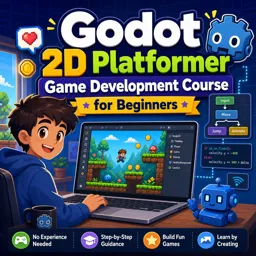
Build your first 2D platformer with this free Godot course—master movement, tilesets, UI and level transitions, and finish with a playable game you can expand.
Turn your game idea into a playable 2D platformer while learning the Godot Engine from the ground up. This beginner-friendly course guides you through the real workflow of creating a complete project: building a responsive player character, shaping levels that feel good to explore, and connecting scenes so your game actually plays from start to finish. If you have basic computer skills and curiosity, you can follow along and start producing results quickly.
You will learn how to structure a platformer project using the right nodes for accurate movement and reliable collisions, then refine the feel with smoother controls that make jumping and landing satisfying. As your character comes to life, you will also create animated sprites and ensure interactions with the environment behave consistently, avoiding common issues that can make platformers feel slippery or unfair.
Level design is a major focus as well. You will work with tile-based worlds, learn to paint tiles efficiently, and use autotiles to speed up building maps that look cohesive. Along the way, you will address practical polish details such as camera movement artifacts and visual tearing, helping your game feel stable and professional even in a simple prototype.
To make your project complete, you will implement moving between levels with reusable exit areas that can be configured for different destinations, keeping your scenes clean and scalable. You will also add atmosphere with parallax backgrounds and create a start menu interface using Godot’s UI system and signals, giving players a smooth entry point into your game. By the end, you will not only understand how the pieces fit together in Godot, but also have a solid foundation you can reuse for future platformers and personal projects.

Explore free online 2D game development courses with certificates and learn to create engaging games from scratch. Build practical skills in game design, programming, animation, sprites, physics, level creation, and popular engines. Study at your own pace, strengthen your portfolio, and start your journey toward a career in 2D game development.

Explore free online Godot 4 courses designed to help beginners and aspiring game developers master 2D and 3D game creation. Learn GDScript, scenes, nodes, physics, animation, UI, and game publishing through flexible lessons. Enroll today, build practical projects, and earn a certificate with every free Godot 4 course you complete.

2 hours and 16 minutes of online video course

Digital certificate of course completion (Free)

Exercises to train your knowledge

100% free, from content to certificate
Which Godot node should I use for a 2D platformer player with accurate collisions and movement?
Use a KinematicBody2D in Godot 3, typically with a CollisionShape2D and AnimatedSprite child nodes.
How do I reuse one Area2D level exit scene to load different levels in Godot?
Give the exit scene an exported variable for the target scene path, then set a different destination for each placed instance.
How can I stop tiles from tearing when the camera moves in a Godot 2D platformer?
Enable pixel snapping in the project settings and use appropriate texture filtering settings for pixel-art tiles.
Ready to get started?Download the app and get started today.
Install the app now
to access the course
Over 5,000 free courses
Programming, English, Digital Marketing and much more! Learn whatever you want, for free.

Study plan with AI
Our app's Artificial Intelligence can create a study schedule for the course you choose.

From zero to professional success
Improve your resume with our free Certificate and then use our Artificial Intelligence to find your dream job.
You can also use the QR Code or the links below.




Free CourseUnreal Engine 5 Complete Tutorials
5

(1)

105h07m

53 exercises

Free CourseUnity - survival game
5
(13)
11h23m
38 exercises

Free CourseGame Environment Art
5
(3)
2h37m
7 exercises

Free CourseGame Design course
5
(1)
10h16m
38 exercises

Free CourseAndroid - LibGDX - Super Mario Bros
4.8
(18)
5h08m
22 exercises

Free CourseUnity game development for beginners
4.8

(4)
7h24m

Free CourseUnity 3D Game Development Course
4.8
(4)
11h44m
45 exercises

Free CourseRPG in Unity
4.7
(10)
2h27m
11 exercises

Free CourseBasic game in Unity
4.7
(53)
1h39m
11 exercises

Free CourseMultiplayer FPS in Unity
4.7
(15)
14h06m
24 exercises
Carry knowledge in your pocket.
Download the Cursa app.
There are hundreds of free courses available, with a free certificate of completion that is saved in your mobile image gallery.
Download the app to access the Course Completion Certificate for Free.


+ 10 million
students

Free and Valid
Certificate

60 thousand free
exercises

4.8/5 rating in
app stores

Free courses in
video and ebooks




