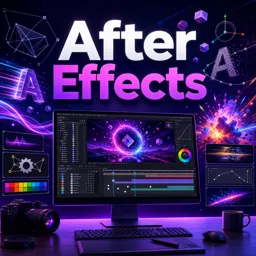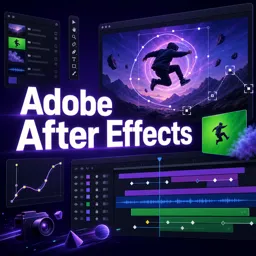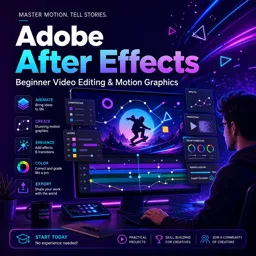

Free ebook for learning After Effects motion graphics, from keyframes and text animation to tracking, organization, and export.
Free ebook content
-

After Effects for Absolute Beginners: Navigating the Workspace and Project Setup
+ Exercise: You want to avoid black bars, unexpected scaling, and timing issues when starting a new composition with a video clip. Which workflow best reduces those mismatches?
-
After Effects for Absolute Beginners: Compositions, Timelines, and Layer Fundamentals
+ Exercise: When creating a lower-third bar that should “grow from the left,” what setup best ensures the animation expands from the correct side?
-
After Effects for Absolute Beginners: Keyframes and the Logic of Animation
+ Exercise: When you copy and paste keyframes in After Effects, what determines where the pasted keyframes land in time?
-
After Effects for Absolute Beginners: Smooth Motion with Easing and the Graph Editor
+ Exercise: You want a logo move to start quickly but land softly at the end. Which easing approach best matches this goal?


-
After Effects for Absolute Beginners: Shape Layers for Clean, Editable Motion Graphics
+ Exercise: You want only the underline of a label to “draw on” without affecting the background or accent. What is the best approach?
-
After Effects for Absolute Beginners: Text Animation Basics for Creators
+ Exercise: When creating a “type-on” text reveal using a Text Animator, which control is typically keyframed to sweep the reveal across the characters?
-
After Effects for Absolute Beginners: Masks and Simple Reveals
+ Exercise: You applied Gaussian Blur on an adjustment layer and want the blur to affect only a specific area of the image. What should you do?
-
After Effects for Absolute Beginners: Parenting, Precomps, and Practical Layer Organization
+ Exercise: You want a reusable lower-third that stays easy to edit and can be repositioned in different videos. Which approach matches the recommended setup and workflow?
-
After Effects for Absolute Beginners: Motion Tracking for Simple Screen Replacements
+ Exercise: Why is it recommended to apply tracking data to a Null Object before attaching your label or graphic?
-
After Effects for Absolute Beginners: Exporting and Delivering Motion Graphics for Editing
+ Exercise: You need to deliver a lower-third that will be placed over footage in an editing timeline. Which export approach best ensures the background stays transparent?
-
After Effects for Absolute Beginners: Capstone Project—A Polished Lower-Third Pack
+ Exercise: When creating three lower-third variations as a reusable pack, what best maintains a consistent system instead of three unrelated designs?
About the free ebook
After Effects for Absolute Beginners: Motion Graphics Without the Overwhelm
This free ebook offers a clear, practical introduction to Adobe After Effects for aspiring motion designers, video editors, and content creators. It focuses on the essential skills needed to create polished animated graphics without getting lost in advanced tools or technical jargon.
Build confidence with a practical workflow
Learn how to set up projects, work confidently in the After Effects workspace, and understand how compositions, timelines, and layers fit together. The ebook explains animation as a repeatable process: set keyframes, refine timing, and shape movement so it feels intentional rather than mechanical.
Create clean motion graphics
Develop editable graphics with shape layers and animated text, then use masks for simple reveals and transitions. You will also explore practical organization methods, including parenting and precompositions, to keep multi-layer projects manageable as they grow.
Apply skills to real video projects
The ebook introduces approachable motion tracking for screen replacements and explains how to export motion graphics for use in editing workflows. Its hands-on capstone project guides you through creating a polished lower-third pack that can be adapted for videos, social content, interviews, and branded productions.
What you will gain
- A solid understanding of the After Effects interface and animation workflow
- Techniques for smoother, more natural-looking movement
- Editable text and shape animation skills for modern visual content
- A dependable process for organizing, tracking, and exporting projects
Use this ebook as a calm, focused foundation for turning design ideas into professional-looking motion graphics.
How do keyframes work in Adobe After Effects?
Keyframes store a layer property value at a specific time, allowing After Effects to animate the change between values.
What is the Graph Editor used for in After Effects?
The Graph Editor lets you refine animation speed and value changes for smoother, more natural motion.
How can I export an After Effects lower third for video editing?
Render the composition in a suitable delivery format or use a transparent-output workflow when the editing project requires it.
This ebook includes:

11 content chapters

Digital certificate of course completion (Free)

Exercises to train your knowledge

100% free, from content to certificate
Ready to get started?

 recommended
In the app you will also find...

Over 5,000 free courses
Programming, English, Digital Marketing and much more! Learn whatever you want, for free.

Study plan with AI
Our app's Artificial Intelligence can create a study schedule for the course you choose.

From zero to professional success
Improve your resume with our free Certificate and then use our Artificial Intelligence to find your dream job.
You can also use the QR Code or the links below.