
It lets landscapes and meshes share blended material data, improving terrain-to-object transitions and reducing repeated texture calculations.

Duration of the online course: 3 hours and 48 minutes
New
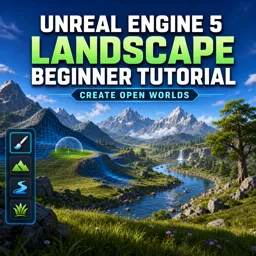
Build stunning open-world landscapes in Unreal Engine 5 with this free course. Learn Runtime Virtual Textures and terrain workflows for game development.
Create believable open worlds without feeling overwhelmed by tools, settings, and material setups. In this free online course, you’ll learn a practical, beginner-friendly workflow for building landscapes in Unreal Engine 5, focusing on the decisions that make environments look great while staying performant for real games. Instead of guessing which options matter, you’ll understand what each landscape feature contributes to your scene and how to combine them with confidence.
You’ll explore how Runtime Virtual Texture fits into modern terrain creation and why it’s become a go-to technique for improving visual consistency across large environments. By understanding its role and benefits, you’ll be able to produce cleaner texture blending, better transitions between terrain and assets, and more scalable results as your map grows. You’ll also clarify the differences between traditional texturing approaches and workflows that rely on virtual texture outputs, so you can choose the right method for the style and constraints of your project.
As you progress, you’ll connect the landscape system with tools that enhance detail and believability, including concepts around height and surface information that support richer terrain. You’ll see what needs to be enabled for advanced mesh-based terrain detailing and how these features work together to help environments hold up close to the camera without sacrificing the wide, sweeping scale that makes open worlds feel immersive.
By the end, you’ll be able to move from an empty level to a terrain that looks intentional: shaped, textured, and ready to serve gameplay. Whether you’re building your first game environment, preparing a portfolio piece, or strengthening your game development fundamentals, this course helps you develop a repeatable landscape workflow you can apply to future Unreal Engine 5 projects.

3 hours and 48 minutes of online video course

Digital certificate of course completion (Free)

Exercises to train your knowledge

100% free, from content to certificate
How does Runtime Virtual Texture improve Unreal Engine 5 landscape materials?
It lets landscapes and meshes share blended material data, improving terrain-to-object transitions and reducing repeated texture calculations.
Which Unreal Engine 5 settings are required for Virtual Heightfield Mesh landscapes?
Enable Virtual Texture Support and Virtual Heightfield Mesh support in the project settings, then restart the editor if prompted.
What are the main steps to create an open-world landscape in Unreal Engine 5?
Create a landscape, sculpt terrain, paint layered materials, configure Runtime Virtual Texture, and add foliage or meshes for detail.
Ready to get started?Download the app and get started today.
Install the app now
to access the course
Over 5,000 free courses
Programming, English, Digital Marketing and much more! Learn whatever you want, for free.

Study plan with AI
Our app's Artificial Intelligence can create a study schedule for the course you choose.

From zero to professional success
Improve your resume with our free Certificate and then use our Artificial Intelligence to find your dream job.
You can also use the QR Code or the links below.




Free CourseUnreal Engine 5 Complete Tutorials
5

(1)

105h07m

53 exercises

Free CourseUnity - survival game
5
(13)
11h23m
38 exercises

Free CourseGame Environment Art
5
(3)
2h37m
7 exercises

Free CourseGame Design course
5
(1)
10h16m
38 exercises

Free CourseAndroid - LibGDX - Super Mario Bros
4.8
(18)
5h08m
22 exercises

Free CourseUnity game development for beginners
4.8

(4)
7h24m

Free CourseUnity 3D Game Development Course
4.8
(4)
11h44m
45 exercises

Free CourseRPG in Unity
4.7
(10)
2h27m
11 exercises

Free CourseBasic game in Unity
4.7
(53)
1h39m
11 exercises

Free CourseMultiplayer FPS in Unity
4.7
(15)
14h06m
24 exercises
Carry knowledge in your pocket.
Download the Cursa app.
There are hundreds of free courses available, with a free certificate of completion that is saved in your mobile image gallery.
Download the app to access the Course Completion Certificate for Free.


+ 10 million
students

Free and Valid
Certificate

60 thousand free
exercises

4.8/5 rating in
app stores

Free courses in
video and ebooks




