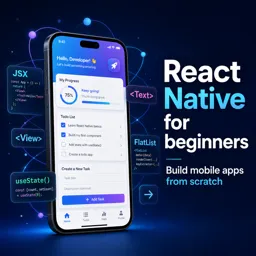

Free ebook on React Native components, styling, responsive layouts, and navigation concepts for building maintainable mobile apps.
Free ebook content
-

Setting Up a React Native Project and Understanding the App Structure
+ Exercise: In which situation is an Expo managed workflow typically the better choice than a React Native CLI project?
-
Thinking in Components and Building Reusable UI Blocks
+ Exercise: Which approach best follows the idea of building reusable React Native components?
-
Props and State for Data Flow and Interactive Screens
+ Exercise: In a screen where both a search box and a list need to use the same query value, what approach best keeps the UI consistent and avoids duplicated state?
-
Rendering Lists and Handling User Input with Core Components
+ Exercise: In a screen that shows a long, feed-like list of items that can grow over time, which approach best matches the recommended rendering strategy and why?


-
Styling with StyleSheet and Flexbox Layout Fundamentals
+ Exercise: In a horizontal Flexbox row, which approach best keeps base styles reusable while applying conditional changes where later values override earlier ones?
-
Responsive Layout Patterns: Spacing, Alignment, and Safe Areas
+ Exercise: In a screen with a scrollable form and a fixed bottom action bar, what is the best way to prevent the last fields from being hidden behind the action bar on devices with a home indicator?
-
Platform Differences and Conditional UI for iOS and Android
+ Exercise: When you need small platform-specific styling differences in a shared React Native component, which approach best keeps the code clean and avoids scattered OS checks?
-
Navigation Concepts: Screens, Routes, and Common App Flows
+ Exercise: In a stack navigator, which action should you use when you want to open a new instance of the same screen even if you are already on it?
-
Implementing Stack and Tab Navigation Patterns
+ Exercise: In a typical app that combines bottom tabs with stacks, what is the main benefit of putting a separate stack navigator inside each tab?
-
Passing Parameters Between Screens and Managing Navigation State
+ Exercise: Which approach best fits passing data between screens while keeping navigation state reliable in React Navigation?
-
Organizing Components, Styles, and Navigation for Maintainable Apps
+ Exercise: Which approach best reduces coupling between UI components and routing when building maintainable React Native screens?
-
Debugging UI and State Issues with Practical Troubleshooting Habits
+ Exercise: A loading spinner stays visible forever after a data fetch. Which troubleshooting change best ensures the loading flag is turned off on both success and failure?
About the free ebook
React Native Basics: Components, Styling, and Navigation Concepts
Build a practical foundation for creating mobile interfaces with React Native in this free ebook for aspiring app developers. Learn how React Native projects are structured and how small, reusable components help turn interface ideas into maintainable applications.
Build interactive mobile UI with confidence
The ebook explains how props and state support predictable data flow, user input, and interactive screens. You will explore core rendering patterns for displaying data, responding to actions, and keeping your UI organized as an app grows.
Create layouts that work across devices
Develop a clear understanding of StyleSheet, Flexbox, spacing, alignment, safe areas, and responsive layout decisions. The material also highlights platform-aware UI choices for iOS and Android, helping you avoid treating every device and operating system the same way.
Understand navigation and app flow
Learn the concepts behind screens, routes, stacks, tabs, parameters, and navigation state. These patterns show how users move through an application and how screens can exchange the information they need.
Write maintainable React Native code
Alongside UI development, this ebook introduces practical approaches to organizing components, styles, and navigation logic. It closes with troubleshooting habits for identifying common UI and state problems, so you can debug more methodically and improve your development workflow.
Use this free ebook as a focused reference while building React Native apps that are reusable, responsive, and easier to evolve.
How do props and state differ in React Native?
Props pass data into a component, while state stores data that can change during interaction.
How is Flexbox used for React Native layouts?
Flexbox controls the direction, alignment, spacing, and sizing of elements across mobile screen layouts.
What is the difference between stack and tab navigation?
Stack navigation moves through a screen history, while tab navigation switches between primary app sections.
This ebook includes:

12 content chapters

Digital certificate of course completion (Free)

Exercises to train your knowledge

100% free, from content to certificate
Ready to get started?

 recommended
In the app you will also find...

Over 5,000 free courses
Programming, English, Digital Marketing and much more! Learn whatever you want, for free.

Study plan with AI
Our app's Artificial Intelligence can create a study schedule for the course you choose.

From zero to professional success
Improve your resume with our free Certificate and then use our Artificial Intelligence to find your dream job.
You can also use the QR Code or the links below.