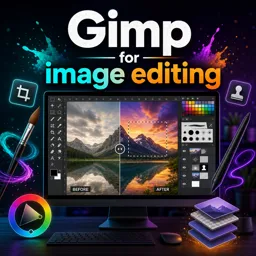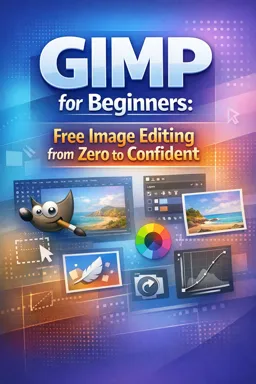

Free ebook for learning GIMP image editing, from workspace basics and layers to retouching, color correction, and export workflows.
Free ebook content
-

Getting Started with GIMP: Workspace, Files, and a Simple Editing Workflow
+ Exercise: You want to combine several photos into one GIMP project (for example, to add a logo and replace a background). What is the best way to start so each image comes in as its own layer?
-
Navigation and View Control in GIMP: Zoom, Pan, Guides, and Precision
+ Exercise: You want to judge an image’s sharpness and artifacts as accurately as possible in GIMP. Which zoom view should you use?
-
Essential Tools in GIMP for Beginners: Move, Crop, Transform, and Brush Basics
+ Exercise: You want to straighten a slightly tilted photo and avoid leaving empty corner areas in the final image. Which workflow best matches the recommended habit?


-
Layers in GIMP: Building, Organizing, and Editing Non-Destructively
+ Exercise: You want to brighten only the sky in a background without permanently changing the original pixels. Which workflow best supports this non-destructive goal?
-
Selections in GIMP: Making Clean Cutouts with the Right Tool
+ Exercise: Which workflow best helps you remove a thin background halo around a cutout while keeping the edge looking natural?
-
Layer Masks in GIMP: Controlled Blending and Seamless Composites
+ Exercise: When replacing a sky using a layer mask, why is a mask preferred over erasing pixels from the subject layer?
-
Color and Tone Correction in GIMP: Levels, Curves, White Balance, and Saturation
+ Exercise: Why is it recommended to adjust exposure/contrast before white balance and saturation in a typical GIMP correction workflow?
-
Retouching in GIMP: Spot Removal, Clone Healing, and Subtle Enhancements
+ Exercise: When retouching on an empty “Retouch” layer in GIMP, why should you enable “Sample merged” for the Heal or Clone tools?
-
Text and Simple Graphics in GIMP: Titles, Shapes, Icons, and Exporting Assets
+ Exercise: You want to export a reusable icon from GIMP with a transparent background. Which workflow best ensures the transparency is preserved in the exported file?
About the free ebook
GIMP for Beginners: Free Image Editing from Zero to Confident
Build practical image-editing skills with this free ebook for aspiring designers, photographers, content creators, and anyone who wants to create polished visuals using GIMP.
Learn a clear, confident editing process
Start by understanding the GIMP workspace, opening files, navigating a canvas, and using zoom, guides, and view controls for accurate work. You will then practice the core tools used in everyday edits, including moving, cropping, transforming, painting, and adjusting image elements.
Edit with control instead of guesswork
Learn how to organize layers, make precise selections, and use layer masks to combine images without permanently damaging your original work. The ebook explains how these essential techniques support cleaner cutouts, controlled blending, and flexible revisions.
Improve photos and create visual assets
Explore approachable methods for correcting color, tone, white balance, contrast, and saturation. You will also discover practical retouching techniques for removing small distractions, cloning areas, healing imperfections, and keeping adjustments subtle. Use text, shapes, and simple graphic elements to produce titles, icons, and social-ready assets.
Finish and export with confidence
Follow a repeatable workflow that helps you move from an unedited image to a finished export. By the end, you will understand how to make deliberate edits, preserve editable versions, and choose suitable export settings for common online uses.
What you will gain
- A solid foundation in GIMP’s interface and essential editing tools
- Practical methods for non-destructive image editing
- Better control over selections, masks, color, and retouching
- A dependable process for preparing finished image files
How do I edit images in GIMP without changing the original photo?
Use separate layers, layer masks, and saved project files to keep original image data intact.
Which GIMP tools are useful for removing blemishes and unwanted objects?
The Heal, Clone, and Spot Removal tools help repair small imperfections and distracting details.
How can I make a clean background cutout in GIMP?
Choose an appropriate selection tool, refine the selection edges, and apply a layer mask for editable results.
This ebook includes:

10 content chapters

Digital certificate of course completion (Free)

Exercises to train your knowledge

100% free, from content to certificate
Ready to get started?

 recommended
In the app you will also find...

Over 5,000 free courses
Programming, English, Digital Marketing and much more! Learn whatever you want, for free.

Study plan with AI
Our app's Artificial Intelligence can create a study schedule for the course you choose.

From zero to professional success
Improve your resume with our free Certificate and then use our Artificial Intelligence to find your dream job.
You can also use the QR Code or the links below.