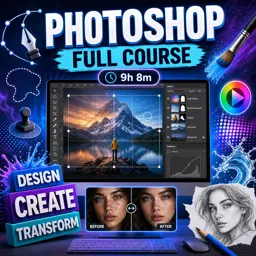
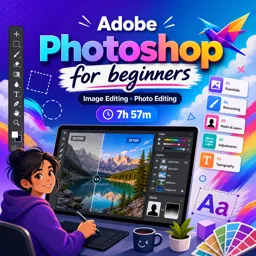
Duration of the online course: 9 hours and 8 minutes
New
Edit photos like a pro with this free Photoshop course: master layers, masks, retouching and creative effects, plus practice exercises for real results.
In this free course, learn about
Photoshop basics: interface, Control Bar context changes, and essential workflow concepts
Typography & paths: type on a path, wrap text, clipping text with images, displacement text
Pen Tool & vector shapes: Pen shortcut, path to selection, Pathfinder operations on shapes
Perspective compositing: Vanishing Point grids, extending faces, perspective-true shadows
Color & output: RGB vs print color mode (CMYK) and practical color workflow decisions
Patterns, brushes & assets: define brush preset, save patterns, seamless pattern via Offset
About the free online course
Build real, job-ready image editing skills with a hands-on Photoshop learning path designed for beginners and growing creatives. This free online course guides you from your first minutes in the interface to confident control of everyday tools used in design, content creation, and photography workflows. Instead of watching passively, you will practice with exercises that help you understand why a tool is used, when it works best, and how to fix common mistakes quickly.
You will learn to work cleanly and efficiently using selections, layers, and non-destructive techniques so your edits stay flexible. As you progress, you will sharpen photos, remove distractions, extend backgrounds, retouch skin while keeping texture, and make targeted improvements that look natural. You will also learn to isolate subjects, refine tricky edges like hair, and blend images convincingly so your composites look polished rather than pasted.
The course also expands into popular creative effects and professional finishing touches. You will explore ways to transform images into sketches, create halftone and lighting styles, build realistic text effects, wrap typography around shapes, and use tools like Blend If, smart objects, clipping masks, and perspective features to produce more believable designs. Along the way you will strengthen essential fundamentals such as cropping decisions, brush control, healing versus cloning, and safe workflows that protect your original pixels.
Whether you want to upgrade social media visuals, prepare assets for print, improve product photos, or start building a portfolio in design and creative arts, this course helps you develop repeatable processes, not just one-off tricks. By the end, you will feel comfortable navigating Photoshop and applying practical techniques to your own images with confidence and consistency.
Course content
Video class: Introduction to Photoshop Exercise No. 1 | Photoshop for Beginners | YN Tutor17m
Exercise: What does the Control Bar in Photoshop mainly change based on?
Video class: Basic Selection and Layers in Photoshop Exercise No.2 | Photoshop for Beginners| YN Tutor12m
Video class: Create Photo Frame Easily in Photoshop Exercise No.3 | Photoshop for Beginners| YN Tutor07m
Exercise: How do you apply a soft vignette-style border effect using a selection in Photoshop?
Video class: Understanding the Layers in Photoshop Exercise No.4 | Photoshop for Beginners| YN Tutor15m
Exercise: Which lock option prevents painting outside the existing pixels on a layer?
Video class: How to use Crop Tool in Photoshop Exercise No.5 | Photoshop for Beginners| YN Tutor08m
Exercise: What does enabling Delete Cropped Pixels do when using the Crop Tool?
Video class: How to use the Eraser Tool in Photoshop Exercise No.6 | Photoshop for Beginners| YN Tutor10m
Exercise: Which option correctly matches the three types of Eraser tools available in recent versions of Photoshop?
Video class: How to use Clone Stamp Tool in Photoshop Exercise No.7 | Photoshop for Beginners| YN Tutor09m
Exercise: When using the Clone Stamp Tool, what must you do first to define the area Photoshop will copy from?
Video class: How to use Brush Tool in Photoshop Exercise No.8 | Photoshop for Beginners| YN Tutor15m
Video class: How to use Healing Tools in Adobe Photoshop Exercise No.9 | Photoshop for Beginners| YN Tutor08m
Exercise: What is the key difference between the Healing Brush Tool and the Clone Stamp Tool?
Video class: How to use Content aware Fill09m
Exercise: Which shortcut opens the Fill dialog box to use Content-Aware Fill?
Video class: How to use Blur11m
Exercise: When blurring only the background while keeping the subject sharp, what step helps protect the subject from being blurred?
Video class: How to use Polygonal Lasso magnetic lasso Tools Exercise No. 12 | Photoshop for Beginners| YN Tutor14m
Video class: Dodge, Burn and sponge Tool Exercise No. 13 | Photoshop for Beginners | YN Tutor08m
Exercise: What is the recommended non-destructive method to use Dodge and Burn adjustments?
Video class: Skin Retouching with Brush Tool Exercise No. 14 | Photoshop for Beginners| YN Tutor10m
Exercise: When dodging and burning with the Brush Tool on a 50% gray Soft Light layer, which foreground color should you use to brighten (dodge) areas?
Video class: Layer Mask in Photoshop Exercise No. 15 | Photoshop for Beginners | YN Tutor11m
Exercise: What is the main advantage of using a Layer Mask instead of the Eraser tool when removing a background?
Video class: Mask hair08m
Exercise: Which Photoshop feature is used to refine a complex hair selection after making a rough selection?
Video class: How to Select Transparent Object Using Blend Mode Exercise No. 17 | Photoshop for Beginner |YN Tutor15m
Exercise: Which combination is used to make a glass object transparent on a new background while keeping both shadows and highlights?
Video class: Turn a photo into pencil sketch in photoshop Exercise No. 18 | Photoshop for Beginners| YN Tutor09m
Exercise: Which blend mode is recommended to get dense and sharp edges when creating a pencil sketch effect?
Video class: How To Use BLEND IF in Photoshop Exercise No. 19 | Photoshop for Beginners| YN Tutor19m
Exercise: In Photoshop, what does the Blend If feature primarily control?
Video class: How To Use Auto Blend in Photoshop Exercise No. 20 | Photoshop for Beginners| YN Tutor10m
Exercise: In Auto-Blend Layers, which method blends two solid layers without trimming or cutting intersected parts?
Video class: How To Remove White Background in Photoshop Exercise No. 21 | Photoshop for Beginners| YN Tutor09m
Exercise: When removing a white background that also appears in the subject (and you need to keep the shadow), what is the recommended workflow?
Video class: Color Halftone Effect09m
Exercise: What is the main advantage of creating a halftone effect using a Smart Object?
Video class: How to Wrap Text around an Image in photoshop Exercise No. 23 | how to type in circle | YN Tutor09m
Exercise: How do you convert a selection into a path so you can type text along it in Photoshop?
Video class: Water Text Effect in Photoshop Exercise No. 24 | Water Text Effect | YN Tutor08m
Exercise: Why should the text layer be converted to a Smart Object before applying the Displace filter?
Video class: Difference Between RGB09m
Exercise: Which color mode should you use when designing something intended for printing?
Video class: Dispersion Effect in Photoshop Exercise No. 26 | YN Tutor photoshop tutorial for beginners09m
Exercise: When creating a dispersion effect on an image, what is the purpose of using the Liquify filter before masking with a splatter brush?
Video class: Master the Pen Tool in 20 Minutes Exercise No. 27 | YN Tutor photoshop tutorial for beginners21m
Exercise: What is the shortcut key to activate the Pen Tool in Photoshop?
Video class: Vector Shape in Photoshop Exercise No. 28 | Custom shape | YN Tutor photoshop tutorial for beginner16m
Exercise: To see the result of a Pathfinder operation (like Exclude Overlapping) on two shapes, what must you do first?
Video class: Vanishing Point Filter Photoshop Part 1 Exercise No. 29 | YN Tutor photoshop tutorial for beginners10m
Exercise: In Photoshop, which sequence correctly places copied text onto a signboard with matching perspective using Vanishing Point?
Video class: Vanishing Point Filter Photoshop Part 2 Exercise No. 30 | YN Tutor photoshop tutorial for beginner08m
Exercise: In Vanishing Point, how do you extend a perspective grid to a second face (e.g., to create a two-sided perspective)?
Video class: Smart Objects in Photoshop Exercise No. 31 | YN Tutor | photoshop tutorial for beginners10m
Exercise: What is a key benefit of converting a layer into a Smart Object in Photoshop?
Video class: Vector Smart Objects in Photoshop Exercise No. 32 | YN Tutor | photoshop tutorial for beginners09m
Exercise: Which paste option keeps Illustrator artwork sharp when scaling multiple times in Photoshop and also allows later editing in Illustrator?
Video class: Clipping Mask in Photoshop Exercise No. 33 Layer style | YN Tutor | photoshop tutorial for beginner08m
Exercise: What is the keyboard shortcut to create a clipping mask in Photoshop?
Video class: Clipping Mask - Layer Mask in Photoshop Exercise No. 34 | YN Tutor | photoshop tutorial for beginner10m
Exercise: Which method correctly clips an image inside a text layer and then blends multiple clipped images together?
Video class: Clipping Mask - Layer Mask in Photoshop Exercise No. 35 | YN Tutor | photoshop tutorial for beginner10m
Exercise: Which technique is used to confine an image inside the mobile screen while keeping another copy visible outside for the pop-out effect?
Video class: How to convert a Low Quality Graphic to High Quality Exercise No. 36 | YN Tutor | photoshop tutorial09m
Exercise: What is the 3-step method used to make a low-resolution black logo look sharper and higher quality?
Video class: How to Add Realistic Water Splash Exercise No. 37 | YN Tutor | photoshop tutorial for beginners05m
Exercise: To paste the water splash into a layer mask, what must you do first?
Video class: Skin Retouching in Photoshop Exercise No. 38 | YN Tutor | photoshop tutorial for beginners04m
Exercise: Which sequence is used to retouch skin while preserving texture and shading using blend mode and filters?
Video class: How to make Sunburst Background Exercise No. 39 | YN Tutor | photoshop tutorial for beginners04m
Exercise: Which sequence of steps is used to create the retro background effect?
Video class: Halftone Effect in Photoshop Exercise No. 40 | YN Tutor | photoshop tutorial for beginners06m
Exercise: When creating a halftone effect while keeping the original image size unchanged, what should you adjust in the Bitmap Halftone Screen settings?
Video class: Dual Lighting Effect in Photoshop Exercise No. 41 | YN Tutor | photoshop tutorial for beginners03m
Video class: Gradient Tool in Photoshop Exercise No. 42 | YN Tutor | photoshop tutorial for beginners11m
Exercise: How can you permanently save a custom gradient so it remains available after closing Photoshop?
Video class: Gradient Tool in Photoshop Exercise No. 43 | YN Tutor | photoshop tutorial for beginners04m
Exercise: Which Photoshop feature is used to create a shadow that accurately follows the floor-to-wall perspective?
Video class: How to add Realistic Tree in Photoshop Exercise No 4406m
Exercise: How do you create an independent realistic tree using Photoshop’s Tree filter?
Video class: How To whiten the teeth05m
Video class: How To Place an Image in text in Photoshop Exercise No. 46 | YN Tutor | photoshop tutorials04m
Exercise: Which step clips the duplicated image layer inside the text for the masking text effect?
Video class: How To Create Custom Brush in Photoshop Exercise No. 47 | YN Tutor | photoshop tutorial for beginner06m
Exercise: Before using Edit > Define Brush Preset, what must the image look like for creating a brush?
Video class: How to Remove Double Chin in Photoshop Exercise No. 48 | YN Tutor | photoshop tutorial for beginners05m
Exercise: After creating a path with the Pen Tool, what is the next step to turn it into a selection with smooth edges?
Video class: How To Add Lighting Effect in Photoshop. Exercise No. 49 | YN Tutor | photoshop tutorials05m
Exercise: Which workflow is used to create the lighting effect and keep it from spilling onto unwanted areas?
Video class: Lighting Effect in Photoshop. Exercise No. 50 | YN Tutor | photoshop tutorial for beginners05m
Exercise: How do you make an image visible only inside the text to create a lighting effect?
Video class: Fruit Manipulation How To Slice Strawberry in Photoshop. Exercise No. 51 | YN Tutor07m
Exercise: Which shortcut moves the selected sliced area to a new independent layer (instead of duplicating it and leaving it on the original layer)?
Video class: How to Create Wind Effect in Photoshop. Exercise No. 52 | YN Tutor | photoshop tutorial for beginner04m
Exercise: Which workflow correctly creates the wind effect in front of the fan grill?
Video class: How to Convert Silver into Gold in Photoshop. Exercise No. 53 | YN Tutor | photoshop tutorials05m
Exercise: In one method to turn a silver ring into gold, which blend mode is applied to the clipped Solid Color layer to create the gold effect?
Video class: How To Turn Anything into Gold in Photoshop. Exercise No. 54 | YN Tutor | photoshop tutorial08m
Exercise: Which Color Lookup 3D LUT file is selected to create the gold effect?
Video class: How To Create 3D Text in Photoshop. Exercise No. 55 | YN Tutor | photoshop tutorial for beginners11m
Exercise: In the manual 3D text technique, how is the 3D depth mainly created?
Video class: How To Create Brick Pattern in Photoshop Exercise No. 56 | YN Tutor | photoshop tutorials08m
Exercise: After creating the brick shapes, which command is used to save the selected area as a reusable pattern in Photoshop?
Video class: How To Create Seamless Flower Pattern in Photoshop. Exercise No. 57 | YN Tutor | photoshop tutorials08m
Exercise: When using the Offset filter to place a pattern element into the corners on a 500×500 px canvas, what Horizontal and Vertical values should you enter (with Wrap Around enabled)?
Video class: How to use Puppet Warp in Photoshop. Exercise No. 58 | YN Tutor | photoshop tutorial for beginners10m
Exercise: How can you keep Puppet Warp editable later in Photoshop?