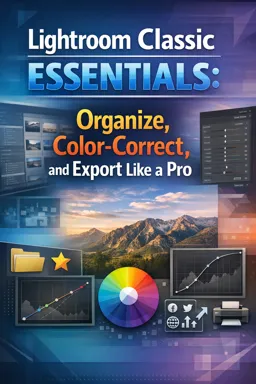
Open the Library module, click Import, select your photo source and destination, then click Import.

Duration of the online course: 1 hours and 9 minutes
5

(1)
Edit photos faster and with confidence in this free Lightroom Classic course—master import, color, crop, exports and pro finishing touches, plus a certificate.
Turn ordinary photos into polished images with a workflow that feels clear, fast, and repeatable. This free online course guides you through Lightroom Classic from the very first steps to the kinds of refinements that make your edits look intentional and professional. Instead of guessing which sliders to move, you will learn how to build a consistent process you can apply to any shoot, whether you are improving travel photos, building a portfolio, or creating content for social media.
You will start by understanding how to set up your work correctly from the moment your images arrive on your computer. Importing is where many beginners lose time or misplace files, so you will learn how to approach it with confidence and keep your library organized for the long term. From there, you will move into key decisions that affect image quality, including how to manage color and intensity in a natural way. Knowing when to use vibrance versus saturation helps you avoid muddy skin tones or oversaturated scenes and leads to more balanced results.
As your edits get more precise, you will practice tools that improve composition and exposure without slowing you down. Learning shortcuts and visual checks for clipped shadows and highlights helps you keep detail where it matters and avoid edits that look harsh on different screens. You will also refine framing by adjusting crop orientation quickly, which is essential when preparing versions for different uses.
To help your work look great online, you will learn an export approach designed for Instagram stills, so your images retain clarity and color while keeping file sizes reasonable. Finally, you will add a finishing touch many creators rely on: shaping attention with a custom vignette around the subject so the viewer’s eye lands exactly where you want it.
By the end, you will be able to edit with more control, improve consistency across a set of photos, and share images that look clean and intentional. If you are aiming for stronger visuals for personal projects or creative opportunities, this course helps you develop practical Lightroom Classic editing skills with confidence.

1 hours and 9 minutes of online video course

Digital certificate of course completion (Free)

Exercises to train your knowledge

100% free, from content to certificate
How do I import photos into Lightroom Classic 2025?
Open the Library module, click Import, select your photo source and destination, then click Import.
What is the difference between Vibrance and Saturation in Lightroom Classic?
Vibrance boosts muted colors more gently and protects skin tones, while Saturation increases the intensity of all colors equally.
What export settings should I use for Instagram photos from Lightroom Classic?
Export as JPEG in sRGB, with quality around 80–100, and resize to Instagram’s recommended pixel dimensions for your chosen post format.
Ready to get started?Download the app and get started today.
Install the app now
to access the course
Over 5,000 free courses
Programming, English, Digital Marketing and much more! Learn whatever you want, for free.

Study plan with AI
Our app's Artificial Intelligence can create a study schedule for the course you choose.

From zero to professional success
Improve your resume with our free Certificate and then use our Artificial Intelligence to find your dream job.
You can also use the QR Code or the links below.



Free CourseGimp for image editing
5
(3)

2h26m

17 exercises
Free CoursePhotoshop for Beginners complete course
5
(1)
6h19m
12 exercises
Free CourseAdvance Photoshop
4.9
(115)
9h09m
22 exercises
Free CourseAdobe Photoshop for beginners
4.9
(107)
7h57m
22 exercises
Free CourseMaster Photoshop in 30 Days
4.5

(2)
7h15m
26 exercises
Free CoursePhotoshop full course tutorial
4.1
(7)
6h28m
12 exercises
Free CourseAdobe Lightroom training course
4
(1)
2h15m
6 exercises
Free CourseAdobe Photoshop
New
4h52m
27 exercises

Free CourseBecome a Designer
New
2h28m
19 exercises
Free CourseAffinity Photo Software to image edition
New
6h35m
31 exercises
Carry knowledge in your pocket.
Download the Cursa app.
There are hundreds of free courses available, with a free certificate of completion that is saved in your mobile image gallery.
Download the app to access the Course Completion Certificate for Free.


+ 10 million
students

Free and Valid
Certificate

60 thousand free
exercises

4.8/5 rating in
app stores

Free courses in
video and ebooks