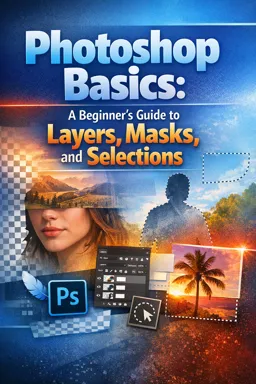


Free ebook on Photoshop layers, masks, selections, adjustments, retouching, background replacement, and non-destructive photo editing.
Free ebook content
-

Photoshop Basics: Navigating the Interface for Layer-Based Editing
+ Exercise: In a layer-based Photoshop workflow, what is the best first check if a tool seems to “not work” as expected?
-
Photoshop Layers: Building, Organizing, and Controlling Your Edit
+ Exercise: You applied a drop shadow layer effect to a texture layer and want the texture’s pixels to fade while keeping the shadow relatively more visible. Which control should you adjust?
-
Adjustment Layers in Photoshop: Non-Destructive Color and Tone Corrections
+ Exercise: In a non-destructive workflow, why is it usually better to place a Vibrance adjustment layer after a Color Balance (or white balance) correction?
-
Blending Modes in Photoshop: Controlling How Layers Interact
+ Exercise: You want to recolor an object while keeping its natural shading, wrinkles, and highlights. Which blending mode is the best choice?


-
Layer Masks in Photoshop: Hiding and Revealing for Seamless Edits
+ Exercise: When using a black-to-white gradient on an adjustment layer mask to darken a bright sky, which mask setup and action best keeps the horizon looking natural?
-
Selections in Photoshop: Targeting Edits with Precision
+ Exercise: You selected a product on a plain background and notice a thin background fringe (halo) around the edge before turning it into a mask. Which adjustment best helps remove that fringe while keeping edges crisp?
-
Refining Edges and Hair: Select and Mask for Clean Cutouts
+ Exercise: When refining a portrait cutout, what is the best first adjustment to reduce a bright halo or background fringe around the subject edge?
-
Real-World Workflow: Portrait Retouching with Layers, Masks, and Adjustments
+ Exercise: When doing portrait dodge and burn non-destructively, what is the recommended beginner workflow to apply the brightening and darkening?
-
Real-World Workflow: Replacing a Background Using Selections and Masks
+ Exercise: Why should lighting and color adjustments be clipped to the subject when replacing a background?
-
Everyday Photo Fixes: Straightening, Removing Objects, and Enhancing Details Non-Destructively
+ Exercise: You want to remove several dust spots from a photo while keeping the edit reversible and the original pixels untouched. What is the best workflow?
-
Exporting and File Practices: PSD Organization, Smart Saves, and Output for Web and Print
+ Exercise: Which workflow best prevents you from flattening too early while delivering both web and print files?
About the free ebook
Photoshop Basics: A Beginner’s Guide to Layers, Masks, and Selections
Build practical photo-editing confidence with this free ebook on Photoshop’s essential non-destructive tools. Learn how to work with layers, masks, selections, and adjustments so you can improve images while keeping your original pixels protected.
Edit with control instead of permanent changes
Photoshop becomes easier to manage when every correction has a clear place. This guide explains the interface and layer-based workflow, helping you organize image elements, control visibility, rename layers, and use blending modes to create convincing results.
Make precise corrections
Discover how adjustment layers can improve exposure, contrast, and color without permanently altering a photo. Use masks to reveal or hide edits selectively, and create targeted selections for retouching, cutouts, and local enhancements.
Skills you can apply to real images
- Create organized, editable Photoshop documents.
- Use layer masks for seamless composites and localized changes.
- Refine difficult edges, including hair, with Select and Mask.
- Retouch portraits and replace backgrounds with controlled workflows.
- Straighten images, remove distractions, and enhance details non-destructively.
- Save PSD files intelligently and export images for web or print.
Through realistic editing tasks, you will see how layers, masks, selections, and adjustments work together. The result is a dependable foundation for everyday photo fixes, creative composites, and cleaner professional workflows.
Start editing with flexibility: make changes you can revisit, refine, or remove at any stage of the project.
What is the difference between a layer mask and erasing in Photoshop?
A layer mask hides pixels without deleting them, so you can restore or refine the edit later.
How do adjustment layers support non-destructive photo editing?
They apply color and tone corrections on separate editable layers instead of changing the original image pixels.
How can Select and Mask improve hair cutouts in Photoshop?
It helps refine edge transitions and recover fine hair detail for cleaner, more natural-looking selections.
This ebook includes:

11 content chapters

Digital certificate of course completion (Free)

Exercises to train your knowledge

100% free, from content to certificate
Ready to get started?

 recommended
In the app you will also find...

Over 5,000 free courses
Programming, English, Digital Marketing and much more! Learn whatever you want, for free.

Study plan with AI
Our app's Artificial Intelligence can create a study schedule for the course you choose.

From zero to professional success
Improve your resume with our free Certificate and then use our Artificial Intelligence to find your dream job.
You can also use the QR Code or the links below.