Use the Selection Brush Tool to select the subject, refine the edges, and apply a mask to hide or remove the background.

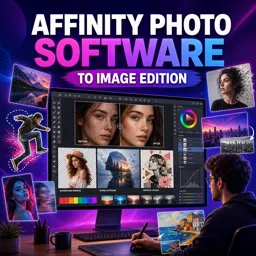
Duration of the online course: 6 hours and 35 minutes
New
Edit photos like a pro in this free Affinity Photo course—master retouching, background removal, color changes, and creative effects for standout images.
Upgrade your image editing skills with a practical, beginner-friendly Affinity Photo course built around real results: cleaner retouching, stronger color, sharper selections, and eye-catching creative edits. If you have ever wondered how professionals brighten a flat photo without losing detail, remove a messy background cleanly, or fix distracting objects in seconds, this training walks you through the mindset and workflow to get there using tools you can apply immediately.
Along the way, you will develop confidence with essential techniques that make every project easier, from precise cutouts for complex subjects like hair or intricate edges to smooth blending that helps composites look believable. You will learn how to correct and enhance skin tones, reduce under-eye shadows, and retouch in a way that keeps texture natural rather than over-processed. These skills are valuable for portraits, product photos, social posts, and any visual content where details matter.
The course also explores creative transformations that are perfect for building a portfolio and discovering your style. You will practice changing colors accurately, matching an exact shade, creating depth with background blur, and producing striking looks like double exposure, oil painting effects, dispersion, glow and light beams, and pop-out edits that grab attention. You will see how to approach fantasy edits and perspective-bending composites while keeping lighting and consistency in check so the final image feels cohesive.
Because the lessons are focused on repeatable workflows rather than one-off tricks, you can use them across different photos and projects, whether you are editing for fun, building content for a brand, or preparing assets for design work. As a free online course in photo editing, it is a solid way to move from basic adjustments to confident, professional-looking results with Affinity Photo.

Explore free online Adobe Photoshop courses and build practical photo editing, graphic design, retouching, and digital art skills at your own pace. Learn essential tools, layers, masks, filters, and professional workflows through beginner-friendly lessons. Enroll today, complete your training online, and earn a certificate to showcase your Photoshop skills.

Explore free online Adobe Lightroom courses designed to help you master photo editing, color correction, presets, organization, retouching, and efficient workflows. Learn Lightroom at your own pace through practical lessons for beginners and aspiring photographers, build in-demand creative skills, and earn a certificate upon completion.

Explore free online Photo Retouching courses and learn how to enhance portraits, correct color, remove blemishes, refine lighting, and create polished images with popular editing tools. Study at your own pace, build practical photo editing skills, and earn a certificate to showcase your expertise and advance your creative career.

6 hours and 35 minutes of online video course

Digital certificate of course completion (Free)

Exercises to train your knowledge

100% free, from content to certificate
How do I remove a background in Affinity Photo?
Use the Selection Brush Tool to select the subject, refine the edges, and apply a mask to hide or remove the background.
Which Affinity Photo tools are best for retouching skin and removing distractions?
The Inpainting Brush is ideal for quick distraction removal, while healing and clone tools help smooth skin and correct detailed imperfections.
How can I change an object to an exact color in Affinity Photo?
Select the object, add a color adjustment or fill layer, then enter the desired color value and refine the mask for clean edges.
Ready to get started?Download the app and get started today.
Install the app now
to access the course
Over 5,000 free courses
Programming, English, Digital Marketing and much more! Learn whatever you want, for free.

Study plan with AI
Our app's Artificial Intelligence can create a study schedule for the course you choose.

From zero to professional success
Improve your resume with our free Certificate and then use our Artificial Intelligence to find your dream job.
You can also use the QR Code or the links below.



Free CourseGimp for image editing
5

(3)

2h26m

17 exercises
Free CoursePhotoshop for Beginners complete course
5
(1)
6h19m
12 exercises
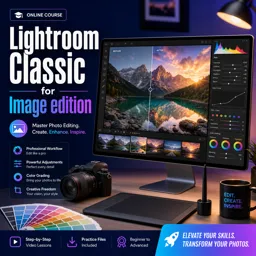
Free CourseLightroom Classic for Image edition
5
(1)
1h09m
6 exercises
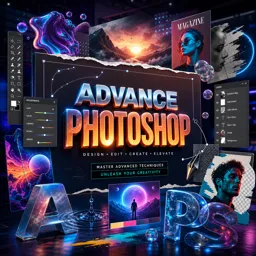
Free CourseAdvance Photoshop
4.9
(115)
9h09m
22 exercises
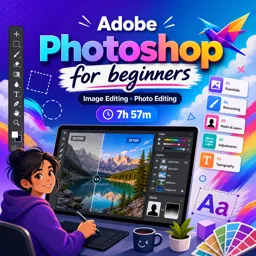
Free CourseAdobe Photoshop for beginners
4.9
(107)
7h57m
22 exercises
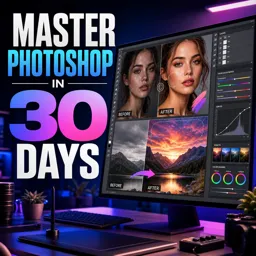
Free CourseMaster Photoshop in 30 Days
4.5

(2)
7h15m
26 exercises
Free CoursePhotoshop full course tutorial
4.1
(7)
6h28m
12 exercises
Free CourseAdobe Lightroom training course
4
(1)
2h15m
6 exercises
Free CourseAdobe Photoshop
New
4h52m
27 exercises
Free CourseBecome a Designer
New
2h28m
19 exercises
Carry knowledge in your pocket.
Download the Cursa app.
There are hundreds of free courses available, with a free certificate of completion that is saved in your mobile image gallery.
Download the app to access the Course Completion Certificate for Free.


+ 10 million
students

Free and Valid
Certificate

60 thousand free
exercises

4.8/5 rating in
app stores

Free courses in
video and ebooks