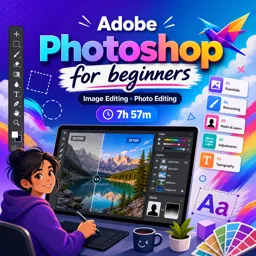
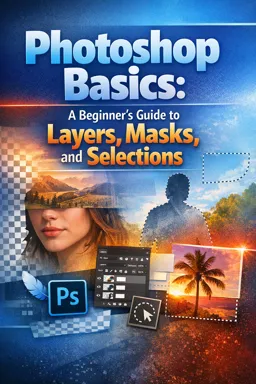
Free Course Image Adobe Photoshop for beginners

Free online courseAdobe Photoshop for beginners

Duration of the online course: 7 hours and 57 minutes

4.86

StarStarStarStarStar

(105)

Master Adobe Photoshop with this comprehensive free online course for beginners. Learn everything from basic interface navigation to advanced editing techniques. Start now!

In this free course, learn about

  • Course Overview
  • Photoshop Interface and Fundamentals
  • Color, Tips, and Basic Editing Operations
  • Brushes, Shapes, and Non-destructive Editing
  • Typography, Styles, and Advanced Vector Tools
  • Color Adjustments, Filters, and Blending
  • Document Setup, Saving, and Project Preparation
  • Creative Projects and Illustration
  • Working with Type and Output for Print and Web

Course Description

Are you ready to dive into the world of image editing and unleash your creativity? "Adobe Photoshop for Beginners" is the perfect course to get you started. With a comprehensive duration of 7 hours and 57 minutes, this course offers a thorough introduction to Adobe Photoshop, one of the most powerful tools in the design and art industry.

Rated an impressive average of 4.9 stars out of 5, this course stands out for its meticulous attention to detail and easy-to-follow instructions. Whether you’re an aspiring designer or simply wanting to hone your image-editing skills, the expertise provided will guide you seamlessly through the intricacies of Photoshop.

The course begins with a complete beginners guide, offering a detailed overview and breakdown of what's to come. From the very first episode, you'll delve into the interface of Adobe Photoshop, getting familiar with panels, workspaces, and the fundamental principles of raster images.

Nearly eight hours of content ensures that no stone is left unturned. You'll gain a comprehensive understanding of essential concepts such as image size, dimension, and resolution, as well as the intricacies of layers, color, and common file types. These foundational lessons set the stage for more advanced topics, all designed to build your confidence and technical proficiency.

Ten handy tips specifically tailored for beginners will equip you with crucial shortcuts and techniques. You'll learn how to make precise selections, copy and paste elements, and master transform tools. The instruction on using brushes, the eraser tool, and layer masking will elevate your skills further.

The course also covers principles of typography, shape tools, and layer styles, emphasizing their application in real-world design scenarios. The course introduces you to more sophisticated tools like paths, pen tools, smart objects, and various color adjustment techniques.

Explore the dynamic world of filters, blending modes, and learn the best practices for saving and documenting your work. Special episodes guide you through creating 3D paper type effects, rainbow and clouds illustrations, and even designing an origami bird logo. Each tutorial builds on the last, fostering a comprehensive skill set by the course's end.

The course also emphasizes practical application, guiding you on setting up documents, working efficiently, decorating designs, and managing complex projects. Whether you’re saving for print or adapting designs for the web, clear and concise teaching methods ensure you grasp each concept effectively.

By the end of "Adobe Photoshop for Beginners," you will have a solid foundation in image editing and design, ready to tackle any creative project with confidence. Join countless others who have rated this course highly and start your journey into the captivating world of Photoshop today!

Course content

  • Video class: The Complete beginners guide to Adobe Photoshop | Course overview & breakdown 04m
  • Exercise: What is the main project focus in this beginner Photoshop course?
  • Video class: Interface Introduction to Adobe Photoshop Ep1/33 [Adobe Photoshop for Beginners] 12m
  • Exercise: What is the main factor affecting what the mouse cursor looks like in Photoshop?
  • Video class: Panels & Workspaces in Adobe Photoshop Ep2/33 [Adobe Photoshop for Beginners] 09m
  • Exercise: How can you create a custom workspace in Adobe Photoshop?
  • Video class: Raster Image principles in Adobe Photoshop Ep3/33 [Adobe Photoshop for Beginners] 04m
  • Exercise: What is a raster image in Photoshop?
  • Video class: Image size, Dimension, & Resolution in Adobe Photoshop Ep4/33 [Adobe Photoshop for Beginners] 14m
  • Exercise: What does 300 DPI represent in image processing?
  • Video class: Layers in Adobe Photoshop Ep5/33 [Adobe Photoshop for Beginners] 24m
  • Exercise: What is the primary function of the layers panel in Photoshop?
  • Video class: Common file types in Adobe Photoshop Ep6/33 [Adobe Photoshop for Beginners] 09m
  • Exercise: Can Photoshop handle PDF files?
  • Video class: Colour in Adobe Photoshop Ep7/33 [Adobe Photoshop for Beginners] 17m
  • Exercise: What Photoshop feature allows you to quickly swap the foreground and background color?
  • Video class: 10 Handy Tips for beginners to Adobe Photoshop Ep8/33 [Adobe Photoshop for Beginners] 17m
  • Exercise: What is the shortcut for undoing multiple steps in Photoshop?
  • Video class: Making selections in Adobe Photoshop Ep9/33 [Adobe Photoshop for Beginners] 20m
  • Exercise: What is the primary function of selection tools in Photoshop?
  • Video class: Copy & paste in Adobe Photoshop Ep10/33 [Adobe Photoshop for Beginners] 12m
  • Exercise: What is the keyboard shortcut for pasting in Photoshop?
  • Video class: Transform tools in Adobe Photoshop Ep11/33 [Adobe Photoshop for Beginners] 12m
  • Exercise: Which tool allows transforming objects by scaling, rotating, and distorting in Photoshop?
  • Video class: Using brushes in Adobe Photoshop Ep12/33 [Adobe Photoshop for Beginners] 20m
  • Exercise: Where is the brush preset toggle located?
  • Video class: Eraser tool & Layer masking Ep13/33 [Adobe Photoshop for Beginners] 17m
  • Exercise: What is a non-destructive way to remove parts of an image in Photoshop?
  • Video class: Shape tool in Adobe Photoshop Ep14/33 [Adobe Photoshop for Beginners] 13m
  • Exercise: What is the advantage of using the shape tool in Photoshop over the marquee tool?
  • Video class: Type principals in Adobe Photoshop Ep15/33 [Adobe Photoshop for Beginners] 20m
  • Exercise: What is the primary function of the type tool in Photoshop?
  • Video class: Layer styles in Adobe Photoshop Ep16/33 [Adobe Photoshop for Beginners] 14m
  • Exercise: What is the purpose of the layer styles function in Photoshop?
  • Video class: Paths & the Pen tool in Adobe Photoshop Ep17/33 [Adobe Photoshop for Beginners] 20m
  • Exercise: Which tool in Photoshop is specifically used to draw and modify paths, offering unique shape creation capabilities?
  • Video class: Smart objects in Adobe Photoshop Ep18/33 [Adobe Photoshop for Beginners] 11m
  • Exercise: What is the main advantage of using Smart Objects in Photoshop?
  • Video class: Colour adjustments in Adobe Photoshop Ep19/33 [Adobe Photoshop for Beginners] 09m
  • Exercise: How can you apply color adjustments in Photoshop on a raster image layer?
  • Video class: Adjustment layers in Photoshop Ep20/33 [Adobe Photoshop for Beginners] 07m
  • Exercise: What is an adjustment layer?
  • Video class: Filters in Photoshop Ep21/33 [Adobe Photoshop for Beginners] 08m
  • Video class: Blending modes in Adobe Photoshop Ep22/33 [Adobe Photoshop for Beginners] 08m
  • Video class: Saving in Photoshop Ep23/33 [Adobe Photoshop for Beginners] 08m
  • Video class: Setting up a document Ep24/33 [Adobe Photoshop for Beginners] 09m
  • Video class: 3D paper type effect Ep25/33 [Adobe Photoshop for Beginners] 22m
  • Video class: Rainbow & clouds illustration Ep26/33 [Adobe Photoshop for Beginners] 19m
  • Video class: Manage complexity and working smart Ep27/33 [Adobe Photoshop for Beginners] 12m
  • Video class: Decorating an origami paper bird Ep28/33 [Adobe Photoshop for Beginners] 22m
  • Video class: Create a origami bird logo Ep29/33 [Adobe Photoshop for Beginners] 22m
  • Video class: Using type in Photoshop Ep30/33 [Adobe Photoshop for Beginners] 09m
  • Exercise: What happens when you hold Alt and drag a selected type element with the move tool active?
  • Video class: Save for print in Adobe Photoshop Ep31/33 [Adobe Photoshop for Beginners] 05m
  • Video class: Adapt a print design for a web banner Ep32/33 [Adobe Photoshop for Beginners] 23m
  • Video class: Save for web in Adobe Photoshop Ep33/33 [Adobe Photoshop for Beginners] 08m

This free course includes:

7 hours and 57 minutes of online video course

Digital certificate of course completion (Free)

Exercises to train your knowledge

100% free, from content to certificate

Ready to get started?Download the app and get started today.

Install the app now

to access the course
Icon representing technology and business courses

Over 5,000 free courses

Programming, English, Digital Marketing and much more! Learn whatever you want, for free.

Calendar icon with target representing study planning

Study plan with AI

Our app's Artificial Intelligence can create a study schedule for the course you choose.

Professional icon representing career and business

From zero to professional success

Improve your resume with our free Certificate and then use our Artificial Intelligence to find your dream job.

You can also use the QR Code or the links below.

QR Code - Download Cursa - Online Courses

More free courses at Image editing

Download the App now to have access to + 3300 free courses, exercises, certificates and lots of content without paying anything!

  • 100% free online courses from start to finish

    Thousands of online courses in video, ebooks and audiobooks.

  • More than 48 thousand free exercises

    To test your knowledge during online courses

  • Valid free Digital Certificate with QR Code

    Generated directly from your cell phone's photo gallery and sent to your email

Cursa app on the ebook screen, the video course screen and the course exercises screen, plus the course completion certificate

+ 9 million
students

Free and Valid
Certificate

60 thousand free
exercises

4.8/5 rating in
app stores

Free courses in
video and ebooks