
Adobe Lightroom is used to organize, edit, enhance, and export photographs, especially RAW images, using non-destructive editing tools.

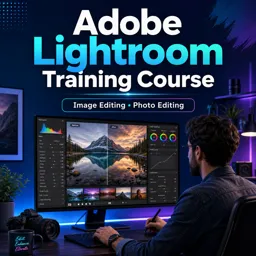
Duration of the online course: 2 hours and 15 minutes
4

(1)
Edit photos like a pro with this free Lightroom course—learn color correction, grading, and white balance to create consistent, portfolio-ready images.
Take control of your photos and build a cleaner, more professional look with this free Adobe Lightroom training course. If your images feel inconsistent, too warm, too dark, or simply not matching the style you want, Lightroom gives you a streamlined workflow to correct and refine them without overcomplicating the process. This course is designed to help you understand not just which sliders to move, but why you’re moving them and what each change is doing to the image.
You’ll start by getting clear on what Lightroom is for and how it fits into modern photography and content creation. Instead of thinking of editing as a random set of tweaks, you’ll learn to approach it as a repeatable system: improving exposure, recovering detail, balancing color, and creating a cohesive result across multiple photos. That means less time fighting edits and more time producing images that look intentional—whether you shoot portraits, travel, products, events, or social content.
A key focus is the difference between color correction and color grading. You’ll learn how to correct an image so it looks natural and accurate, then how to grade it to create a specific mood or style that supports your brand or creative direction. This distinction helps you avoid common editing problems, like pushing colors too far, ending up with unnatural skin tones, or getting a look that works for one photo but falls apart across a set.
You’ll also build confidence with white balance, including how to use a neutral reference within a photo to get dependable, true-to-life color. When lighting changes from scene to scene, this skill is essential for maintaining consistency. By the end, you’ll be able to edit with more speed, intention, and control—turning raw captures into polished images that are ready for clients, portfolios, and publishing.

2 hours and 15 minutes of online video course

Digital certificate of course completion (Free)

Exercises to train your knowledge

100% free, from content to certificate
What is Adobe Lightroom mainly used for?
Adobe Lightroom is used to organize, edit, enhance, and export photographs, especially RAW images, using non-destructive editing tools.
What is the difference between color correction and color grading in Lightroom?
Color correction fixes inaccurate exposure, white balance, and colors, while color grading applies a deliberate color style or mood to an image.
Which Lightroom tool adjusts white balance from a neutral area in a photo?
Use the White Balance Selector (eyedropper) to click a neutral gray or white area and set accurate white balance.
Ready to get started?Download the app and get started today.
Install the app now
to access the course
Over 5,000 free courses
Programming, English, Digital Marketing and much more! Learn whatever you want, for free.

Study plan with AI
Our app's Artificial Intelligence can create a study schedule for the course you choose.

From zero to professional success
Improve your resume with our free Certificate and then use our Artificial Intelligence to find your dream job.
You can also use the QR Code or the links below.



Free CourseGimp for image editing
5
(3)

2h26m

17 exercises
Free CoursePhotoshop for Beginners complete course
5
(1)
6h19m
12 exercises
Free CourseLightroom Classic for Image edition
5
(1)
1h09m
6 exercises
Free CourseAdvance Photoshop
4.9
(115)
9h09m
22 exercises
Free CourseAdobe Photoshop for beginners
4.9
(107)
7h57m
22 exercises
Free CourseMaster Photoshop in 30 Days
4.5

(2)
7h15m
26 exercises
Free CoursePhotoshop full course tutorial
4.1
(7)
6h28m
12 exercises
Free CourseAdobe Photoshop
New
4h52m
27 exercises

Free CourseBecome a Designer
New
2h28m
19 exercises

Free CourseAffinity Photo Software to image edition
New
6h35m
31 exercises
Carry knowledge in your pocket.
Download the Cursa app.
There are hundreds of free courses available, with a free certificate of completion that is saved in your mobile image gallery.
Download the app to access the Course Completion Certificate for Free.


+ 10 million
students

Free and Valid
Certificate

60 thousand free
exercises

4.8/5 rating in
app stores

Free courses in
video and ebooks
Course comments: Adobe Lightroom training course
anto alexander
Now I can bring more life to the photos I take
anto alexander
Now I can bring more life to the photos I take