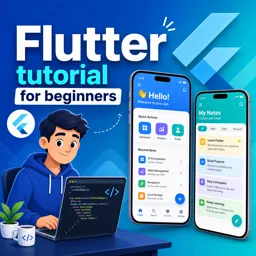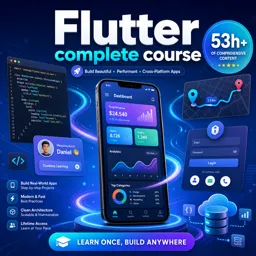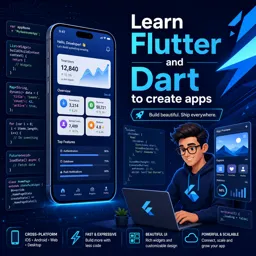

Free ebook for learning Flutter and Dart fundamentals, from setup and widgets to state, navigation, async data, and a cross-platform mini app.
Free ebook content
-

Flutter for Beginners: Course Setup and First App Run
+ Exercise: You run flutter in the terminal and get “command not found” (or not recognized). Which action most directly fixes the root cause described?
-
Flutter for Beginners: Dart Fundamentals for Building Apps
+ Exercise: In Dart null safety, which code best creates a non-nullable label that falls back when a nullable String is null, using the null-coalescing operator (??)?


-
Flutter for Beginners: Understanding Widgets and the Widget Tree
+ Exercise: When using Flutter DevTools Inspector to understand why a widget is misaligned or has unexpected spacing, what is the most effective approach?
-
Flutter for Beginners: Layouts with Rows, Columns, and Constraints
+ Exercise: In a Row where a long Text causes a “RenderFlex overflowed” warning, what is the best fix to keep the Text within the available width?
-
Flutter for Beginners: Styling with Themes, Text, and Assets
+ Exercise: In a Flutter app, what is the main benefit of using ThemeData with ColorScheme and TextTheme instead of styling each widget with hard-coded colors and TextStyle values?
-
Flutter for Beginners: Handling User Input with Forms and Gestures
+ Exercise: In a multi-field “Create Profile” form, which choice best matches the recommended approach for validating inputs and handling submission feedback?
-
Flutter for Beginners: Navigation and Routing Between Screens
+ Exercise: In a two-screen Flutter flow where Screen A opens Screen B to edit data, what should Screen A do to receive and use the updated value when Screen B closes?
-
Flutter for Beginners: State Basics with StatefulWidget and setState
+ Exercise: In a StatefulWidget, what is the main effect of calling setState(() { ... }) after updating a state variable like _count?
-
Flutter for Beginners: Simple State Management with InheritedWidget or Provider Concepts
+ Exercise: In a lightweight Provider-style setup using InheritedNotifier and ChangeNotifier, what causes widgets that read shared state to rebuild automatically when the favorites list changes?
-
Flutter for Beginners: Lists, Scrolling, and Data Presentation
+ Exercise: You need to display a long, dynamic list of items that may be inserted or removed, and you want efficient scrolling and correct UI updates when the list changes. Which approach best fits these requirements?
-
Flutter for Beginners: Async Programming and Simple Data Fetching
+ Exercise: In a StatefulWidget that fetches data with FutureBuilder, what is the recommended way to avoid triggering repeated network requests during rebuilds?
-
Flutter for Beginners: Building a Functional Cross-Platform Mini App
+ Exercise: Why does the detail screen navigate using only a taskId instead of passing the entire Task object?
About the free ebook
Flutter for Beginners: Build Your First Cross-Platform Apps from Scratch
Start creating mobile apps for Android and iOS with Flutter, Google’s UI toolkit for building fast, expressive cross-platform experiences from a single codebase. This free ebook introduces the practical foundations you need to move from a new Flutter installation to a working mini app.
Learn by building with Flutter and Dart
Explore the Dart language essentials used in Flutter development, then learn how widgets combine into a responsive interface. You will work with layouts, visual styling, assets, text, user interaction, forms, and gestures while gaining confidence reading and writing Flutter code.
Create interfaces that respond to users
Understand how Flutter arranges screens with rows, columns, and constraints. Learn how themes create a consistent visual identity and how navigation connects screens into an app flow. The ebook also explains the role of StatefulWidget, setState, and introductory shared-state patterns.
Work with real app data
Practice presenting information in scrollable lists, handling asynchronous operations, and performing simple data fetching. These concepts prepare you to create apps that do more than display static screens.
A practical first step into app development
Each lesson builds toward a functional cross-platform mini app, helping you connect Flutter concepts to real development tasks. By the end, you will have a clearer understanding of how Flutter projects are structured and how to continue developing your own app ideas.
- Set up Flutter and run a first application
- Build widget-based layouts and styled interfaces
- Capture input, manage state, and navigate screens
- Display lists and handle asynchronous data
What do I need to install before running my first Flutter app?
Install the Flutter SDK, a supported code editor, and an Android emulator or physical device.
How does Flutter create Android and iOS apps from one codebase?
Flutter uses Dart and its widget framework to render native-quality interfaces across supported platforms.
What is setState used for in Flutter?
setState notifies Flutter that data changed so the relevant widget interface can rebuild.
This ebook includes:

12 content chapters

Digital certificate of course completion (Free)

Exercises to train your knowledge

100% free, from content to certificate
Ready to get started?

 recommended
In the app you will also find...

Over 5,000 free courses
Programming, English, Digital Marketing and much more! Learn whatever you want, for free.

Study plan with AI
Our app's Artificial Intelligence can create a study schedule for the course you choose.

From zero to professional success
Improve your resume with our free Certificate and then use our Artificial Intelligence to find your dream job.
You can also use the QR Code or the links below.