
Block-level elements start on a new line and typically take the full available width, while inline elements flow within text and only take up the space their content needs.

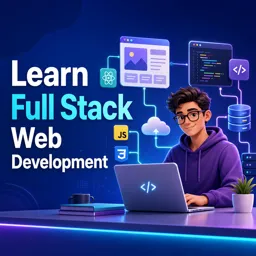
Duration of the online course: 21 hours and 48 minutes
4

(5)
Build job-ready full stack web skills with this free online course—HTML, CSS, and real page structure essentials, plus a shareable certificate option.
Want to create modern websites from scratch and understand how the front end really works? This free online course helps you develop practical, job-ready full stack web development foundations by guiding you through the building blocks that power every webpage. You will learn how HTML and CSS shape structure, layout, and presentation, so you can move beyond copying snippets and start building with confidence.
You will begin with a full-length learning experience designed to take you from beginner to someone who can read, write, and troubleshoot real web pages. Along the way, you will strengthen the skills that often decide whether a layout feels solid or frustrating: knowing when an element should behave as a block and when it should behave inline. That difference affects spacing, alignment, width, height, and how content flows across the screen, which makes it essential for everything from simple landing pages to larger web interfaces.
The course also highlights why IDs matter and how to use them correctly in HTML and CSS. Understanding IDs helps you target specific elements precisely, connect styles reliably, and build a cleaner workflow as your pages grow. You will see how display characteristics influence design decisions, and you will gain a clearer mental model of the browser’s layout behavior, making it easier to debug issues that beginners commonly face.
Because the lessons are focused on fundamentals, the skills you develop translate well into broader full stack goals. Once you can structure content properly and style it predictably, you will be in a strong position to continue into responsive layouts, JavaScript interactions, frameworks, and back-end concepts. If you are exploring a career switch, building a portfolio, or simply learning web development for personal projects, this course offers a clear, beginner-friendly path to real capability and momentum.

21 hours and 48 minutes of online video course

Digital certificate of course completion (Free)

Exercises to train your knowledge

100% free, from content to certificate
What is the difference between block-level and inline elements in HTML and CSS?
Block-level elements start on a new line and typically take the full available width, while inline elements flow within text and only take up the space their content needs.
How are HTML IDs used with CSS selectors?
An ID uniquely identifies an element on a page and can be styled in CSS with a # selector, such as #header.
What topics are covered in the 22-hour full stack web development course?
The course introduces full stack web development from scratch and explains core HTML and CSS concepts, including element display types, IDs, and block versus inline behavior.
Ready to get started?Download the app and get started today.
Install the app now
to access the course
Over 5,000 free courses
Programming, English, Digital Marketing and much more! Learn whatever you want, for free.

Study plan with AI
Our app's Artificial Intelligence can create a study schedule for the course you choose.

From zero to professional success
Improve your resume with our free Certificate and then use our Artificial Intelligence to find your dream job.
You can also use the QR Code or the links below.




Free CourseLaravel
5
(2)

4h04m

20 exercises
Free CourseProgressive Web Application PWA for Beginners
5
(5)
3h24m
15 exercises
Free CourseLearn Laravel in 30 Days: Beginner to Pro
5
(1)
17h00m
30 exercises
Free CoursePHP for Beginners: Learn PHP, MySQL, MVC, Routing, Authentication and Testing
5
(1)
10h45m
49 exercises
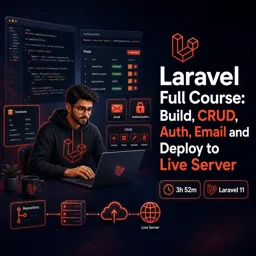
Free CourseLaravel Full Course: Build, CRUD, Auth, Email and Deploy to Live Server
5
(1)
3h52m
15 exercises
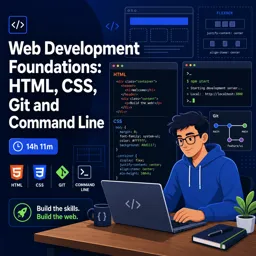
Free CourseWeb Development Foundations: HTML, CSS, Git and Command Line
5
(3)
14h11m
37 exercises
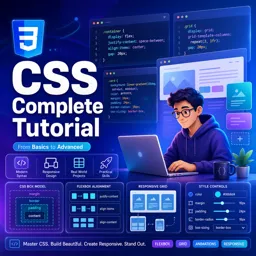
Free CourseCSS Complete Tutorial
5
(1)
8h30m
49 exercises
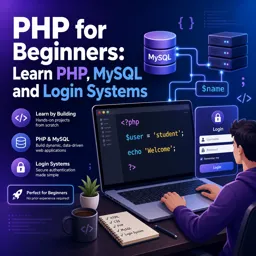
Free CoursePHP for Beginners: Learn PHP, MySQL and Login Systems
5
(3)
10h49m
29 exercises
Free CourseJavaScript for beginners
4.9
(27)
1h40m
2 exercises
Free CourseUmbraco CMS
4.9
(22)
6h21m
19 exercises
Carry knowledge in your pocket.
Download the Cursa app.
There are hundreds of free courses available, with a free certificate of completion that is saved in your mobile image gallery.
Download the app to access the Course Completion Certificate for Free.


+ 10 million
students

Free and Valid
Certificate

60 thousand free
exercises

4.8/5 rating in
app stores

Free courses in
video and ebooks

Course comments: Learn Full Stack Web Development
CHETHAN H N
it so great
YOSEPH BIRHANU
i watched this video untill the end and its short and concise videos.