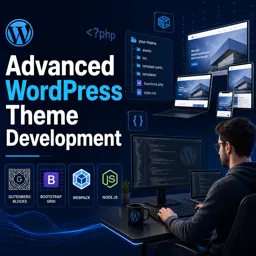
Free Course Image Advanced WordPress theme development

Free online courseAdvanced WordPress theme development

Duration of the online course: 17 hours and 34 minutes

4.43

StarStarStarStarHalf star

(7)

Build modern WordPress themes with pro workflows in this free course—OOP, template hierarchy, Gutenberg blocks, AJAX, Webpack, and more to level up fast.

In this free course, learn about

  • WordPress theme structure: required files, directory layout, template hierarchy basics
  • Core template functions: get_header/footer, get_template_part, get_sidebar, get_search_form
  • Hooks & theme plumbing: wp_head, wp_footer, wp_body_open, language_attributes usage
  • Asset best practices: enqueue styles/scripts, use WP libraries, conditional enqueues
  • Theme setup: functions.php role, add_theme_support (title-tag, logo, background, thumbnails)
  • Menus & navigation: register_nav_menus and dynamic wp_nav_menu with custom HTML
  • The Loop & queries: WP_Query, is_home checks, pagination, post grids, no-content templates
  • Post data display: titles, dates, authors, excerpts, read more, featured image + image sizes
  • Metadata & security: custom meta boxes, saving via get_post_meta, nonces for CSRF protection
  • Taxonomies & archives: categories/terms, custom taxonomies, archive.php purpose and output
  • Widgets & sidebars: register_sidebar, dynamic_sidebar, custom widgets with WP_Widget
  • Modern PHP patterns: namespaces, SPL autoloading, traits, singleton pattern in WP themes
  • Build tooling: webpack+babel+Sass, externals, optimization (cssnano/OptimizeCssAssetsPlugin)
  • Block editor dev: Gutenberg support, block patterns, @wordpress/create-block, React blocks

Course Description

Take your WordPress skills beyond tweaking templates and learn to build themes like a developer who cares about performance, maintainability, and real-world production workflows. This free online course is designed for anyone who already understands WordPress basics and wants to confidently craft advanced, custom themes that are cleanly structured, standards-friendly, and easy to extend.

You will start by setting up a solid foundation: the theme directory structure, the minimal required files, and the correct way to compose layouts using functions like get_header and get_footer while leveraging essential hooks such as wp_head, wp_footer, and wp_body_open. From there, the course guides you toward best practices for loading assets the WordPress way, including enqueueing styles and scripts properly and relying on existing WordPress JavaScript libraries to keep your theme compatible and future-proof.

As the projects get more serious, you will adopt a more professional PHP approach with namespaces, autoloading, traits, and patterns commonly used to keep larger codebases organized. You will see how object-oriented structures can simplify recurring theme tasks, reduce repetition, and make your code easier to test and reuse over time. Along the way, you will build a theme that supports common expectations like title tags, custom logos, backgrounds, post thumbnails, navigation menus, and widgets—features that make a theme feel complete in the hands of real site owners.

The course also strengthens your mastery of core WordPress concepts that shape every theme: post types, template hierarchy, and The Loop. You will learn how to create templates that gracefully handle different contexts, present content consistently, and support SEO-friendly outputs such as sensible page titles and excerpts. You will explore taxonomies and pagination, then extend the experience with custom meta boxes and safer form handling through nonce verification to protect against common CSRF risks.

Modern theme development also means modern tooling. You will set up Webpack and Babel to write cleaner, more scalable front-end code, optimize CSS and JavaScript for production, and incorporate SASS and font-loading improvements for better performance. On the editor side, you will add Gutenberg support, manage block library assets, work with block patterns and pattern categories, and even create custom blocks using the recommended block development approach. You will integrate linting tools like ESLint and Stylelint to keep code quality high as projects grow.

Finally, you will add dynamic, app-like behaviors without relying on plugins—custom queries, sliders, search forms, shortcodes, and AJAX-powered experiences like load more and infinite scroll, including efficient techniques such as Intersection Observer. By the end, you will be able to plan and build an advanced WordPress theme from the ground up with a workflow and architecture that translates directly to freelance work, agency projects, or productized theme development.

Course content

  • Video class: #1 Advanced WordPress Theme Development | Wordpress theme development course | Introduction 05m
  • Exercise: _What tools will be used in this tutorial series for Advanced WordPress theme development?
  • Video class: #2 Advanced WordPress Theme Development | Wordpress theme development course | Directory Structure 09m
  • Exercise: What are the minimal files required to create a WordPress theme?
  • Video class: #3 Advanced WordPress Theme Development | Wordpress theme development course | get_header get_footer 10m
  • Exercise: What is the purpose of the functions.php file in a WordPress theme?
  • Video class: #4 Advanced WordPress Theme Development | Wordpress theme development course | wp_head | wp_footer 08m
  • Exercise: What WordPress function helps add dynamic language attributes to HTML?
  • Video class: #5 Advanced WordPress Theme Development | Wordpress theme development course | wp_body_open 05m
  • Exercise: _What is the purpose of the wp body open hook in WordPress?
  • Video class: #6 Advanced WordPress Theme Development | Wordpress theme development course | enqueue stylesheet 10m
  • Exercise: How do you properly enqueue stylesheets in WordPress?
  • Video class: #7 Advanced WordPress Theme Development | Wordpress theme development course | enqueue scripts 08m
  • Exercise: Where should scripts be included for best practice in WordPress?
  • Video class: #8 Advanced WordPress Theme Development | Bootstrap WordPress Theme | get_template_part 10m
  • Exercise: Why is it important to use the existing WordPress JavaScript libraries?
  • Video class: #9 Advanced WordPress Theme Development | Bootstrap WordPress Theme | get_template_part 10m
  • Exercise: _What is the function used in WordPress to include templates and why is it important to break code into smaller chunks?
  • Video class: #10 Advanced WordPress Theme Development | Wordpress theme development course | namespace in php 03m
  • Exercise: What is the purpose of using namespaces in PHP?
  • Video class: #11 Advanced WordPress Theme Development | spl_autoload_register | autoloading classes in php 05m
  • Exercise: What is the purpose of using SPL autoload register in PHP?
  • Video class: #12 Advanced WordPress Theme Development | traits in php | php traits tutorial 07m
  • Exercise: What feature did PHP 5.4 introduce for code reusability?
  • Video class: #13 Advanced WordPress Theme Development | singleton design pattern | singleton php 03m
  • Exercise: _What is the purpose of using singleton in object-oriented programming?
  • Video class: #14 Advanced WordPress Theme Development | singleton design pattern | traits in php 06m
  • Exercise: What is the primary purpose of the 'get instance' method in a trait singleton pattern?
  • Video class: #15 Advanced WordPress Theme Development | Singleton design pattern in WordPress 10m
  • Exercise: What is the purpose of a singleton pattern in programming?
  • Video class: #16 Advanced WordPress Theme Development | Wordpress theme development course | OOP Class 10m
  • Exercise: What pattern is used to ensure a class is instantiated only once?
  • Video class: #17 Advanced WordPress Theme Development | Wordpress theme development course | Enqueue with OOP 11m
  • Exercise: _What is the constant used for getting the directory URI in WordPress theme development?
  • Video class: #18 Advanced WordPress Theme Development | add theme support title tag | add_theme_support 07m
  • Exercise: What is the purpose of the 'add_theme_support' function in WordPress?
  • Video class: #19 Add Theme Support Custom Logo| How to add custom logo in WordPress theme development 05m
  • Exercise: What is the purpose of setting 'Flex Height' and 'Flex Width' to true in a custom logo setup?
  • Video class: #20 Add Theme Support Custom Background | add_theme_support( 'custom-background' 05m
  • Exercise: How can you add a custom background image to a WordPress theme header?
  • Video class: #21 Get the post thumbnail| add_theme_support( 'post-thumbnails' ) | WordPress customizer selective 10m
  • Exercise: _What is the purpose of adding theme support for post thumbnails in WordPress?
  • Video class: #22 Register Nav Menu WordPress Tutorial | how to create dynamic header menu in wordpress | nav_menu 12m
  • Video class: #23 Add custom html to wordpress menu | How to make html menu dynamic in wordpress | wp_nav_menu 08m
  • Video class: #24 Add custom html to wordpress menu | How to make html menu dynamic in wordpress | wp_nav_menu 15m
  • Video class: #25 WordPress Posts Tutorial | WordPress Posts vs Pages | wordpress posts and pages tutorial 08m
  • Exercise: _What is a post type in WordPress and what are the different post types available?
  • Video class: #26 Template Hierarchy in WordPress | Wordpress Template hierarchy Tutorial | wp template hierarchy 12m
  • Video class: #27 Template Hierarchy in WordPress | Wordpress Template hierarchy Tutorial | wp template hierarchy 13m
  • Video class: #28 Wordpress The Loop | WordPress Posts Tutorial | WordPress Posts Page | wordpress the_post 09m
  • Video class: #29 Get blog page title wordpress | WordPress get page title outside loop | seo page title wordpress 04m
  • Exercise: _What function can be used to determine whether the query is for the blog home page?
  • Video class: #30 Wordpress Loop posts in Bootstrap 3 grid layout | Grid post page on Wordpress with Bootstrap 09m
  • Video class: #31 No content template | WordPress get_search_form | wp_kses examples 14m
  • Video class: #32 How to create dynamic template in WordPress? | wordpress blog post template | get_template_part 05m
  • Video class: #33 Lazy Loading WordPress Without Plugin | Featured image wordpress | default featured image 15m
  • Exercise: _What function do we use to check if a post has a featured image in WordPress?
  • Video class: #34 Add Image Size WordPress | wordpress image gallery plugin | add_image_size wordpress 05m
  • Video class: #35 Custom Meta Box WordPress | Meta box WordPress tutorial | add_meta_box 11m
  • Video class: #36 Save Meta Box Value In WordPress | Meta Box WordPress Tutorial | get_post_meta 07m
  • Video class: #37 WordPress Nonce Example | WordPress Nonce Ajax | wordpress nonce verification | verify_nonce 11m
  • Exercise: _What are WordPress nonces and how do they protect against cross site request forgery (CSRF)?
  • Video class: #38 WordPress get page title | single_post_title | Get post title in loop 08m
  • Video class: #39 Wordpress get post date and time | How to hide wordpress post date | get_the_date 14m
  • Video class: #40 Get Post Author WordPress | wordpress post author display name | post author name wordpress 09m
  • Video class: #41 Change excerpt length WordPress | Customize Excerpt Length WordPress | wp_trim_excerpt | excerpt 16m
  • Exercise: _What is the WordPress function that generates an excerpt from the content if needed and by default returns 55 words with an ellipsis appended if necessary?
  • Video class: #42 How to Add Read More In Wordpress | read more wordpress code | read more button wordpress 05m
  • Video class: #43 Create Single Post Template WordPress | single post wordpress | single post page wordpress 03m
  • Video class: #44 Pagination WordPress Code | wp_link_pages example | Single Post Pagination wordpress 03m
  • Video class: #45 WordPress Taxonomy explained | In depth | WordPress Database Structure 16m
  • Exercise: _What are taxonomies in WordPress?
  • Video class: #46 How to display Taxonomy categories in wordpress | wp_get_post_terms 11m
  • Video class: #47 Post Pagination wordpress with page numbers | paginate_links | next_post_link 11m
  • Video class: #48 Sidebar Widget WordPress | How do I add a sidebar to my WordPress page? | Get the sidebar widget 05m
  • Video class: #49 Register Sidebar In WordPress | sidebar wordpress tutorial 08m
  • Exercise: _What is the function used to register sidebars in WordPress theme development?
  • Video class: #50 How do I show the sidebar in WordPress? | dynamic_sidebar | get_sidebar 12m
  • Video class: #51 WordPress Custom widget development | Custom Widget WordPress code | register_widget 05m
  • Video class: #52 How to Create a Custom WordPress Widget | Custom Widget WordPress code | WP_Widget 25m
  • Video class: #53 Setup Webpack and Babel for WordPress Theme | webpack wordpress theme development | webpack 4 22m
  • Exercise: _What is the purpose of setting up webpack and babel in WordPress theme development?
  • Video class: #54 Setup Webpack rules for WordPress Theme | webpack wordpress theme development | webpack 4 12m
  • Video class: #55 Setup Webpack Plugins for WordPress Theme | webpack wordpress theme development | webpack 4 05m
  • Video class: #56 Setup Webpack Externals for WordPress Theme | cross-env | webpack wordpress theme development 04m
  • Video class: #57 CSS Optimization Webpack WordPress Theme | OptimizeCssAssetsPlugin | UglifyJsPlugin | css-nano 13m
  • Exercise: _What is the purpose of using the optimize css assets plugin and css nano in WordPress theme development?
  • Video class: #58 How to use Babel with WordPress theme? | using webpack in wordpress | @babel/preset-env 04m
  • Video class: How To Host Google Fonts Locally On WordPress 2020 | Font Loading Performance Experiments with FOUT 11m
  • Video class: #60 Using Webpack 4 and SASS with WordPress | node-sass | sass-mq | sass-loader (from scratch) 27m
  • Video class: #61 Importing Fonts in WordPress Theme | Advanced WordPress Theme Development 04m
  • Exercise: _What change did the instructor make to the button element in the template tax and entry con and entry footer?
  • Video class: #62 Adding Gutenberg support to WordPress theme | add_editor_style | Gutenberg Editor WordPress 14m
  • Video class: #63 Remove Gutenberg CSS | Remove the Gutenberg Block Library CSS from WordPress | wp_dequeue_style 02m
  • Video class: #64 How to create Block Patterns | register_block_pattern | The Future of Page Building in WordPress 11m
  • Video class: #65 How To Remove Default Gutenberg Block Patterns | remove_theme_support( 'core-block-patterns' ) 04m
  • Exercise: _What is the function used to remove the default block patterns provided by WordPress in version 5.5?
  • Video class: #66 Add Block Pattern Categories | register_block_pattern_category | WordPress 5.5 | Gutenberg 08m
  • Video class: #67 Block Pattern Templates | register_block_pattern | WordPress 5.5 | Gutenberg 10m
  • Video class: #68 Gutenberg Block Patterns Styles | register_block_pattern | WordPress 5.5 | Gutenberg 19m
  • Video class: #69 Setup Gutenberg | Gutenberg Wordpress Tutorial | @wordpress/create-block 14m
  • Exercise: _What is the recommended way to develop custom blocks in WordPress?
  • Video class: #70 Enqueue Block Editor Assets | enqueue_block_editor_assets | enqueue_editor_assets 15m
  • Video class: #71 Creating Custom Block Categories | block_categories | WordPress Gutenberg Tutorial 10m
  • Video class: #72 My First Gutenberg Block in React | Gutenberg WordPress Tutorial | registerBlocktype 12m
  • Video class: #73 Custom Gutenberg Block React | RichText | registerblocktype WordPress 17m
  • Exercise: _What is an attribute in WordPress theme development?
  • Video class: #74 SVGR CLI | @svgr/cli | Custom Blocks | Gutenberg WordPress Tutorial 28m
  • Video class: #75 Setup ESLint for WordPress | @wordpress/eslint-plugin | eslint-config-wordpress | Theme 04m
  • Video class: #76 Inner Blocks Gutenberg | Nested Blocks: Using InnerBlocks | React Example 31m
  • Video class: #77 Stylelint tutorial | Using Stylelint for WordPress Theme | stylelint-config-wordpress 05m
  • Exercise: _What is the command to install the necessary packages for setting up the style lint config in WordPress?
  • Video class: How to Use Block Variations in WordPress | registerBlockStyle | Gutenberg Block Variations 21m
  • Video class: #79 Unregister Block Style Variation | unregisterBlockStyle | Block Variations Gutenberg 03m
  • Video class: #80 Slick Slider WordPress Without Plugin | WordPress Carousel Slider With Text | Slick Carousel 25m
  • Video class: #81 How To Create Custom Post Type Slider In WordPress Without Plugin | WP_Query Example 16m
  • Exercise: _What is the purpose of using the wp query in WordPress?
  • Video class: #82 Make Carousel Responsive | How to create a responsive carousel | Carousel Responsive CSS 03m
  • Video class: #83 get_search_form | How to Create Custom Search Form in WordPress | Customize search form 07m
  • Video class: Create Custom Search Form in WordPress | get_search_form | Build Your Own Custom WordPress Search 07m
  • Video class: #85 Custom Search Results Page in WordPress | WordPress Custom Search Query | Advanced WordPress 08m
  • Exercise: _What file does WordPress look for to display search results if a search.php file is not present?
  • Video class: #86 Best Way to add SVG | use- SVG | SVG `use` with External Source | WordPress | SVG use Element 13m
  • Video class: #87 Using AJAX With PHP on Your WordPress Site Without a Plugin | Using admin-ajax.php | ajax url 06m
  • Video class: #88 Load More Posts with AJAX in WordPress with no plugins | WordPress Infinite Scroll 11m
  • Video class: #89 Simple infinite scroll for WordPress sites without plugin | WordPress loadmore posts AJAX 13m
  • Exercise: _What is the first step to create a load more or infinite scroll in WordPress theme development?
  • Video class: #90 Load More Posts Ajax Button in WordPress | Load More Posts with no plugins 12m
  • Video class: #91 Intersection Observer API | Intersection Observer tutorial | Infinite Scroll Example | JS 10m
  • Video class: #92 Intersection Observer Infinite scroll | WordPress Infinite Scroll Ajax Load More without Plugin 04m
  • Video class: #93 Create Shortcode WordPress | Wordpress Shortcode Example | Pass variable to shortcode - 12m
  • Exercise: _What are short codes in WordPress?
  • Video class: #94 Conditionally Enqueue a Stylesheet into WordPress | WP Enqueue Style On Specific Page Templates 04m
  • Video class: #95 Infinite Scroll WordPress Single Posts - Ajax Load More | Load More Posts For Single Post 10m
  • Video class: #96 Load More Post Or Infinite Scroll For A Single Post In WordPress | Ajax Load More 07m
  • Video class: #97 Modifying the WHERE Clause in WordPress | How to extend the where clause in WordPress WP_Query 09m
  • Exercise: _What hook is used to modify the WordPress loop after the current single post ID?
  • Video class: #98 WordPress Custom Post Types: The All-In-One Guide | When To Use Custom Post Types What are CPTs? 04m
  • Video class: #99 Registering Custom Post Types | register_post_type() | How to Create Custom Post Types 10m
  • Video class: #100 Create Custom Taxonomies in WordPress | register_taxonomy | wp hasty | Advanced WordPress 08m
  • Video class: #101 Create a Custom Archives Page in WordPress | Advanced WordPress Theme Development | archive.php 10m
  • Exercise: _What is an archive page in WordPress used for?

This free course includes:

17 hours and 34 minutes of online video course

Digital certificate of course completion (Free)

Exercises to train your knowledge

100% free, from content to certificate

Ready to get started?Download the app and get started today.

Install the app now

to access the course
Icon representing technology and business courses

Over 5,000 free courses

Programming, English, Digital Marketing and much more! Learn whatever you want, for free.

Calendar icon with target representing study planning

Study plan with AI

Our app's Artificial Intelligence can create a study schedule for the course you choose.

Professional icon representing career and business

From zero to professional success

Improve your resume with our free Certificate and then use our Artificial Intelligence to find your dream job.

You can also use the QR Code or the links below.

QR Code - Download Cursa - Online Courses

More free courses at Web Development

Free Ebook + Audiobooks! Learn by listening or reading!

Download the App now to have access to + 5000 free courses, exercises, certificates and lots of content without paying anything!

  • 100% free online courses from start to finish

    Thousands of online courses in video, ebooks and audiobooks.

  • More than 60 thousand free exercises

    To test your knowledge during online courses

  • Valid free Digital Certificate with QR Code

    Generated directly from your cell phone's photo gallery and sent to your email

Cursa app on the ebook screen, the video course screen and the course exercises screen, plus the course completion certificate