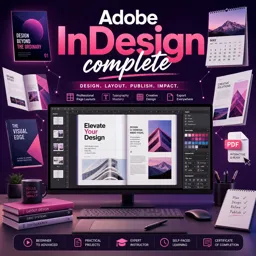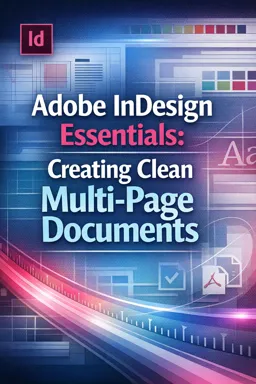

Free ebook on Adobe InDesign for creating clean multi-page documents with grids, styles, text flow, preflight, and PDF export.
Free ebook content
-

Adobe InDesign Essentials: Setting Up Multi-Page Documents Correctly
+ Exercise: When setting up a long, text-driven multi-page document that should automatically continue the main story as new pages are added, which setup choice best supports that workflow?
-
Adobe InDesign Essentials: Working with Pages, Spreads, and Page Management
+ Exercise: You are trying to create a nonstandard 3-page spread, but InDesign keeps snapping it back to a normal two-page spread. What adjustment should you make to keep the 3-page spread intact?
-
Adobe InDesign Essentials: Building Grids, Guides, and Consistent Layout Systems
+ Exercise: When body text baselines don’t line up between columns in a multi-page layout, which fix best restores consistent alignment?
-
Adobe InDesign Essentials: Master Pages for Reusable Multi-Page Structure
+ Exercise: When building a master (parent) page system for a report, what is the main advantage of creating a body parent (B-Body) that is based on a base parent (A-Base)?


-
Adobe InDesign Essentials: Text Frames, Threading, and Clean Text Flow
+ Exercise: After placing a long text file, which action best creates and threads new frames as needed so the story continues through columns and pages?
-
Adobe InDesign Essentials: Typography Controls for Professional Documents
+ Exercise: To create consistent spacing between paragraphs in a long InDesign document without layout issues during reflow, what is the best approach?
-
Adobe InDesign Essentials: Styles for Reliable, Scalable Formatting
+ Exercise: In a long multi-page InDesign document, which workflow best ensures consistent formatting and makes late-stage global changes safer?
-
Adobe InDesign Essentials: Tables, Lists, and Structured Content for Reports
+ Exercise: You need a report table whose formatting can be updated across the whole document quickly and consistently. Which approach best achieves this?
-
Adobe InDesign Essentials: Handling Images and Graphics in Multi-Page Layouts
+ Exercise: In a multi-page InDesign workflow, which approach best supports predictable updates and document-wide image status tracking?
-
Adobe InDesign Essentials: Color, Swatches, and Print-Safe Output Choices
+ Exercise: You are preparing a brochure for standard CMYK printing and notice an extra ink plate appearing during a separations check. What is the most appropriate action to remove the unintended plate?
-
Adobe InDesign Essentials: File Organization, Preflight, and Packaging
+ Exercise: In a production-safe InDesign workflow, what is the best reason to keep all placed assets inside a single project root folder (for example under 03_Links) and move the entire root when relocating the job?
-
Adobe InDesign Essentials: Exporting Print-Ready PDFs and Digital Outputs
+ Exercise: When exporting a press-ready PDF for a commercial printer, which choice best prevents unexpected color changes while keeping intentional CMYK values unchanged?
About the free ebook
Adobe InDesign Essentials: Creating Clean Multi-Page Documents
This free ebook teaches a practical, professional workflow for designing polished multi-page documents in Adobe InDesign. Learn how to set up files with the right page size, margins, facing pages, columns, and layout foundations before content is added.
Build layouts that stay consistent
Discover how pages, spreads, grids, guides, and reusable parent-page structures help maintain visual consistency across brochures, reports, magazines, portfolios, and other editorial documents. The ebook explains how to organize repeated elements such as page numbers, headers, footers, and recurring design components efficiently.
Control text, type, and visual assets
Create clean text flow with threaded frames, manage overset text, and apply typography controls that improve readability. You will also explore paragraph, character, and object styles for scalable formatting that can be updated reliably throughout a document.
Prepare documents for print and digital delivery
Learn sound practices for placing images and graphics, managing swatches and color choices, working with tables and structured content, and keeping linked files organized. The final workflow covers preflight checks, packaging project files, and exporting dependable PDFs for print or digital distribution.
What you will be able to do
- Set up multi-page InDesign documents with confidence.
- Create repeatable layout systems using grids, guides, and parent pages.
- Format long documents efficiently with styles and threaded text.
- Check and export files for professional output.
Adobe InDesign Essentials is a focused resource for anyone who wants a cleaner, more reliable approach to multi-page graphic design.
How do parent pages help in Adobe InDesign multi-page documents?
Parent pages apply recurring items, such as page numbers and headers, across multiple pages while keeping them easy to update.
What is threaded text in Adobe InDesign?
Threaded text links text frames so copy flows automatically from one frame or page to the next.
What should be checked before exporting an InDesign file to PDF?
Run Preflight to check missing links, overset text, fonts, colors, image resolution, and output settings.
This ebook includes:

13 content chapters

Digital certificate of course completion (Free)

Exercises to train your knowledge

100% free, from content to certificate
Ready to get started?

 recommended
In the app you will also find...

Over 5,000 free courses
Programming, English, Digital Marketing and much more! Learn whatever you want, for free.

Study plan with AI
Our app's Artificial Intelligence can create a study schedule for the course you choose.

From zero to professional success
Improve your resume with our free Certificate and then use our Artificial Intelligence to find your dream job.
You can also use the QR Code or the links below.