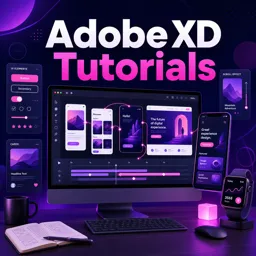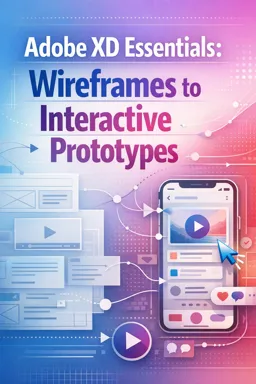

Free ebook on Adobe XD wireframes, reusable UI, responsive layouts, interactive prototypes, feedback, and design handoff.
Free ebook content
-

Adobe XD Essentials: Workspace Setup and UX File Foundations
+ Exercise: Which setup best supports a collaboration-ready Adobe XD file for a multi-screen UX flow?
-
Wireframing in Adobe XD: Layout, Grids, and Low-Fidelity Screens
+ Exercise: In a low-fidelity Adobe XD wireframe, which approach best supports consistency across multiple screens?
-
Reusable UI with Components and Assets in Adobe XD
+ Exercise: A design team needs to update the primary brand color across navigation accents, buttons, and any other linked elements on multiple artboards. Where is the best place to make this change so it propagates everywhere?
-
Repeat Grid and Content Variations for Realistic Wireframes
+ Exercise: When is Repeat Grid the best choice for building a wireframe layout in Adobe XD?
-
Responsive Behaviors in Adobe XD: Responsive Resize and Constraints
+ Exercise: When should you rely on manual constraints instead of Responsive Resize for responsive behavior in Adobe XD?


-
Interactive Prototypes in Adobe XD: Links, Flows, and Transitions
+ Exercise: In an Adobe XD prototype, what is the best approach for a hamburger menu that should open without leaving the current screen?
-
Micro-Interactions with Component States and Auto-Animate
+ Exercise: When using Auto-Animate in Adobe XD, what is the most likely reason an element “jumps” instead of animating smoothly between two versions?
-
Preview, Usability Checks, and Prototype Quality Control
+ Exercise: During prototype QA, what is the most effective way to verify a user flow works as a testable experience?
-
Sharing for Feedback: Links, Comments, and Stakeholder Handoffs
+ Exercise: Which sharing approach best helps reduce vague feedback on an Adobe XD prototype?
-
Collaboration-Ready Adobe XD Files: Organization, Naming, and Export Basics
+ Exercise: When organizing artboards on the canvas so a prototype is easy for teammates to read, what is the recommended layout approach?
About the free ebook
Adobe XD Essentials: Wireframes to Interactive Prototypes
This free ebook teaches a practical UX and UI design workflow in Adobe XD, from setting up organized design files to presenting interactive prototypes for review. Learn how to turn early ideas into clear screens that communicate structure, navigation, and user intent.
Design clearer interface concepts
Build low-fidelity wireframes with layouts, grids, spacing, and realistic content patterns. Explore reusable components, assets, and Repeat Grid workflows to create consistent interface elements while reducing repetitive work.
Create prototypes that communicate behavior
Move beyond static screens by connecting artboards, defining user flows, and applying transitions. Use component states and Auto-Animate to demonstrate micro-interactions such as menus, buttons, toggles, and feedback states.
Prepare work for feedback and handoff
Learn to preview prototypes, perform focused usability checks, and identify issues before sharing. The ebook also covers share links, comments, file organization, naming conventions, and export basics for smoother stakeholder collaboration.
What you will be able to do
- Create structured wireframes for digital products.
- Reuse interface patterns with components and assets.
- Apply responsive resizing and constraints to layouts.
- Build clickable prototype flows and interaction details.
- Share organized design work for feedback and handoff.
Ideal for designers who want a focused reference for producing understandable, testable Adobe XD concepts and prototypes.
How do components and Repeat Grid improve Adobe XD wireframes?
Components keep recurring UI consistent, while Repeat Grid quickly creates repeated cards, lists, and content variations.
What is the difference between an Adobe XD wireframe and a prototype?
A wireframe defines screen structure; a prototype connects screens and demonstrates navigation and interactions.
How can Adobe XD prototypes be shared for stakeholder feedback?
Publish a shareable prototype link so reviewers can preview flows and leave comments in context.
This ebook includes:

10 content chapters

Digital certificate of course completion (Free)

Exercises to train your knowledge

100% free, from content to certificate
Ready to get started?

 recommended
In the app you will also find...

Over 5,000 free courses
Programming, English, Digital Marketing and much more! Learn whatever you want, for free.

Study plan with AI
Our app's Artificial Intelligence can create a study schedule for the course you choose.

From zero to professional success
Improve your resume with our free Certificate and then use our Artificial Intelligence to find your dream job.
You can also use the QR Code or the links below.