They assign colors by purpose, such as text, background, or border, so themes and visual updates can be changed centrally without editing components individually.

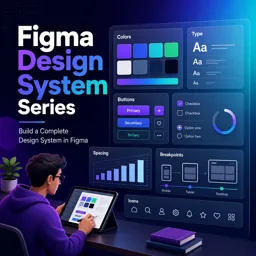
Duration of the online course: 2 hours and 56 minutes
New
Design faster with a scalable Figma design system—tokens, variables, components, and responsive grids. Take this free course and earn a certificate-ready skillset.
Building consistent interfaces gets harder as products grow, teams expand, and platforms multiply. This free online course helps you turn scattered styles into a reliable, scalable design system in Figma—so your UI stays cohesive, your components stay maintainable, and handoff becomes smoother for everyone involved.
You will learn how to set up a solid system foundation, organize libraries for team collaboration, and use a structured approach to variables that supports real-world product needs. Starting with color, you will connect primitive values to semantic meaning so decisions scale without breaking when a palette changes. You will apply the same mindset to typography, creating styles that are easy to use and easy to expand, while keeping naming practical for teams. Spacing, borders, layout, and breakpoints are treated as deliberate systems rather than one-off choices, helping you design responsively with predictable results across screens.
As the system evolves, you will move beyond tokens into reusable UI elements. You will refine the way components are built for different contexts, understand how interaction states should differ between web and app patterns, and learn why certain behaviors or states belong in one platform library but not another. You will also see how variables can be scoped to reduce mistakes, make them simpler to consume, and keep your file structure clean as the system grows.
By the end, you will have a clear, repeatable method for creating a complete Figma design system that balances flexibility with control. Whether you are a UI designer, product designer, or anyone supporting a design-to-development workflow, you will be able to create assets that scale, communicate intent, and save time—without sacrificing craft or clarity.

Explore free online Figma courses designed to help you master UI/UX design, prototyping, wireframing, components, and collaborative workflows. Learn practical skills through flexible, beginner-friendly lessons, build polished digital interfaces, and earn a certificate at no cost. Start learning Figma today and strengthen your design portfolio.

Explore free online Design Systems courses and learn to create scalable UI libraries, reusable components, design tokens, clear documentation, and consistent digital experiences. Build practical skills through flexible, self-paced lessons for beginners and professionals. Every course is free and includes a certificate to showcase your expertise.

2 hours and 56 minutes of online video course

Digital certificate of course completion (Free)

Exercises to train your knowledge

100% free, from content to certificate
How do semantic color variables make a Figma design system easier to maintain?
They assign colors by purpose, such as text, background, or border, so themes and visual updates can be changed centrally without editing components individually.
Why should primitive color variables be hidden from a published Figma library?
Primitive values are internal foundations. Hiding them encourages designers to use semantic variables, which preserves consistent meaning and styling.
How are responsive grids adapted from desktop and tablet layouts to mobile in Figma?
Mobile layouts typically use fewer columns and adjusted gutters and margins, making content fit smaller screens while retaining a consistent spacing system.
Ready to get started?Download the app and get started today.
Install the app now
to access the course
Over 5,000 free courses
Programming, English, Digital Marketing and much more! Learn whatever you want, for free.

Study plan with AI
Our app's Artificial Intelligence can create a study schedule for the course you choose.

From zero to professional success
Improve your resume with our free Certificate and then use our Artificial Intelligence to find your dream job.
You can also use the QR Code or the links below.



Free CourseUser Interface Design
5

(4)

12h04m

21 exercises
Free CoursePrinciple UI/UX
4.9
(39)
6h39m
20 exercises
Free CourseWeb and Desktop app UI design in Figma
4.9
(8)
1h16m
Free CourseWeb design
4.9
(7)
4h17m
18 exercises
Free CourseAdobe XD Tutorials
4.8
(23)
7h23m
16 exercises
Free CourseUX design for mobile
4.8
(94)
1h37m
24 exercises
Free CourseUX/UI design course
4.7

(31)
2h34m
20 exercises
Free CourseUX user experience design
4.6
(11)
17h36m
16 exercises
Free CourseLearn Web Design for Beginners
4.5
(2)
3h07m
6 exercises
Free CourseUI Design for beginners
4.5
(2)
1h20m
5 exercises
Carry knowledge in your pocket.
Download the Cursa app.
There are hundreds of free courses available, with a free certificate of completion that is saved in your mobile image gallery.
Download the app to access the Course Completion Certificate for Free.


+ 10 million
students

Free and Valid
Certificate

60 thousand free
exercises

4.8/5 rating in
app stores

Free courses in
video and ebooks