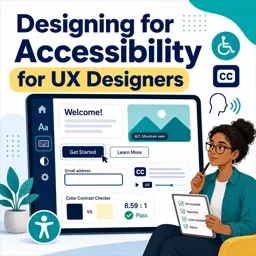
Normal text should generally have a contrast ratio of at least 4.5:1 against its background under WCAG AA.

Duration of the online course: 38 minutes
New
Design more inclusive digital products with this free UX accessibility course. Learn contrast, color cues and link text to improve usability and boost impact.
Create experiences that work for more people and make your UX practice stronger with accessibility-first design. This free online course helps you build the habits and decision-making skills needed to design interfaces that are easier to perceive, understand, and use across a wide range of abilities, devices, and environments. You will focus on practical, day-to-day choices that can dramatically improve clarity and usability without sacrificing aesthetics.
Accessibility is not a last-minute checklist or a compliance hurdle; it is a core part of quality design. By learning how to think about contrast, color communication, and link clarity, you will be able to reduce friction for users and increase confidence in your design rationale. These improvements often benefit everyone: better readability in bright light, clearer calls to action, and interfaces that are easier to scan quickly. The course connects accessibility concepts to real UX outcomes, making it relevant whether you design websites, apps, or complex product flows.
You will explore the primary purpose of web accessibility and how it relates to inclusive, human-centered design. From there, you will practice making visual choices that support perception, including understanding the baseline expectations for text contrast and other elements that carry meaning. You will also learn how to avoid relying on color alone when signaling status or errors, ensuring that information remains understandable for users with color-vision differences or anyone viewing screens under less-than-ideal conditions.
Finally, you will strengthen the way you write and evaluate links so that navigation is predictable and accessible in context, especially for people using assistive technologies. By the end, you will be able to spot common accessibility issues earlier, communicate your reasoning to teammates and stakeholders, and design interfaces that feel more thoughtful, resilient, and inclusive.

38 minutes of online video course

Digital certificate of course completion (Free)

Exercises to train your knowledge

100% free, from content to certificate
What is the minimum WCAG contrast ratio for normal text in UX design?
Normal text should generally have a contrast ratio of at least 4.5:1 against its background under WCAG AA.
How can UX designers communicate error or success states without relying only on color?
Use color alongside clear text labels, icons, patterns, or other visual cues so the status remains understandable for all users.
What link wording is most accessible on a website?
Use descriptive link text that explains the destination or action, such as “Download the accessibility checklist,” rather than “Click here.”
Ready to get started?Download the app and get started today.
Install the app now
to access the course
Over 5,000 free courses
Programming, English, Digital Marketing and much more! Learn whatever you want, for free.

Study plan with AI
Our app's Artificial Intelligence can create a study schedule for the course you choose.

From zero to professional success
Improve your resume with our free Certificate and then use our Artificial Intelligence to find your dream job.
You can also use the QR Code or the links below.



Free CourseUser Interface Design
5

(4)

12h04m

21 exercises

Free CourseUI Design for beginners
5
(1)
1h20m
5 exercises

Free CoursePrinciple UI/UX
4.9
(39)
6h39m
20 exercises

Free CourseWeb and Desktop app UI design in Figma
4.9
(8)
1h16m
Free CourseWeb design
4.9
(7)
4h17m
18 exercises

Free CourseAdobe XD Tutorials
4.8
(23)
7h23m
16 exercises

Free CourseUX design for mobile
4.8
(94)
1h37m
24 exercises

Free CourseUX/UI design course
4.7

(31)
2h34m
20 exercises

Free CourseUX user experience design
4.6
(11)
17h36m
16 exercises

Free CourseLearn Web Design for Beginners
4.5
(2)
3h07m
6 exercises
Carry knowledge in your pocket.
Download the Cursa app.
There are hundreds of free courses available, with a free certificate of completion that is saved in your mobile image gallery.
Download the app to access the Course Completion Certificate for Free.


+ 10 million
students

Free and Valid
Certificate

60 thousand free
exercises

4.8/5 rating in
app stores

Free courses in
video and ebooks