Auto Layout keeps spacing and alignment consistent while automatically adapting components when content is added, removed, or resized.

Duration of the online course: 41 minutes
4

(2)
Design a polished website in Figma with this free UX/UI course—learn layout, spacing, and responsive components, plus a certificate-ready project for your portfolio.
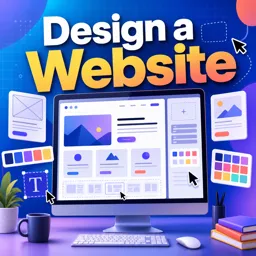
Bring your website ideas to life with a practical UX/UI learning experience focused on modern interface design in Figma. In this course, you will move from a blank canvas to a clean, coherent page that looks intentional and professional. Instead of guessing where elements should go, you will learn how to structure a layout so it stays consistent, readable, and easy to refine—exactly what teams and clients expect when reviewing a design.
A strong website is more than attractive visuals; it is a system. You will practice building with repeatable patterns so buttons, sections, and text blocks feel related across the page. By working with frames and structured design areas, you will get comfortable setting up a workspace that mirrors real product design workflows. This approach helps you design faster, iterate without breaking your layout, and maintain a clear hierarchy that guides users naturally from one section to the next.
One of the most valuable skills you will gain is designing components that adapt smoothly as content changes. You will learn how to keep spacing consistent, align elements reliably, and reduce the manual nudging that slows beginners down. With Figma features that support dynamic resizing and organized stacking, your designs can remain tidy when you add new items, remove sections, or adjust copy length—making your work feel responsive and production-ready.
Whether you are exploring design for the first time or sharpening your UI skills, this free online course helps you develop a process you can reuse on future projects. By the end, you will have a stronger grasp of organizing interface elements, building flexible layouts, and presenting a website design that is easier to hand off, easier to improve, and more impressive in a portfolio.

41 minutes of online video course

Digital certificate of course completion (Free)

Exercises to train your knowledge

100% free, from content to certificate
How does Auto Layout in Figma help when designing responsive website components?
Auto Layout keeps spacing and alignment consistent while automatically adapting components when content is added, removed, or resized.
What are Frames used for in Figma website design?
Frames organize page sections and components, define layout boundaries, and can use responsive resizing and Auto Layout settings.
How can reusable components improve consistency in a Figma website project?
Components let you reuse repeated elements such as buttons, cards, and navigation items, so updates can be made consistently across the design.
Ready to get started?Download the app and get started today.
Install the app now
to access the course
Over 5,000 free courses
Programming, English, Digital Marketing and much more! Learn whatever you want, for free.

Study plan with AI
Our app's Artificial Intelligence can create a study schedule for the course you choose.

From zero to professional success
Improve your resume with our free Certificate and then use our Artificial Intelligence to find your dream job.
You can also use the QR Code or the links below.



Free CourseUser Interface Design
5
(4)

12h04m

21 exercises
Free CourseUI Design for beginners
5
(1)
1h20m
5 exercises
Free CoursePrinciple UI/UX
4.9
(39)
6h39m
20 exercises
Free CourseWeb and Desktop app UI design in Figma
4.9
(8)
1h16m
Free CourseWeb design
4.9
(7)
4h17m
18 exercises
Free CourseAdobe XD Tutorials
4.8
(23)
7h23m
16 exercises
Free CourseUX design for mobile
4.8
(94)
1h37m
24 exercises

Free CourseUX/UI design course
4.7

(31)
2h34m
20 exercises
Free CourseUX user experience design
4.6
(11)
17h36m
16 exercises
Free CourseLearn Web Design for Beginners
4.5
(2)
3h07m
6 exercises
Carry knowledge in your pocket.
Download the Cursa app.
There are hundreds of free courses available, with a free certificate of completion that is saved in your mobile image gallery.
Download the app to access the Course Completion Certificate for Free.


+ 10 million
students

Free and Valid
Certificate

60 thousand free
exercises

4.8/5 rating in
app stores

Free courses in
video and ebooks