Groups organize layers but have limited layout behavior. Frames act as containers, can clip content, support auto layout, and can be used as prototype screens.

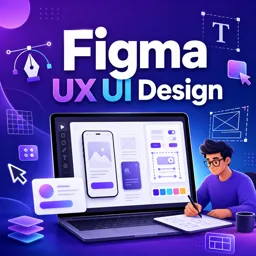
Duration of the online course: 2 hours and 57 minutes
4.5


(2)
Design better interfaces fast with this free Figma UX/UI course. Learn frames vs groups, icon formats, and build job-ready layouts with confidence.
Build modern, user-friendly interfaces with confidence using Figma, one of the most in-demand tools in UX and UI design. This free online course is designed for beginners and early-stage designers who want to move beyond guessing and start making intentional design decisions. You will develop a clear foundation in how Figma works so your screens stay organized, scalable, and easy to iterate as your ideas evolve.
A common reason design files become messy is misunderstanding structure. You will learn how to work effectively with frames and groups, when to use each, and how those choices affect layout behavior, alignment, responsiveness, and handoff. By understanding this core distinction, you can design faster, keep components tidy, and collaborate smoothly with teammates or clients without constant rework.
The course also helps you make smarter choices when working with icons and assets. You will explore the practical differences between SVG and PNG, why file format matters for clarity and performance, and how to pick the right option depending on the context. These small decisions add up to cleaner visuals and a more professional feel across your interface.
Whether you are transitioning into UX/UI from another field, improving your design workflow, or aiming to build a portfolio with stronger fundamentals, this course gives you the practical skills to produce polished screens and communicate your work clearly. You will finish with a better understanding of Figma essentials, stronger file organization habits, and the confidence to turn ideas into well-structured interface designs.

2 hours and 57 minutes of online video course

Digital certificate of course completion (Free)

Exercises to train your knowledge

100% free, from content to certificate
What is the difference between Groups and Frames in Figma?
Groups organize layers but have limited layout behavior. Frames act as containers, can clip content, support auto layout, and can be used as prototype screens.
When should I use a Frame instead of a Group in Figma?
Use a Frame for screens, components, layouts, and content that needs constraints, auto layout, clipping, or prototyping. Use a Group for simple layer organization.
What is the difference between SVG and PNG icons in Figma?
SVG icons are vector-based and remain sharp at any size, while PNG icons are raster images that can lose quality when enlarged.
Ready to get started?Download the app and get started today.
Install the app now
to access the course
Over 5,000 free courses
Programming, English, Digital Marketing and much more! Learn whatever you want, for free.

Study plan with AI
Our app's Artificial Intelligence can create a study schedule for the course you choose.

From zero to professional success
Improve your resume with our free Certificate and then use our Artificial Intelligence to find your dream job.
You can also use the QR Code or the links below.



Free CourseUser Interface Design
5
(4)

12h04m

21 exercises
Free CourseUI Design for beginners
5
(1)
1h20m
5 exercises
Free CoursePrinciple UI/UX
4.9
(39)
6h39m
20 exercises
Free CourseWeb and Desktop app UI design in Figma
4.9
(8)
1h16m
Free CourseWeb design
4.9
(7)
4h17m
18 exercises
Free CourseAdobe XD Tutorials
4.8
(23)
7h23m
16 exercises
Free CourseUX design for mobile
4.8
(94)
1h37m
24 exercises
Free CourseUX/UI design course
4.7
(31)
2h34m
20 exercises

Free CourseUX user experience design
4.6
(11)
17h36m
16 exercises
Free CourseLearn Web Design for Beginners
4.5
(2)
3h07m
6 exercises
Carry knowledge in your pocket.
Download the Cursa app.
There are hundreds of free courses available, with a free certificate of completion that is saved in your mobile image gallery.
Download the app to access the Course Completion Certificate for Free.


+ 10 million
students

Free and Valid
Certificate

60 thousand free
exercises

4.8/5 rating in
app stores

Free courses in
video and ebooks