The course demonstrates a complete workflow: defining brand emotions, selecting colors, sketching a logo, refining it in Figma, and documenting the system in a brand manual.

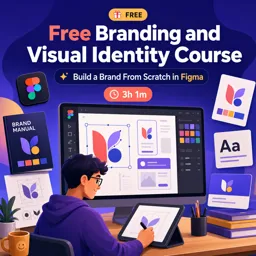
Duration of the online course: 3 hours and 1 minutes
New
Build a brand from scratch in this free course: craft colors, logo, and a polished visual identity in Figma—ideal for UX/UI portfolios and real projects.
Build a brand that feels intentional, consistent, and ready for real product design. In this free online course in Design and Creative Arts, you’ll learn how to shape a complete visual identity for a digital startup using Figma, with a workflow that fits perfectly into UX and UI Design projects. Instead of treating branding like a set of random choices, you’ll practice making design decisions based on emotion, clarity, and the kind of experience your app or product should communicate.
You’ll start by defining the overall vibe of a productivity and task management app, then translate those abstract goals into a practical visual direction. You’ll explore how to choose colors that support the personality of the brand, and why cultural context matters when building a palette meant for a broad audience. From there, you’ll move into logo ideation the way designers actually do it: fast sketching, lots of variations, and a focus on discovering strong directions before polishing anything. You’ll then take the best idea and refine it into a clean, production-ready mark inside Figma, learning how small structural changes can make a symbol feel simpler, stronger, and easier to apply.
Once the foundations are set, you’ll solve the common challenge many beginners face: not just picking colors, but using and combining them with confidence. You’ll develop a practical system for color relationships so your UI, marketing pieces, and documentation feel cohesive. Finally, you’ll assemble a brand manual that shows your identity clearly, keeps decisions consistent, and makes handoff smoother for future design work. Along the way, you’ll build reusable components in Figma to speed up updates, reduce mistakes, and keep the guide easy to maintain through revisions.
By the end, you won’t just have a nicer logo or a prettier palette. You’ll have a repeatable branding process you can apply to client work, startups, and portfolio case studies, plus a finished style guide structure you can reuse whenever you need to bring a new product brand to life.

Explore free online Figma courses designed to help you master UI/UX design, prototyping, wireframing, components, and collaborative workflows. Learn practical skills through flexible, beginner-friendly lessons, build polished digital interfaces, and earn a certificate at no cost. Start learning Figma today and strengthen your design portfolio.

Explore free online branding courses designed to help you build memorable brands, define brand identity, develop effective strategies, and connect with target audiences. Learn branding fundamentals, positioning, storytelling, visual identity, and brand management at your own pace, and earn a certificate to showcase your new skills.

3 hours and 1 minutes of online video course

Digital certificate of course completion (Free)

Exercises to train your knowledge

100% free, from content to certificate
How do you create a visual identity for a productivity app in Figma?
The course demonstrates a complete workflow: defining brand emotions, selecting colors, sketching a logo, refining it in Figma, and documenting the system in a brand manual.
What should a brand style guide include for a new startup?
It should define the logo, color palette and combinations, typography, visual components, usage rules, and core presentation slides for consistent application.
Why use Figma components when building a brand manual?
Components make repeating items such as color swatches, logo variations, and layout elements easier to update consistently across the style guide.
Ready to get started?Download the app and get started today.
Install the app now
to access the course
Over 5,000 free courses
Programming, English, Digital Marketing and much more! Learn whatever you want, for free.

Study plan with AI
Our app's Artificial Intelligence can create a study schedule for the course you choose.

From zero to professional success
Improve your resume with our free Certificate and then use our Artificial Intelligence to find your dream job.
You can also use the QR Code or the links below.



Free CourseUser Interface Design
5

(4)

12h04m

21 exercises
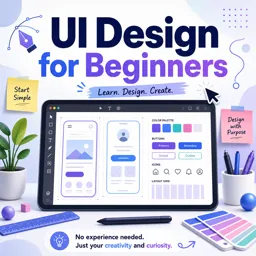
Free CourseUI Design for beginners
5
(1)
1h20m
5 exercises

Free CoursePrinciple UI/UX
4.9
(39)
6h39m
20 exercises
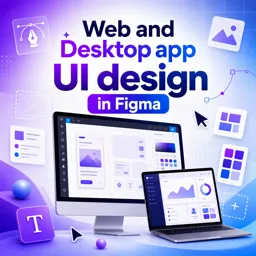
Free CourseWeb and Desktop app UI design in Figma
4.9
(8)
1h16m
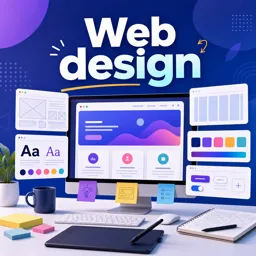
Free CourseWeb design
4.9
(7)
4h17m
18 exercises
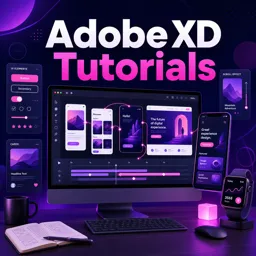
Free CourseAdobe XD Tutorials
4.8
(23)
7h23m
16 exercises

Free CourseUX design for mobile
4.8
(94)
1h37m
24 exercises

Free CourseUX/UI design course
4.7

(31)
2h34m
20 exercises

Free CourseUX user experience design
4.6
(11)
17h36m
16 exercises
Free CourseLearn Web Design for Beginners
4.5
(2)
3h07m
6 exercises
Carry knowledge in your pocket.
Download the Cursa app.
There are hundreds of free courses available, with a free certificate of completion that is saved in your mobile image gallery.
Download the app to access the Course Completion Certificate for Free.


+ 10 million
students

Free and Valid
Certificate

60 thousand free
exercises

4.8/5 rating in
app stores

Free courses in
video and ebooks