

Imagine running a promotion across email, Facebook, a partner blog and a podcast sponsorship. Sales go up. Great news, but which channel deserves the credit, and where should you spend next month’s budget? If your links aren’t tagged, your analytics tool may lump much of that traffic into vague buckets like “direct” or “referral.” UTM parameters solve this problem with a few extra words added to the end of a URL. This guide walks you through what they are, how to build them and how to keep them organized.
What Is a UTM Parameter?
A UTM parameter is a tag added to a link’s query string. It doesn’t change where the link goes or what the visitor sees. Instead, it passes information to analytics tools such as Google Analytics about where the click came from.
“UTM” stands for Urchin Tracking Module. Urchin was a web analytics company that Google acquired in 2005, and its technology became the foundation of Google Analytics. Today, UTM tags are recognized by most major analytics platforms.
Here’s what a tagged link looks like:
https://www.example.com/spring-sale?utm_source=newsletter&utm_medium=email&utm_campaign=spring_saleEverything after the question mark is the query string. Each parameter follows a name=value pattern, and parameters are joined with an ampersand (&).
The Five Standard UTM Tags
| Tag | Question it answers | Typical values | Needed? |
|---|---|---|---|
utm_source | Who sent the visitor? | google, facebook, newsletter, partner_blog | Yes |
utm_medium | What type of channel was it? | email, social, cpc, referral, display | Yes |
utm_campaign | Which campaign is this part of? | spring_sale, webinar_march, product_launch | Strongly recommended |
utm_term | Which keyword triggered the ad? | online_courses, learn_excel | Optional (mainly paid search) |
utm_content | Which specific link or creative was clicked? | header_button, footer_link, video_ad_a | Optional (great for testing) |
A handy way to remember the core three: source is who, medium is how, and campaign is why. Use content whenever one email, page or ad contains several links to the same destination and you want to know which one people prefer.
Building Your First Tagged Link
- Start with the destination URL. Copy the full address of the page you want people to land on.
- Decide your values in advance. Know your source, medium and campaign name before you start typing.
- Add the tags. Put a
?after the URL, then your parameters separated by&. If the URL already contains a?, add your tags with&instead. - Use a builder to avoid typos. Google’s free Campaign URL Builder generates the link for you from simple form fields, and many email and social scheduling tools can add UTMs automatically.
- Test the link. Click it, make sure the page loads correctly, and check the real-time report in your analytics tool to confirm the visit shows the right source and medium.
- Shorten if needed. Tagged URLs get long. A link shortener can make them tidier for social posts or printed materials, and the UTM data is preserved when the short link redirects.
Create a Naming Convention Before You Need One
The most common UTM problem isn’t technical. It’s inconsistency. UTM values are case-sensitive, so “Facebook,” “facebook” and “FB” will show up as three different sources. After a few months, your reports can become a confusing mess. A simple naming convention prevents this:
- Always use lowercase. It’s the easiest rule to follow and eliminates duplicate rows.
- Pick one separator. Use underscores or hyphens, but not both, and avoid spaces.
- Fix a list of allowed mediums. Analytics tools use the medium to group traffic into channels. Sticking to widely used terms like
email,social,cpcandreferralhelps your traffic land in the right channel group. - Make campaign names descriptive. “spring_sale_2027” is far more useful a year later than “campaign1.”
- Keep a shared log. A simple spreadsheet listing every tagged link, its values and its purpose helps everyone on the team stay consistent.
Here’s a sample convention you could adapt:
| Channel | utm_source | utm_medium | utm_campaign example |
|---|---|---|---|
| Monthly newsletter | newsletter | march_newsletter | |
| Organic Instagram post | social | course_launch | |
| Paid search ad | cpc | course_launch | |
| Guest article on a partner site | partner_blog | referral | course_launch |
Mistakes That Corrupt Your Data
- Tagging internal links. Never add UTMs to links between pages of your own site. This can start a new session and overwrite the visitor’s real original source.
- Leaving out source or medium. Incomplete tags lead to incomplete reports.
- Using the wrong medium. Labeling a paid social ad as “email,” for example, sends it to the wrong channel in your reports.
- Putting personal data in UTMs. Never include names, email addresses or other personal information in URL parameters. URLs can be stored, shared and logged in many places.
Reading the Results
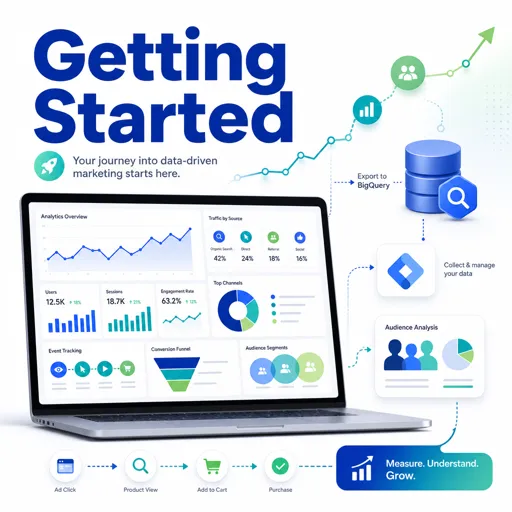
Once your tagged links are live, look for the acquisition or traffic reports in your analytics tool. You can view sessions by source, medium and campaign, and, more importantly, connect them to outcomes such as sign-ups, downloads or purchases. That’s where UTMs really pay off: they show which channels bring visitors who take action, not just visitors who click.
Conclusion
UTM parameters are one of the easiest wins in digital marketing. They’re free, they take seconds to create, and they turn guesswork into evidence. The real secret is consistency: agree on a naming convention, test every link and keep a record. Do that, and your analytics will tell you a clear story about what’s working.
Ready to learn more about campaign planning, analytics and growing an audience online? Browse the free digital marketing courses on Cursa and put these skills to work.