
A robots.txt file gives search-engine crawlers instructions about which areas of a website they may or may not crawl.

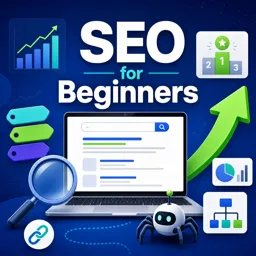
Duration of the online course: 1 hours and 49 minutes
4.9

(82)
Boost your website visibility with this free SEO course: learn keywords, titles, links, sitemaps and tracking basics to start ranking and grow traffic.
Getting found online is not luck. It is the result of making it easy for search engines to understand your pages and valuable for people to click and stay. This free course introduces the core ideas of SEO in a practical, beginner-friendly way, so you can improve visibility, earn more organic traffic, and support business growth without relying only on ads.
You will start by understanding how search engines work, why rankings change, and how to check performance more accurately. From there, you will learn how crawlers discover content, what helps or blocks them, and how a logical internal linking structure allows important pages to be found and indexed. You will also explore how domain choices and clean URL structures can improve clarity for both users and search engines.
A major focus is on relevance and intent: how keywords connect real searches to your content, how to avoid common pitfalls like keyword stuffing, and how to plan keyword research so you target terms that match your audience and your goals. You will also strengthen on-page SEO by crafting effective page titles and meta descriptions, structuring content with headings, and optimizing images so they support accessibility and discovery rather than slowing you down.
Beyond on-page work, you will learn the essentials of link building: why links matter, what makes them valuable, and how to approach earning them in a way that supports credibility. You will also cover technical fundamentals like robots.txt and sitemaps, helping you control what should be crawled and ensuring search engines can find the pages that matter most.
To bring everything together, the course introduces website auditing with a site analyzer. You will run crawls, interpret indexation signals, spot duplicated content risks, and turn findings into actionable tasks and reports. By the end, you will have a clear framework to diagnose issues, prioritize fixes, and build an SEO routine you can apply to your own site or a professional digital marketing role.

1 hours and 49 minutes of online video course

Digital certificate of course completion (Free)

Exercises to train your knowledge

100% free, from content to certificate
What is the purpose of a robots.txt file in SEO?
A robots.txt file gives search-engine crawlers instructions about which areas of a website they may or may not crawl.
How long should an SEO page title be?
Keep page titles concise, typically around 50–60 characters, so they are less likely to be truncated in search results.
Why is internal linking important for SEO?
Internal links help crawlers discover pages, clarify site structure, and help visitors navigate related content.
Ready to get started?Download the app and get started today.
Install the app now
to access the course
Over 5,000 free courses
Programming, English, Digital Marketing and much more! Learn whatever you want, for free.

Study plan with AI
Our app's Artificial Intelligence can create a study schedule for the course you choose.

From zero to professional success
Improve your resume with our free Certificate and then use our Artificial Intelligence to find your dream job.
You can also use the QR Code or the links below.



Free CourseGetting Started
5
(4)

2h46m

21 exercises

Free CourseOn-Page SEO
5
(1)
38m
5 exercises

Free CourseInteractive Content in Digital Marketing
5
(1)
2h12m
12 exercises

Free CourseGoogle Digital Marketing and Ecommerce
4.7

(31)
13h33m
28 exercises

Free CourseApp marketing
4.7
(82)
3h57m
38 exercises

Free CourseGoogle Ads beginner to advanced
4.7
(21)
15h53m
13 exercises

Free CourseSocial Media Management
4.7
(6)
7h54m
6 exercises
Free CourseFacebook Ads for beginners
4.7
(3)
1h10m
8 exercises

Free CourseMarketing Basics
4.7
(124)
28h47m
19 exercises
Free CoursePrinciples of copywriting
4.6
(76)
1h36m
21 exercises
Carry knowledge in your pocket.
Download the Cursa app.
There are hundreds of free courses available, with a free certificate of completion that is saved in your mobile image gallery.
Download the app to access the Course Completion Certificate for Free.


+ 10 million
students

Free and Valid
Certificate

60 thousand free
exercises

4.8/5 rating in
app stores

Free courses in
video and ebooks


Course comments: SEO for Beginners
Nicholas “Monster” Johnson
Very funny and informative. While topics are not traditional classwork they hit the points necessary! Easy to jump into courses without feeling dred.