Create a Google tag in Tag Manager, enter your GA4 Measurement ID (formatted as G-XXXXXXXXXX), set an appropriate trigger such as All Pages, then publish the container.

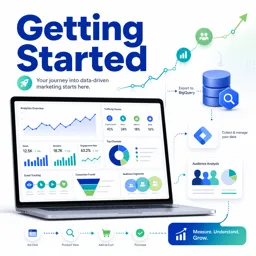
Duration of the online course: 2 hours and 46 minutes
New
Level up your digital marketing skills with a free Google Analytics 4 course—set up GA4, track events, analyze users, and earn a certificate-ready edge.
Understanding what really happens on your website or app is the difference between guessing and growing. This free online course in Digital Marketing helps you get comfortable with Google Analytics 4 (GA4) from the very first steps, so you can build measurement you trust and turn data into clearer decisions. You will learn how a GA4 property is structured, what makes it different, and how to navigate the interface with confidence so reports and explorations stop feeling overwhelming.
You will work through practical ways to set up GA4 correctly, whether you prefer adding tags directly with gtag.js or managing everything through Google Tag Manager. From there, the focus shifts to reliable data collection: creating and refining events, editing them inside the GA4 interface to keep naming consistent, and applying cross-domain measurement so sessions and conversions are attributed properly when users move across related sites. These foundations are essential for accurate performance analysis and trustworthy reporting.
Once tracking is in place, the course guides you into GA4 analysis techniques that uncover how people actually behave. You will explore user and path behavior, learn how to interpret segment insights such as overlap, and understand what options like viewing unique nodes change in a path analysis. You will also see how acquisition reporting differs depending on whether you want to evaluate traffic sources or user acquisition, helping you answer the right questions for marketing and product decisions.
To connect analytics to growth, you will learn how GA4 integrates with key tools and workflows. You will connect with Google Ads to unlock useful reporting capabilities, build audiences with the Audience Builder, and understand predictive audiences and the predictive metrics GA4 offers. You will also be introduced to conversion modeling and attribution reporting, including why GA4 favors data-driven attribution for distributing credit across touchpoints. For teams that need scalable analytics, the course covers access management, roll-up properties, subproperties, and best-practice account structures.
By the end, you will be able to implement GA4 with more confidence, diagnose common measurement gaps, and communicate insights that stakeholders can act on. Whether you are starting a marketing career, supporting an e-commerce business, or improving reporting for a growing organization, this course gives you job-relevant GA4 skills you can apply immediately.

2 hours and 46 minutes of online video course

Digital certificate of course completion (Free)

Exercises to train your knowledge

100% free, from content to certificate
How do I set up a GA4 property using Google Tag Manager?
Create a Google tag in Tag Manager, enter your GA4 Measurement ID (formatted as G-XXXXXXXXXX), set an appropriate trigger such as All Pages, then publish the container.
What is the difference between User acquisition and Traffic acquisition reports in GA4?
User acquisition shows the first channel that brought a user to your site or app, while Traffic acquisition shows the channel that generated each session.
Why export Google Analytics 4 data to BigQuery?
BigQuery provides access to raw event-level GA4 data for SQL analysis, custom reporting, data blending, and more advanced modeling.
Ready to get started?Download the app and get started today.
Install the app now
to access the course
Over 5,000 free courses
Programming, English, Digital Marketing and much more! Learn whatever you want, for free.

Study plan with AI
Our app's Artificial Intelligence can create a study schedule for the course you choose.

From zero to professional success
Improve your resume with our free Certificate and then use our Artificial Intelligence to find your dream job.
You can also use the QR Code or the links below.




Free CourseOn-Page SEO
5

(1)

38m

5 exercises

Free CourseInteractive Content in Digital Marketing
5
(1)
2h12m
12 exercises

Free CourseSEO for Beginners
4.9
(88)
1h49m
16 exercises

Free CourseGoogle Digital Marketing and Ecommerce
4.8
(30)
13h33m
28 exercises

Free CourseApp marketing
4.7

(82)
3h57m
38 exercises

Free CourseGoogle Ads beginner to advanced
4.7
(21)
15h53m
13 exercises

Free CourseSocial Media Management
4.7
(6)
7h54m
6 exercises

Free CourseFacebook Ads for beginners
4.7
(3)
1h10m
8 exercises

Free CourseMarketing Basics
4.7
(125)
28h47m
19 exercises

Free CoursePrinciples of copywriting
4.6
(76)
1h36m
21 exercises
Carry knowledge in your pocket.
Download the Cursa app.
There are hundreds of free courses available, with a free certificate of completion that is saved in your mobile image gallery.
Download the app to access the Course Completion Certificate for Free.


+ 10 million
students

Free and Valid
Certificate

60 thousand free
exercises

4.8/5 rating in
app stores

Free courses in
video and ebooks