Mobile game development blends creativity and technical expertise, but one critical phase often overlooked is prototyping and testing. These processes allow developers to explore ideas, validate mechanics, and ensure gameplay is fun before committing to full-scale production.
Why Prototyping Matters in Mobile Game Development
Prototyping is the foundation for testing a concept’s potential. It helps developers evaluate ideas quickly, refine gameplay loops, and avoid costly missteps.
- Rapid Validation: Quickly determine whether your concept is engaging and worth pursuing.
- Cost-Effective: Save time and resources by testing core features early.
- Feedback Gathering: Use prototypes to collect insights from testers and stakeholders before committing to final designs.
Types of Prototypes
The level of detail in your prototype depends on the development stage and project goals.
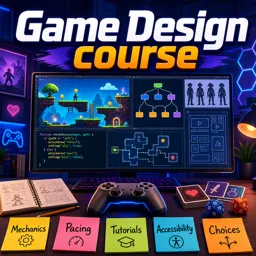
- Paper Prototypes: Simple sketches to visualize screens, flows, and gameplay without coding.
- Digital Mockups: Clickable wireframes (e.g., in Figma or Adobe XD) for showcasing UI/UX without full logic.
- Playable Prototypes: Early game builds in engines like Unity or Unreal, focusing on mechanics rather than visuals.
Iterative Testing: The Key to Refinement
Testing is not a one-time process—it’s an ongoing cycle of observation, feedback, and improvement.
- Identify Goals: Define what questions your prototype should answer (e.g., Is it fun? Are controls intuitive?).
- Recruit Testers: Use target users, friends, or colleagues to gain varied perspectives.
- Observe and Document: Note user behaviors, pain points, and engagement patterns.
- Iterate: Adjust based on feedback and test again until the core gameplay feels solid.
Best Practices for Mobile Game Prototyping and Testing
- Focus first on unique mechanics or selling points.
- Keep prototypes simple; visuals and polish come later.
- Document every round of feedback for future reference.
- Test frequently with diverse users to ensure broader appeal.
- Stay open to major changes—prototyping is about discovery.
Conclusion
Prototyping and testing help developers minimize risks, refine ideas, and ensure gameplay resonates with players. By embracing iterative design, you can transform creative concepts into polished, engaging mobile games.