Performance problems rarely announce themselves politely. A marketing campaign spikes traffic, a dependency slows down, or a single server hits its limits—and suddenly response times climb and errors appear. Load balancing and auto scaling are the core cloud-and-server skills that keep web applications stable during these moments by distributing traffic intelligently and adding (or removing) capacity automatically.
This guide explains the concepts, trade-offs, and hands-on patterns used across AWS, Azure, and hybrid environments. If you’re exploring the broader learning path, start with the https://cursa.app/free-courses-information-technology-online subcategory and the main https://cursa.app/free-online-information-technology-courses for structured courses and certifications.
What a load balancer actually does (beyond “splitting traffic”)
A load balancer is a traffic manager that sits in front of one or more servers (or containers) and decides where each request should go. The goal isn’t only to spread load—it’s to maintain reliability and user experience by routing around failures, enforcing security policies, and providing a stable endpoint even as backend servers change.
In practice, load balancers commonly provide:
- Health checks to detect unhealthy targets and stop sending them traffic.
- Connection management (keep-alive, timeouts, retries depending on the platform).
- TLS termination so you can centralize HTTPS certificates and encryption settings.
- Routing rules like host-based routing (api.example.com vs app.example.com) or path-based routing (/api vs /static).
- Session persistence (“sticky sessions”) when an application can’t be fully stateless.
Common load balancing algorithms and when to use them
Load balancers use algorithms to choose a target. Understanding these helps you troubleshoot uneven performance and pick the right defaults.
- Round robin: rotates requests evenly across targets. Good baseline for similar servers.
- Least connections: sends traffic to the server with the fewest active connections. Useful when requests vary in duration.
- Weighted routing: assigns more traffic to larger instances (or gradually shifts traffic in a rollout).
- Hash-based routing (e.g., by client IP): can approximate stickiness without explicit session cookies, but can create imbalance.
Rule of thumb: start simple (round robin) and rely on health checks + autoscaling + observability before reaching for advanced tuning.

Layer 4 vs Layer 7 load balancing: the decision that affects everything
Two major categories matter for modern web stacks:
- Layer 4 (TCP/UDP): routes based on IP/port. It’s fast and protocol-agnostic—great for generic TCP services and some high-throughput scenarios.
- Layer 7 (HTTP/HTTPS): understands web requests and can route based on headers, paths, cookies, and more. It enables features like path-based routing and WAF integrations.
Many applications use a Layer 7 load balancer for web traffic (HTTP/HTTPS) and a Layer 4 solution for specialized services. Choosing the right layer early affects your routing flexibility, security options, and debugging approach.
Auto scaling: matching capacity to demand without guessing
Auto scaling automatically adjusts the number of running servers (or containers) to meet demand. It prevents two costly extremes: overprovisioning (wasting money) and underprovisioning (downtime and slow pages).
Three scaling patterns show up most often:
- Reactive scaling: add/remove capacity based on metrics (CPU, memory, request rate, queue depth).
- Scheduled scaling: increase capacity ahead of known peaks (business hours, batch jobs).
- Predictive scaling: use historical trends to forecast demand (platform-dependent).
Designing stateless web tiers (the secret to painless scaling)
Auto scaling works best when your web tier is stateless—meaning any server can handle any request. If a server disappears (scale-in, failure, deployment), users shouldn’t lose sessions or data.
To move toward stateless design:
- Store sessions in a shared system (cache or database) instead of local memory.
- Put uploads in object storage rather than the local filesystem.
- Externalize configuration (environment variables, parameter stores, secrets managers).
- Make servers disposable: replace instead of repairing.
If you’re also learning foundational server administration, pairing these ideas with Windows or Linux server courses is helpful; browse the https://cursa.app/free-online-courses/windows-server for relevant system concepts (services, certificates, performance counters) that translate well into cloud architectures.
Health checks, graceful shutdown, and the “draining” period
Most scaling failures aren’t caused by scaling itself, but by poor lifecycle handling. When new instances start, they need time to boot, load dependencies, warm caches, and pass health checks. When instances terminate, they need time to finish in-flight requests.
Key practices:
- Startup readiness: expose a /health or /ready endpoint that only returns success when the app is truly ready.
- Connection draining: stop sending new requests to a target before terminating it.
- Graceful shutdown: trap termination signals and finish active requests cleanly.
- Separate liveness vs readiness: liveness indicates “not dead”; readiness indicates “safe to receive traffic.”
Observability: the metrics that make scaling decisions trustworthy
Scaling policies are only as good as the signals they use. Instead of relying on CPU alone, combine infrastructure and application metrics.
- Golden signals: latency, traffic, errors, saturation.
- Load balancer metrics: request count, target response time, 4xx/5xx rates, healthy host count.
- App metrics: queue depth, thread pool utilization, DB connection pool saturation, cache hit rate.
- User experience: real-user monitoring (RUM) or synthetic checks for key pages.
When you can see these metrics together, you can answer the most important question: “Did scaling fix the problem—or hide it?”
Security considerations: load balancers as a control point
Because load balancers sit at the edge of your application, they’re a natural place to enforce security:
- TLS best practices: strong cipher suites, modern protocol versions, certificate rotation.
- Web Application Firewall (WAF): block common attacks like SQL injection and XSS (especially valuable for public apps).
- DDoS resilience: edge protections and rate limiting depending on provider.
- Private backends: keep web servers on private networks and expose only the load balancer.
Cloud providers offer integrated options for this (for example, Azure’s application gateway patterns and AWS’s WAF/Shield ecosystem). To compare approaches, explore the learning paths for https://cursa.app/free-online-courses/microsoft-azure and https://cursa.app/free-online-courses/aws.
Practical deployment patterns (blue/green and canary) using load balancers
Load balancers make safer deployments possible by controlling traffic flow between old and new versions.
- Blue/green: run two environments (blue = current, green = new). Switch traffic when green is validated. Fast rollback by switching back.
- Canary: send a small percentage of traffic to the new version, observe metrics, then gradually increase.
- Weighted routing: route by weights to implement progressive delivery without changing DNS.
These patterns reduce risk and pair naturally with auto scaling—especially when combined with health checks and strong monitoring.

Where serverless fits in (and when it doesn’t)
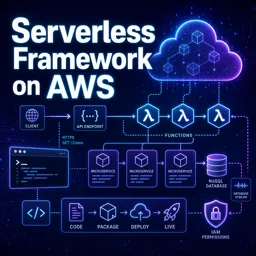
Auto scaling isn’t limited to virtual machines. In many stacks, serverless services provide scaling without managing servers at all. This can be ideal for event-driven workloads, APIs, and background processing—while traditional load balancing remains central for long-lived web services or specific network requirements.
To expand into these architectures, follow the https://cursa.app/free-online-courses/serverless learning path and dive deeper into https://cursa.app/free-online-courses/lambda concepts like concurrency, cold starts, and event sources.
A skill checklist to practice in labs
To turn these ideas into job-ready ability, build a small project and validate each skill:
- Deploy two or more web servers behind a load balancer with health checks.
- Enable HTTPS and redirect HTTP → HTTPS.
- Implement path-based routing (/api vs /app).
- Create an auto scaling policy using request rate and latency signals (not CPU alone).
- Prove graceful scale-in with connection draining (no dropped requests during termination).
- Run a canary rollout and verify error rates before shifting more traffic.
These are the same building blocks used in production systems—whether you later specialize in AWS, Azure, or a hybrid environment.
Next steps
Load balancing and auto scaling sit at the intersection of networking, server administration, and cloud architecture. Once you’re comfortable with these fundamentals, you can branch into containers, infrastructure as code, and advanced security hardening.
Continue your learning with the https://cursa.app/free-courses-information-technology-online, and explore focused tracks in https://cursa.app/free-online-courses/aws and https://cursa.app/free-online-courses/microsoft-azure to see how each platform implements these patterns in real services.