Free Course Image Active Directory

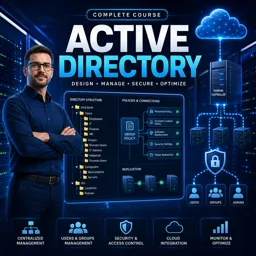
Free online courseActive Directory

Duration of the online course: 14 hours and 51 minutes

4.95

StarStarStarStarStar

(20)

Master Active Directory with this comprehensive free online course covering all essential topics from installation to advanced configuration and security policies.

In this free course, learn about

  • Active Directory Fundamentals and Installation
  • Active Directory Roles, Global Catalog, and Time
  • Domains, Forests, Upgrades, and Trusts
  • Sites, Replication, and Core Directory Objects
  • Groups, Strategies, and Contacts
  • Service Accounts, OUs, and Delegation
  • Command-Line Administration and Scripting
  • Group Policy Basics and Processing
  • Group Policy Templates, Filtering, and Local Management
  • Software Deployment, AppLocker, and GPO Troubleshooting
  • Security Settings, Auditing, and Password Policies

Course Description

The "Active Directory" course is an exceptional educational offering in the realm of Information Technology. This comprehensive program, spanning a total of 14 hours and 51 minutes, is designed to impart in-depth knowledge and practical skills for managing and administering Active Directory in Windows Server environments. With a stellar average rating of 5 out of 5 stars, this course is highly regarded by its participants.

Belonging to the Information Technology category, the course further delves into the subcategory of Web Servers and Networks. It caters to IT professionals aiming to master the intricacies of Active Directory, a critical component in network management. The course content is aligned with the MCITP 70-640 certification, ensuring that learners gain expertise that is both relevant and in-demand in the industry.

The curriculum begins with an introduction to Active Directory, offering a solid foundation for those new to the topic. From there, participants explore the new features introduced in Windows Server 2008 R2 and Service Pack 1, which provide updated tools and functionalities for enhanced directory services.

As students progress, they delve into the inner workings of Active Directory, uncovering the concepts of forests, trees, domain functional levels, and forest functional levels. Practical sessions cover installation requirements, installing Active Directory on standard servers as well as Server Core, and adding child domains, among other tasks.

Critical components like Global Catalog Servers, Operation Master Roles, and the placement and movement of these roles are thoroughly explored. Additionally, the course addresses the seizing of roles and setting external time sources, which are essential for maintaining a robust and synchronized Active Directory environment.

Trusts, sites, subnets, and replication mechanisms are also covered, ensuring that participants understand the nuances of network architecture and data consistency across multiple locations. Account management, including user and computer accounts, group types, special identities, and strategy implementations, are discussed in detail.

The course further delves into administrative tasks such as organizational unit management, delegation of control, and the use of command-line tools, PowerShell, and scripts like VBScript. The Active Directory Migration Tool (ADMT) and RSAT snap-ins are also included to aid in complex migration and server administration tasks.

A significant portion of the course is dedicated to Group Policy, covering everything from introductory concepts to advanced configurations. Students learn about new features, processing orders, enforcement, loopback processing, and preferences, alongside practical demonstrations of software installation and AppLocker configurations.

Troubleshooting Group Policy, optimizing its use, and understanding security settings, templates, and auditing (including file and password policies) are also integral parts of the curriculum. Fine-grained password policies and the management of local groups using preferences wrap up this comprehensive training program.

Overall, the "Active Directory" course is meticulously designed to equip IT professionals with the knowledge and skills needed to proficiently manage and optimize Active Directory services in a modern IT infrastructure. The exceptional rating reflects the high-quality content and effective teaching methods employed throughout the course.

Course content

  • Video class: MCITP 70-640: Introduction To Active Directory 08m
  • Exercise: _What is the main problem with using a work group set up on a network?
  • Video class: MCITP 70-640: New Features in Windows Server 2008 R2 and Service Pack 1 14m
  • Exercise: What is a major feature of Windows Server 2008 compared to its predecessor?
  • Video class: MCITP 70-640: Active Directory Under The Hood 08m
  • Exercise: What is the protocol used by Microsoft to access the Active Directory database?
  • Video class: MCITP 70-640: Active Directory forest and trees 08m
  • Exercise: _What is a domain in Active Directory?
  • Video class: MCITP 70-640: Active Directory System Requirments 05m
  • Exercise: What is a fundamental requirement before deploying Active Directory?
  • Video class: MCITP 70-640: Installing Active Directory 17m
  • Exercise: What is a prerequisite for setting up a domain controller with Windows Server 2008?
  • Video class: MCITP 70-640: Installing Active Directory on Server Core 15m
  • Exercise: _What is the major difference between the full edition and the core edition of Windows Server 2008?
  • Video class: MCITP 70-640: Global Catalog Server 13m
  • Video class: MCITP 70-640: Operation Master Roles 13m
  • Exercise: Which role in Active Directory is responsible for maintaining time accuracy across the domain?
  • Video class: MCITP 70-640: Moving Operation Master Roles 08m
  • Exercise: _What are the five operational master roles in Active Directory?
  • Video class: MCITP 70-640: Operators Master Role Placemnet Global catalog 12m
  • Exercise: What is a recommended practice for placing the PDC emulator role in a network?
  • Video class: MCITP 70-640: Seizing roles 16m
  • Exercise: What is the most critical operational master role that must remain online to avoid potential issues in an Active Directory environment?
  • Video class: MCITP 70-640: Setting an External Time Source 09m
  • Exercise: _What is the preferred method to keep accurate time in a domain if the network has internet access?
  • Video class: MCITP 70-640: Active Directory Domain Functional Levels 18m
  • Exercise: What condition must be met to increase a domain functional level in an Active Directory environment?
  • Video class: MCITP 70-640: Active Directory Forest Functional Levels 17m
  • Exercise: What is a prerequisite for raising the forest functional level to Windows Server 2003?
  • Video class: MCITP 70-640: Upgrading Active Directory 11m
  • Exercise: _What are the prerequisites to add a Windows Server 2008 domain controller to your Active Directory environment?
  • Video class: MCITP 70-640: Active Directory adding a child domain 08m
  • Exercise: What was one reason extra domains were historically created in Active Directory?
  • Video class: MCITP 70-640: Uninstalling Active Directory 07m
  • Exercise: What is an important step to take before demoting a Domain Controller from a domain?
  • Video class: MCITP 70-640: Active Directory Trusts 20m
  • Exercise: _What is the difference between a transitive and non-transitive trust in Active Directory?
  • Video class: MCITP 70-640: Sites and Subnets 09m
  • Exercise: What is the primary purpose of creating sites in Active Directory?
  • Video class: MCITP 70-640: Active Directory Replication 26m
  • Video class: MCITP 70-640: Active Directory Accounts 10m
  • Exercise: _Why are SIDs required in Windows?
  • Video class: MCITP 70-640: Creating a user 31m
  • Video class: MCITP 70-640: Active Directory Computer Accounts 14m
  • Video class: MCITP 70-640: Active Directory Groups 09m
  • Exercise: _What is the advantage of using groups in Active Directory?
  • Video class: MCITP 70-640: Active Directory different group types available 18m
  • Video class: MCITP 70-640: Default Local Groups 15m
  • Video class: MCITP 70-640: Built-in Groups Domain Controllers and Server 11m
  • Exercise: _What happens to the local built-in groups accounts when the server is promoted to a Domain Controller?
  • Video class: MCITP 70-640: Domain Groups 13m
  • Video class: MCITP 70-640: Special Identities 12m
  • Video class: MCITP 70-640: Group Strategy AGDLP 11m
  • Exercise: _What is AGDLP in Active Directory and why is it a role-based strategy?
  • Video class: MCITP 70-640: AGUDLP Group Strategy 10m
  • Video class: MCITP 70-640: Universal Group Membership Caching 08m
  • Video class: MCITP 70-640: Windows Contacts 06m
  • Exercise: _What is the difference between users and contacts in Active Directory?
  • Video class: MCITP 70-640: Protected Admin 05m
  • Video class: MCITP 70-640: Service Accounts 14m
  • Video class: MCITP 70-640: Managed Service Accounts 12m
  • Exercise: _What is a managed service account and how does it simplify user account management?
  • Video class: MCITP 70-640: Offline Domain Join 09m
  • Video class: MCITP 70-640:Organizational Unit & Shadow Groups 16m
  • Video class: MCITP 70-640:Delegation of Control 06m
  • Exercise: _What is the purpose of delegation of control in Active Directory?
  • Video class: MCITP 70-640: Active Directory Command Line Tools 08m
  • Video class: MCITP 70-640: CSVDE and LDIFDE 08m
  • Video class: MCITP 70-640: PowerShell 10m
  • Exercise: _What is the main difference between PowerShell and the command prompt?
  • Video class: MCITP 70-640: VBScript 09m
  • Video class: MCITP 70-640: Active Directory Migration Tool (ADMT) 18m
  • Video class: MCITP 70-640: RSAT & Snap-ins 10m
  • Exercise: _What is the Remote Server Administration Tools (RSAT)?
  • Video class: MCITP 70-640: Group Policy Introduction 10m
  • Video class: MCITP 70-640: Group Policy New Features 11m
  • Video class: MCITP 70-640: Configuring Group Policy 10m
  • Exercise: _What is the purpose of the Group Policy Default Domain Policy in Active Directory?
  • Video class: MCITP 70-640: Installing Group Policy Tools 11m
  • Video class: MCITP 70-640: Group Policy Processing Order 14m
  • Video class: MCITP 70-640: Enforcing and Blocking Group Policy 17m
  • Exercise: _What determines the order in which Group Policies are applied when there is more than one linked at the same level in Active Directory?
  • Video class: MCITP 70-640: Group Policy Loopback Processing 11m
  • Video class: MCITP 70-640: Group Policy Preferences 11m
  • Video class: MCITP 70-640: Group Policy Starter GPOS 09m
  • Exercise: _What is a Starter GPO in Group Policy?
  • Video class: MCITP 70-640: Group Policy Filtering 10m
  • Video class: MCITP 70-640: Group Policy Replication 06m
  • Video class: MCITP 70-640: Group Policy Restricted Groups 08m
  • Exercise: _What is the benefit of using restricted groups in a large network with a lot of clients?
  • Video class: MCITP 70-640: Local Group Management with Preferences 09m
  • Video class: MCITP 70-640: Group Policy Software Installation Introduction 10m
  • Video class: MCITP 70-640: Group Policy Software Install Demonstration 11m
  • Exercise: _What is the default value for slow link detection in Group Policy for software installation?
  • Video class: MCITP 70-640: AppLocker 16m
  • Video class: MCITP 70-640: Group Policy Optimization 10m
  • Video class: MCITP 70-640: Troubleshooting Group Policy 17m
  • Exercise: _What is the purpose of the Group Policy Results tool in Active Directory?
  • Video class: MCITP 70-640: Windows Security Settings and Security Templates 15m
  • Video class: MCITP 70-640: Security Configuration Wizard 15m
  • Video class: MCITP 70-640: Windows Auditing 05m
  • Exercise: _What is the purpose of the System Access Control List (SACL) in auditing?
  • Video class: MCITP 70-640: Active Directory Windows Auditing 13m
  • Video class: MCITP 70-640: Windows File Auditing 07m
  • Video class: MCITP 70-640: Active Directory Password Polices 16m
  • Exercise: _What is the purpose of the "Enforce password history" setting in the password policy?
  • Video class: MCITP 70-640: Fine Grained Password Policy 21m
  • Video class: MCITP 70-640: Deny Domain Local Group 04m

This free course includes:

14 hours and 51 minutes of online video course

Digital certificate of course completion (Free)

Exercises to train your knowledge

100% free, from content to certificate

Ready to get started?Download the app and get started today.

Install the app now

to access the course
Icon representing technology and business courses

Over 5,000 free courses

Programming, English, Digital Marketing and much more! Learn whatever you want, for free.

Calendar icon with target representing study planning

Study plan with AI

Our app's Artificial Intelligence can create a study schedule for the course you choose.

Professional icon representing career and business

From zero to professional success

Improve your resume with our free Certificate and then use our Artificial Intelligence to find your dream job.

You can also use the QR Code or the links below.

QR Code - Download Cursa - Online Courses

Course comments: Active Directory

Michael Mateus Domingos Baliza

Muito top.. bem didático

Ashraf Ansari

This is good and very helpful to me

More free courses at Web Servers and Cloud Computing

Download the App now to have access to + 3300 free courses, exercises, certificates and lots of content without paying anything!

  • 100% free online courses from start to finish

    Thousands of online courses in video, ebooks and audiobooks.

  • More than 48 thousand free exercises

    To test your knowledge during online courses

  • Valid free Digital Certificate with QR Code

    Generated directly from your cell phone's photo gallery and sent to your email

Cursa app on the ebook screen, the video course screen and the course exercises screen, plus the course completion certificate

+ 9 million
students

Free and Valid
Certificate

60 thousand free
exercises

4.8/5 rating in
app stores

Free courses in
video and ebooks